

✓ A simple and easy way to track your billable hours, expenses and mileage
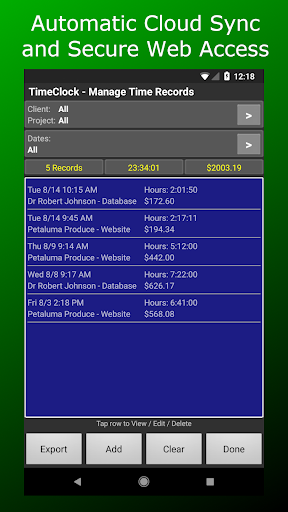
✓ Automatic cloud sync: your data is always safe even if your phone is lost or broken
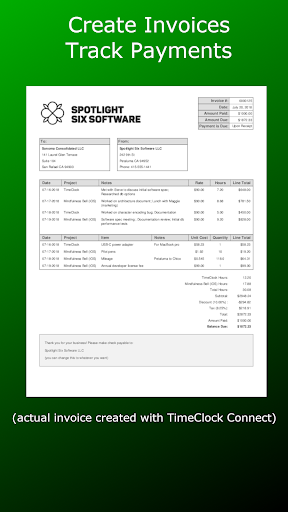
✓ Generate invoices directly from your TimeClock Connect data - or export as spreadsheet or html
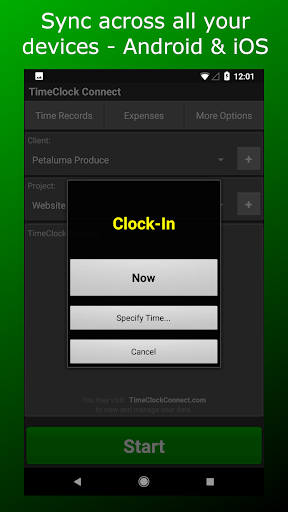
✓ Sync across all your devices - including iPhone and iPad
✓ Safe & dependable - we've been here since 2009
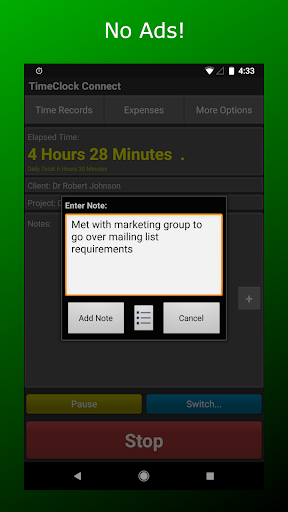
✓ No ads, no tracking, no analytics - just a great product at a fair price
- - - - - - - - - - - - - - - - - - - - - - - - - - - - -
TimeClock Connect makes it easy to track your billable hours and expenses - and then use this data to generate invoices or spreadsheets. It's the perfect Android time tracker for freelancers, independent contractors, attorneys or anyone who bills clients by the hour.
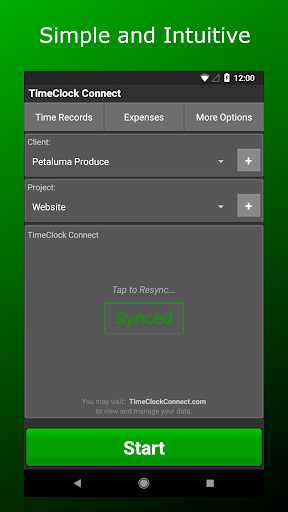
* Simple and intuitive: you'll be tracking your billable hours and expenses within minutes of installing the app.
* Safe and dependable: on the Market since 2009, TimeClock Connect is rock solid and trusted by thousands of users around the world.
TimeClock Connect works great as a standalone app, but you can also sign up for a free TimeClock Connect account, which gives you:
* Instant, automatic back-up for peace of mind: no matter what happens your phone, your data is always safe and accessible online.
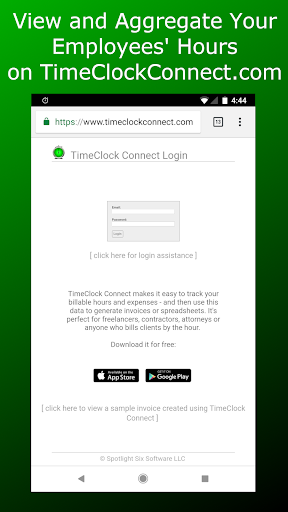
* A better way to view and manage your data: looking at data on your laptop or desktop is easier than using a small mobile display.
* Optional invoice system: the easiest way to create professional looking invoices directly from your TimeClock data - no more spreadsheets!
More TimeClock Connect Features:
* Export directly to Dropbox or Google Drive (Google Docs) - or send your export file via email.
* Export your data as a spreadsheet (CSV) or as "human readable" HTML.
* Track hours for as many clients as you wish. Set your hourly rate for each client and TimeClock will calculate your earnings.
* Round your work times by specifying an optional billing increment for each client - from one minute up to one hour.
* Flat fee activities are supported where the client is charged a fixed amount for a job regardless of the time worked.
* Track your time as you're working by clocking in and clocking out - or manually enter complete time records in the past or future.
* Powerful note entry / management capabilities.
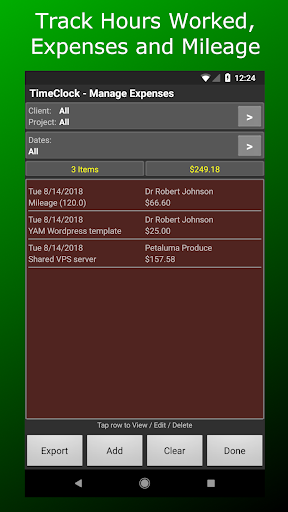
* Track Expenses along with your billable hours. Set up predefined expenses for recurring expense items. Manage and export your expenses from the app or from your TimeClock Connect account.
* Track Mileage Expenses by providing a mileage reimbursement allowance and then entering the distance travelled OR providing starting and ending odometer readings.
* View and edit all time records within the app. You can go back and change the start and end times, billing rate, notes - any field can be edited.
* Customize your spreadsheet export: you pick which data columns are exported, the order of the columns and the type of summary information.
* Each time record contains: client, notes and a secondary data field that defaults to "Project", but you can change this to whatever suits your business: Location, Task, Job etc.
* Note: TimeClock does not automatically calculate overtime nor does it support multiple simultaneous timers.
Invoice System Features:
Simple, easy to use web interface.
Create new invoices in just a few clicks using your time records and expenses synced from the app. You won't believe how quick and easy it is!
Payment tracking - including partial payments.
Bill for materials as well as labor - items can be taxed at different rates.
Complete invoice lifecycle history log for each invoice.
Customize your invoices with your company logo.
Download PDF files to print - or email them to clients from within Timeclock Connect.
Try it free for 30 days. Afterwards, it's only $5/month for unlimited invoices.









9Apps 4.9














