

Owners of WatchDog Stations and Retriever & Pups networks connected to the SpecConnect system can use the WatchDog Mobile app to manage their devices from installation and configuration to current condition monitoring.
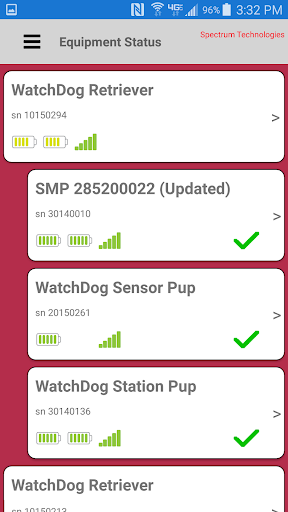
Equipment Status is the primary screen, showing battery levels, communication strength, and an icon showing how long it has been since the device communicated. Tapping or swiping left on a device provides options to tap. Additional options are available from the menu icon.
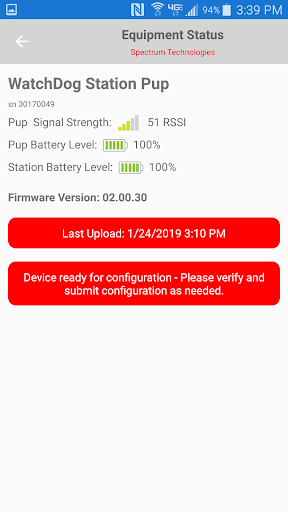
The magnifying glass provides more detail for that specific device.
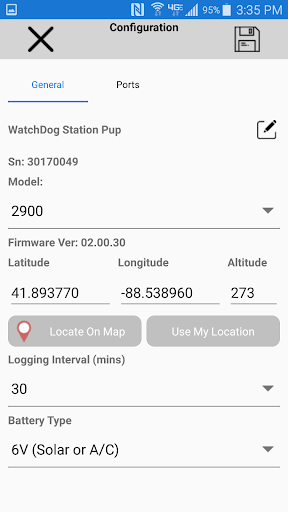
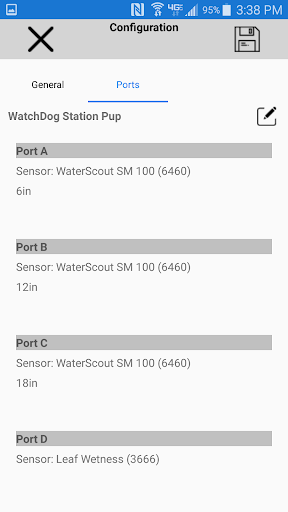
The gear brings up the Settings/Configuration screen for the device.
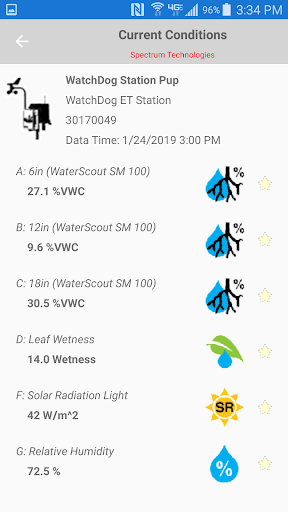
The sun/thermometer shows current conditions for the device. Also, next to each sensor is a star outline. Tapping it makes it a favorite sensor, which will be displayed on the Favorites screen.
The menu includes access to the Alerts screen, showing all or just the active alerts.
Also included in the menu is the Favorites screen, based on the selected sensors, and the Settings screen, used to set app settings such as sensor units.
Version 3.5.0
Added a DLI report.
Display the WiFi MAC address on the WiFi SSID and Password screen (sometimes required by corporate IT Departments for new devices).
Added explanatory text to the device key/lock save/edit screens.
Improved handling of decimal numbers outside of USA.
Improved Bluetooth communication.


9Apps 4.9
















