

Please ensure you have the latest version of Sonim SCOUT installed from here:
https://play.google.com/store/apps/details?id=com.sonim.scout
Please ensure you have the latest version of Sonim SPCC Service installed from here: https://play.google.com/store/apps/details?id=com.sonimtech.spcc
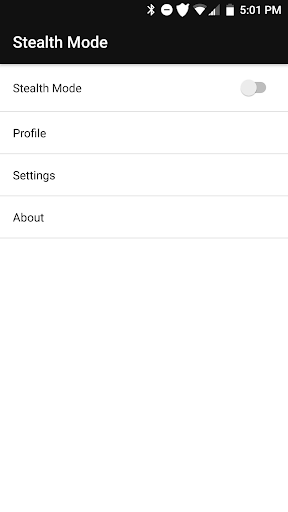
SCOUT Stealth Mode is the perfect tool to allow you to quickly silence (and unsilence) your Sonim XP8.
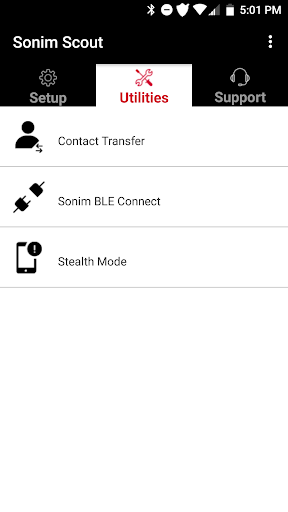
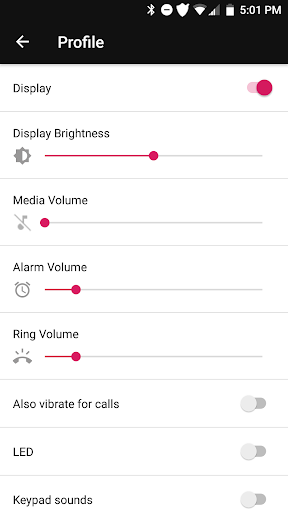
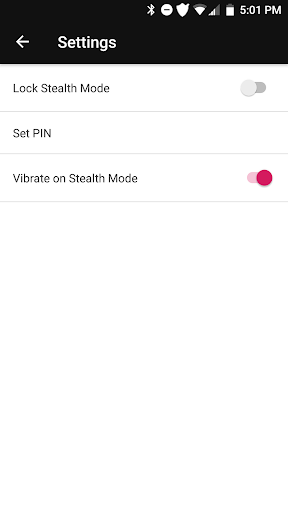
Set up a Stealth Mode profile by launching Stealth Mode via Sonim SCOUT -> Utilities -> Stealth Mode.
When you need to silence your phone, you will have three options to activate Stealth Mode.
• Yellow physical key
• Android Widget
• Sonim SCOUT -> Utilities -> Stealth Mode
SCOUT Stealth Mode FAQs (PDF): https://www.sonimtech.com/pdf/scoutstealthmodefaqs
About Sonim Technologies:
Sonim Technologies is the only US manufacturer of mission-critical smart phone-based solutions designed specifically for workers in extreme, hazardous and isolated environments. The Sonim solution includes ultra-rugged mobile phones, business-process applications and a suite of industrial-grade accessories, collectively designed to increase worker productivity, accountability and safety on the job site.
Please visit https://sonimtech.com.
Release notes:
Stealth mode initial release. Following features are supported.
Quickly set tones
Quickly set display state
Quickly set LED state
Quickly turn on/off Stealth Mode using XP8 Yellow key or Stealth Mode widget






9Apps 4.9














