

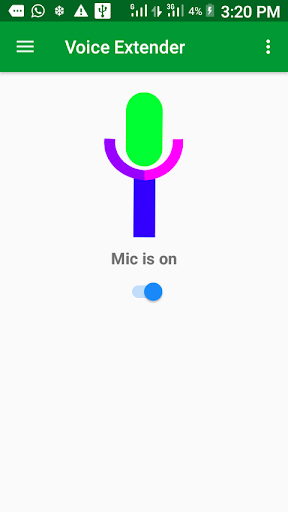
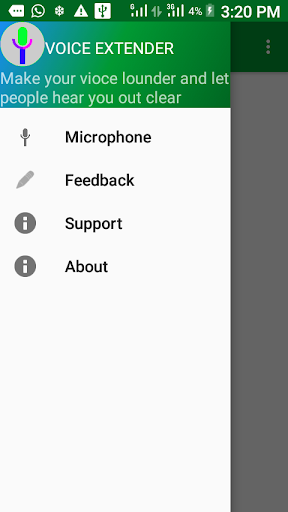
This is a Microphone App, aimed at playing back voice at extended speaker connected to your phone with Bluetooth or headphone. This development is made for an emergency use, in lecture and public gathering to extend voice to public hearing. Benefit of the App include low cost of the Bluetooth speaker.
The aim of app can accomplish by installing the app from Google play store and choosing any of the use case
Three use case of the App
1. User with Android phone and a Bluetooth speaker
i. Connect Bluetooth speaker to your phone
ii. Put Bluetooth speaker a distance away from phone to avoid audio feedback(echo)
iii. Start the app (if first run read about the app and next read support to enable use the app efficiently)
iv. Slide on the switch button to on the microphone (if it is first time permission to record audio)
v. Start your speech(Microphone is on )
vi. Slide it back to off it((Microphone is off )
2. User with Android phone, earpiece and a Bluetooth speaker
i. Connect earpiece (with mic) to phone first
ii. Put Bluetooth speaker a distance away from earpiece mic
to avoid audio feedback(echo)
iii. Start the app (if first run read about the app and next read support to enable use the app efficiently)
iv. Slide on the switch button to on the microphone (if it is first time permission to record audio)
v. Start your speech(Microphone is on )
vi. Slide it back to off it((Microphone is off )
2. User with Android phone, Bluetooth mic and amplifier Speaker
i. Connect Bluetooth mic
to phone first
ii. Connection Amplifier
to phone as shown on the left side of the above diagram
iii. Put amplifier speaker a distance away from Bluetooth mic
to avoid audio feedback(echo)
iv. Start the app (if first run read about the app and next read support to enable use the app efficiently)
v. Slide on the switch button to on the microphone (if it is first time permission to record audio)
vi. Start your speech(Microphone is on )
vii. Slide it back to off it((Microphone is off )
In all cases press the home button to go other applications while mic is on but resume it by using the Notification. App actions is suspended by a call, if you making a speech that you don’t want interruption from the phone you can close all sim cards for the time of the speech. (Remember to on it back).
The other include others apart from the microphone which include about the feedback if want contact us. Support describing relevant steps to avoid errors. About giving information about the app usage.
French language included


![Morning Vocal Warm Up [DO THIS FIRST] – Unlock Your Best Voice Today! screenshot 2](https://i.ytimg.com/vi/LaUGW1RPhIw/mqdefault.jpg)



9Apps 4.9














