Minimal Clock 2 icon

Minimal Clock 2

0.4.5 for Android
4.2 | 5,000+ Installs | Reviews

RT Software Studio

Description of Minimal Clock 2

Minimal Clock
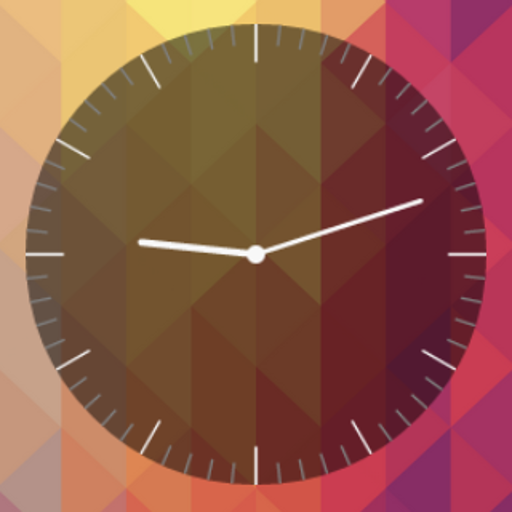
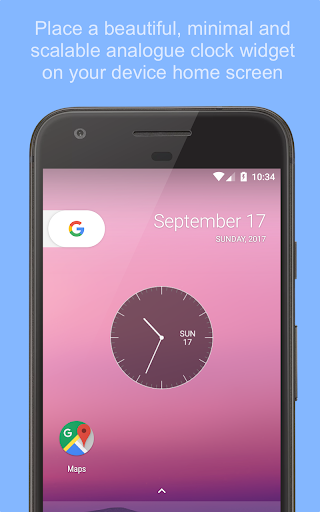
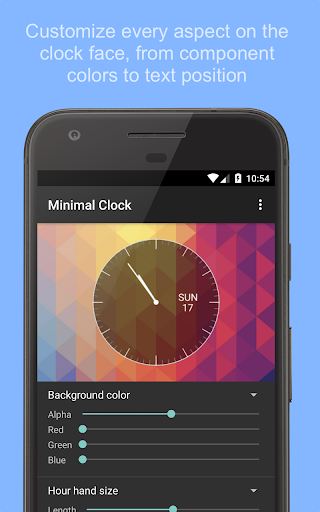
is a fully customizable analogue clock widget for your homescreen. It scales beautifully to support different screen resolutions from older smart phones to the latest tablets.
Features
- Use on homescreen, lockscreen or keyguard
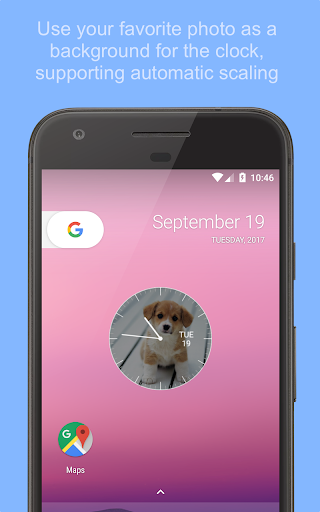
- Separate activity to control preferences (such as color and size of clock components, background image, etc.)
Instructions
- Download and install the app
- Open your list of widgets, and search for
Minimal Clock
- Place it on your homescreen by dragging it
- Open the separate app to control preferences

What's New with Minimal Clock 2 0.4.5

Possibility to add image as clock background
Fix issue with color selector (green/blue)

Information

  • Category:
    Personalization
  • Latest Version:
    0.4.5
  • Updated:
    2017-09-19
  • File size:
    4.8MB
  • Requirements:
    Android 4.4 or later
  • Developer:
    RT Software Studio
  • ID:
    com.rtsw.minimalclock2
  • Available on:
Reviews
  • avatar
    Does not tell correct time. Please send an update
    2020-05-25 03:22
  • avatar
    Absolutely loved this app but it randomly stopped telling the correct time tonight. What's going on? I spent so long looking for nice clocks before I found this one. 🙁 What's happened to what was an awesome app?
    2020-04-09 01:06
  • avatar
    Zharif Maxis
    2017-09-26 03:58
  • avatar
    This widget would be great if user could customize it to work anticlockwise
    2017-09-23 05:46
  • avatar
    Widget is good but Time lags
    2017-09-22 06:43
  • avatar
    It's customizable in the exact way I wanted. I love it! Thank you!! 😍
    2017-02-03 10:02