JoyCon Droid (Requires Root & Magisk) icon

JoyCon Droid (Requires Root & Magisk)

1.0.91.1 for Android
2.8 | 1,000,000+ Installs | Reviews

DeepBlue Labs

Description of JoyCon Droid (Requires Root & Magisk)

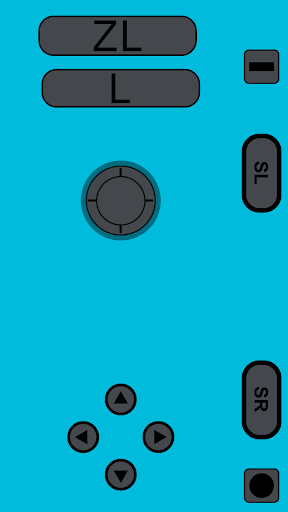
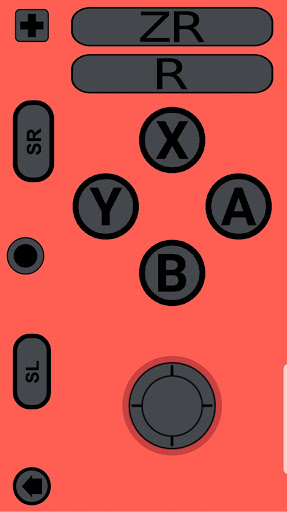
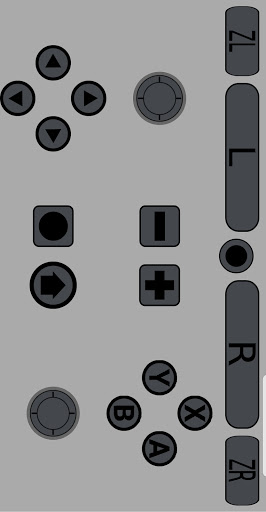
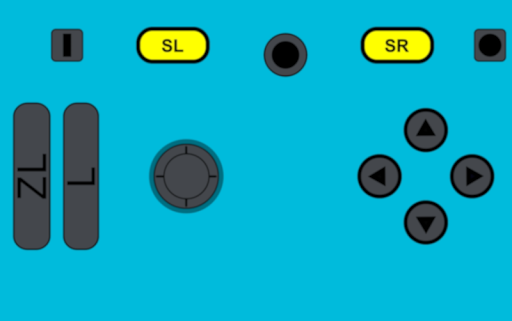
An application that transforms your smartphone into a Left JoyCon, Right JoyCon, or Pro-Controller.
⚠️⚠️⚠️
After Firmware Version 12.0.0 This application Requires Root and Magisk Module ⚠️⚠️⚠️
⚠️⚠️⚠️ If you do not know what **Root** or **Magisk** is please stay away ⚠️⚠️⚠️
This application or any related software comes as it is and does not have any guarantees.
**Please note that there are certain devices which the application may not be fully functional on. Kindly report which device model the application is not working properly on via Discord or Email**
**The application requires that your device has a Bluetooth HID Profile, which Android Pie (9) is needed for. To verify if your device has the necessary profile, please use the following checker: https://play.google.com/store/apps/details?id=com.rdapps.bluetoothhidtester **
**Provided that the application does not perform as desired, please get in touch with us before leaving a review. Poor ratings decrease the chance that app support will be expanded to your device.**
*This application is currently in its Alpha Stage of development*
JoyCon Droid is an application perfect for users who own a NX Console but do not want to spend extra on a JoyCon. The application emulates a JoyCon so you can control your NX Console with it. Furthermore, the application lets you connect your USB gamepad to your phone, which can act as a bridge to control the Switch.
This application requires Android Pie (9) or higher to operate. Features include:
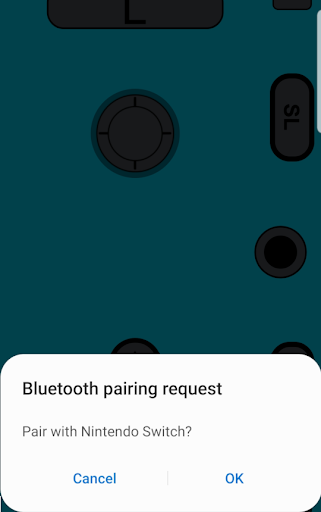
-Pairing with Switch
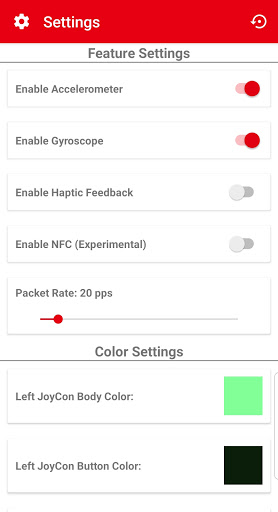
-Accelerometer
-Gyroscope
-Custom Gamepad Interfaces
Instructions and Support:
Switch > Settings (Gear Icon)
Controller and Sensors > Disconnect Controllers
Controller and Sensors > Change Grip/Order
Open JoyCon Droid > Tap Left JoyCon button.
Tap okay if asked to turn on Bluetooth
Tap Sync button between left and right shoulder buttons. (May require several taps)
Tap okay at advertisement notification (300 seconds)
Pair once Switch requests to connect
After the JoyCon shows on the Switch, press both left and right shoulder buttons.
Let me know if you have any issues, questions, or concerns.
Join our Discord: https://discord.gg/5SFhf5C

Information

  • Category:
    Tools
  • Latest Version:
    1.0.91.1
  • Updated:
    2021-05-09
  • File size:
    17.9MB
  • Requirements:
    Android 9.0 or later
  • Developer:
    DeepBlue Labs
  • ID:
    com.rdapps.gamepad
Reviews
  • avatar
    A little fiddly and buggy, connection-wise. I wouldn't use it to actually play games but as a way of scanning Amiibo it's really handy. My main gripe is that it changes the Bluetooth name of my device to "Pro Controller" every time I use it. I understand this might be required for the switch to pair with it but it would be nice if the app changed it back again when you disconnect the controller. It's weird having my phone show up as "Pro Controller" in my car and on my PC! 🙂
    2020-10-19 06:43
  • avatar
    Absolutely doesn't work. Disconnects from your phone or tablet as soon as you press A or leave the "change grip order" screen. Spent way too much time fiddling with it seeing if it could work. The amiibo function also doesn't work at all, looking at you New Horizons players! It can't read the amiibo bin files and fails every time. Don't bother trying.
    2020-10-17 09:50
  • avatar
    This app is trash. I got it to do amiibos on Animal Crossing and it connected fine untill i exited Change Grip/Order. Then my phone wouldnt stop saying connected, diconected, connected, disconnected untill i had to uninstall the app to stop it! My phone is a Samsung Galaxy A50 and i did enter my mac adress. Edit: Yeah, i went through your discord a while back and did that too! and dont tell me to restart my phone because this just doesnt work. Nintendo probably found a way to block your app.
    2020-10-16 02:59
  • avatar
    It works... But not really. The app comnects to the switch but it has problems staying connected / working in tandem with an original joycon. More trouble than it's worth. EDIT: Tried the developer's suggestion, it works ok but still disconnects randomly and doesn't like working together with an original joycon
    2020-10-16 06:14
  • avatar
    Stupid. The instuctions are clear enough that you can connect to the switch, after that you're on your own. The app will just disconnect as soon as you leave the pairing screen in the switch. Useless. Dont bother.
    2020-10-15 08:53
  • avatar
    It just doesn't work anymore. Half the time it'll connect no issue but half the time it won't do it no matter what I do. And when I finally get to the amiibo screen, it says "hey that's peanut's amiibo!" When I didn't get to press anything and won't stop and if I can get it to go into the files, it just always says "failed to read amiibo" with whatever one I pick :( this app worked a while ago but not anymore
    2020-10-15 08:58