Days To Go icon

Days To Go

1.0.4 for Android
4.0 | 5,000+ Installs | Reviews

Rampant Minions

$0.99

Description of Days To Go

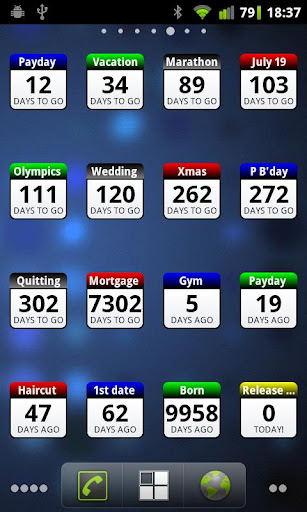
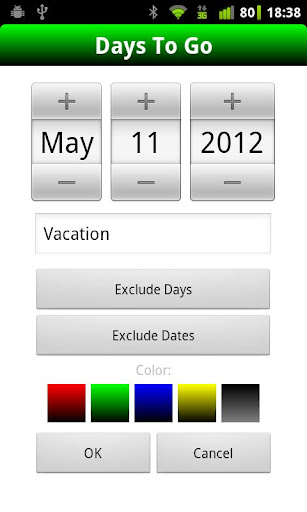
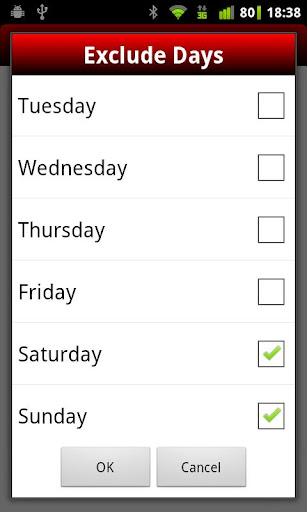
Days To Go is a versatile homescreen widget with a simple, intuitive interface that counts the days until or the days since an event. It also lets you easily and quickly set days and dates to exclude from the count e.g. weekends, public holidays, annual holidays etc.
NOTE: This is a widget and does not appear in the list of standard apps. Add on homescreen with Menu -> Add -> Widgets -> Days To Go
Usage examples include:
* Work days until payday (and/or since payday)
* Training days left until marathon
* Days since first date
* Days until the Olympics
* Days since birth
* Working days to go until Xmas
* Days since last haircut
* Countdown work days until retirement
* Days until wedding
Features:
* Add as many widgets as you need
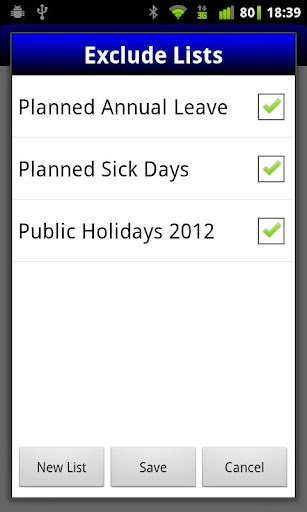
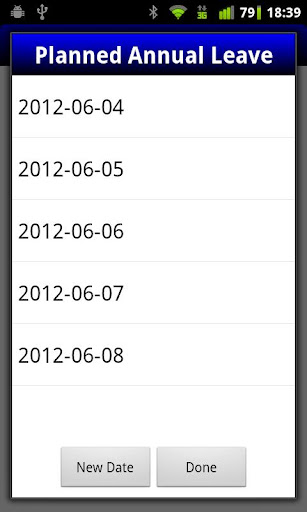
* Quickly exclude days or lists of dates from the count
* Define lists of exclusion dates to use across widgets
* Customize widget colors

What's New with Days To Go 1.0.4

* Fixed issue with Android 4 devices

Information

  • Category:
    Lifestyle
  • Latest Version:
    1.0.4
  • Updated:
    2014-07-26
  • Requirements:
    Android 0 or later
  • Developer:
    Rampant Minions
  • ID:
    com.rampantminions.daystogo
  • Available on:
Reviews
  • avatar
    Its OK, buy ir keeps losing details
    2023-12-16 10:25
  • avatar
    Works ok, but it's a shame that I can no longer have a Winget of 1 X 1. It's now only 2 X 1 and there is absolutely no reason for that. Wood be great if this can be changed to 1 X 1 tile. And adding to home screen with only 1 space left, died not make it fit, sorry. Thanks
    2023-04-03 08:18
  • avatar
    Works ok, but it's a shame that I can no longer have a Winget of 1 X 1. It's now only 2 X 1 and there is absolutely no reason for that. Wood be great if this can be changed to 1 X 1 tile. Thanks
    2022-12-20 12:20
  • avatar
    Ok
    2021-11-28 09:42
  • avatar
    Great app that works well across a range of Android versions. Very low memory usage and no adds. As mentioned on Android version 10, widgets start out as 2 X 1, while it is still 1 X 1 on earlier versions of Android. I have found this can be fixed by dragging the widget to a home screen panel that only has one 1 X 1 space. The widget then re-sizes to 1 X 1 and stays that size even if you drag it back to a panel with more room. This is likely to be caused by compatibility with newer Android versions as it is an old app.
    2021-10-29 11:27
  • avatar
    This app is the most useful to track time for important appointments.
    2021-06-26 11:22