
This article is about hot apps for android. 10,000+ users downloaded Do Not Disturb Me latest version on 9Apps for free every week! It's not only an app it also teaches you how to use it. This hot app was released on 2013-04-17. For more mobile apps information, you can go to our official website - 9Apps.
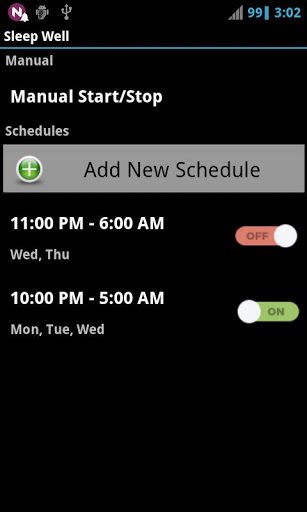
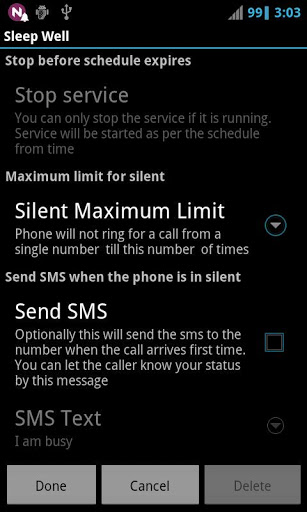
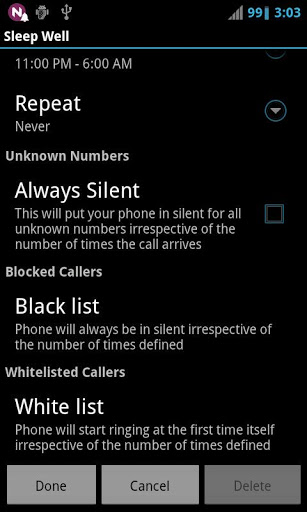
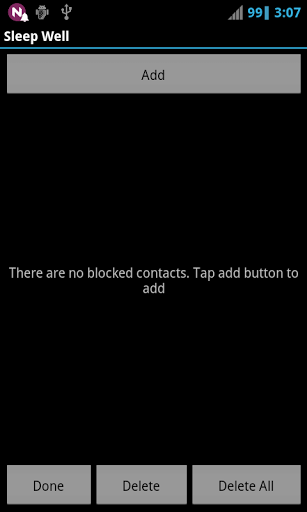
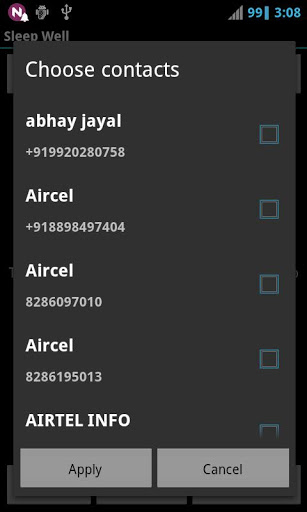
Have you ever got disturbed from your sleep/meeting when an unwanted call reached your mobile? This app is indented to avoid such problem. This application makes sure that you wont get disturbed from your sleep/meeting in the same time you are not missing the urgent calls.This application lets you to turn the silent profile on with the following additional restrictions(Note: Please pay attention while testing the application. Don't remove the missed call entries present in the notification bar while testing the application. And don't reject the calls while testing.. If you reject a call it will become received call and not missed call.)1.Your mobile would be in silent mode for a call when it reaches first time to your phone. If the call comes again from the same number, then your phone will ring (The number of times the silent mode should be kept can also be configured). So you can easily understand that it would be an urgent call. So unnecessarily you would not get disturbed. [optional]2. You can optionally send a message to the number from which you got the call first time and became missed call on order to let him your status.3.You can optionally schedule the times with repeat settings at which the service should be started automatically4.You can optionally keep the phone silent irrespective of how many times a call arrives from unknown number (Number which is not there in contact)5. You can configure blacklist contacts for which the phone should always be silent irrespective of the number of times the call arrives.6. You can configure Whitelist contacts for which the phone should ring at the first time itself irrespective of the number of times, silent mode is defined.7. You can add a widget which shows if the service is running to the home screen. you can start/stop the service by clicking the widget itself.Note: Please pay attention while testing the application. Don't remove the missed call entries present in the notification bar while testing the application. And don't reject the calls while testing.. If you reject a call it will become received call and not missed call.Version 3.1.31. Bug fixes2. Added option to change the theme3. OptimizationVersion 3.1.21. Silent limit is made optional (Phone will always be is silent except for white listed callers)2. Known bug fix and copy settings overhauledVersion 3.1.41. Bug fix for adding more than 20 contacts2. Performance optimizationVersion 3.1.11. Copying settings of existing schedule to new schedulesVersion 3.11. Bug FixesVersion 3.0.11. Slight improvementsVersion 3.01. Multiple scheduling is added along with repeats settings(Su,Mo,Tu,We,Th,Fr,Sa).2. Schedule specific settings has been added.Version 2.01. Added blacklist contacts configuration2. Added white listed contacts configurationVersion 1.2.11. Scheduling Bug FixVersion 1.21. Added scheduling.2. Keeping unknown numbers silent irrespective of how many times call arrives.3. Added home screen widget==Keywords==Silent, Sleep, Call, Call Blocker, Autocall, Auto, Call responder,Call handler, profile, profile handler, Well, silent mode,



9Apps 4.9













