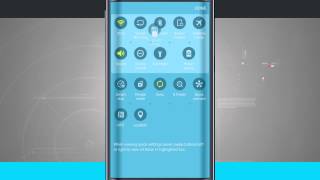
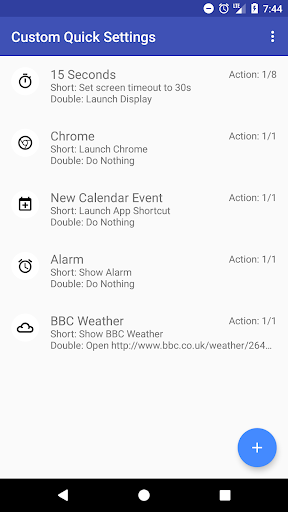
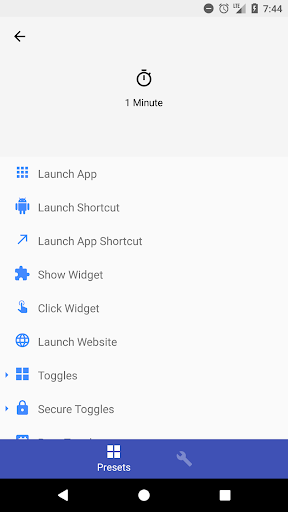
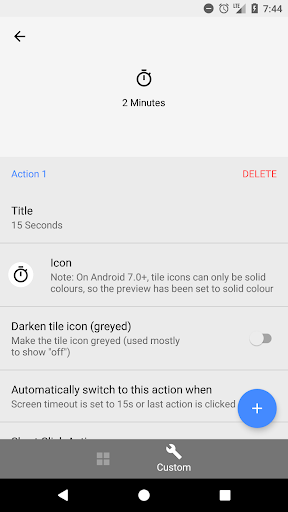
Default quick settings not enough for you? Add app links, web links and custom toggles to your quick settings without root (on Android 6.0 , root or ADB permission grant is required on Android 5.0/5.1) using Custom Quick Settings
Please note that some OEMs, such as Samsung, ZTE, LG and HTC, may disable the use of this app on their firmware. You will need a custom ROM that is based on AOSP (including CyanogenMod) to use this app if that is the case with your device
Features
- Over 40 custom toggles, including screen timeout, adaptive brightness and NFC (NFC requires root or secure setting access)
- Launch apps, shortcuts*, app shortcuts, websites, show app widgets*, automatically click on widgets*, run commands* and launch activities* on click (* requires pro)
- Fully customise tiles with icons, titles, and multiple states, which can be switched between automatically by changes
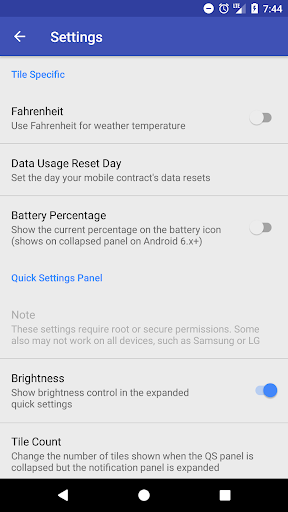
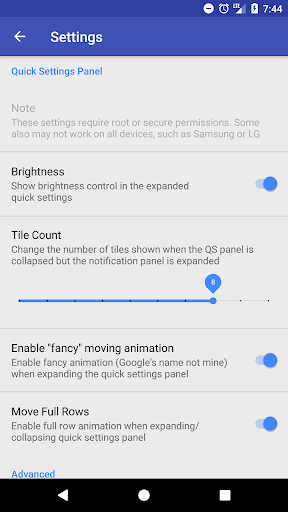
- (Android 7.0 , secure/root required): Customise your quick settings panel by hiding the brightness slider, changing the tile count (when collapsed) and disabling animations
- (Android 5.0 only, root/secure required): Rearrange and delete stock tiles, take full control of your quick settings
Xposed/CM support
Opens tile detail with weather, battery information and a calculator (Xposed only)
Actions include:
- Launch apps
- Launch shortcuts, including tasker tasks (Pro version only)
- Launch app shortcuts, static and dynamic (dynamic requires Android 7.1 and root)
- Click widget (for toggle/action widgets such as Twilight) [Pro]
- Show widget (shows widget in a dialog) [Pro]
- Launch URL
- Custom settings toggle (WiFi, Screen timeout, Bluetooth, WiFi Hotspot, Sync, Adaptive Brightness, Sound, Music Controls)
- Custom root/secure settings toggle (Invert Colours, Location, ADB, Immersive Mode, Ambient Display)
- Custom root toggle (Airplane Mode, Celullar Data, Screenshot, Shutdown, Reboot, Reboot Recovery, Quick Reboot, Restart SystemUI, Network Mode [2G, 3G, LTE])
- Live toggles (Displays data in title & icon): CPU speed, Free RAM, Internal Storage Space, Battery, Data Usage, Next Alarm, # of calendar events today, Calendar next event*, calculator*, BBC weather*, Yahoo! weather*)
- Advanced options: Launch activity (with extras, can launch any activity with root), run command, run root command (all pro)
- Advanced click options: Change System, Secure or Global setting value (requires secure/root for secure & global, as well as pro) - Allows you to change any setting in the system, therefore creating tiles for any system setting
Disclaimer:
This app uses a experimental feature of Android, usually hidden. It's unlikely to work on devices which have an skin such as TouchWiz (Samsung) or Sense (HTC). Please note that this cannot be worked around, there is no fix until the next release of Android, N, when there should be unification between them all.
Contact Info:
Twitter: @Quinny898
Reddit: /u/Quinny898
Removed BIND_ACCESSIBILITY_SERVICE to comply with new Google guidelines. This was never used in release versions, but there was a disabled (for testing) automatic tile-adding service for Android 6.0 which was never fully enabled and now never will be. Thanks, Google.








9Apps 4.9


![Move Quick Settings to the Bottom on Android [How-To] screenshot 3](https://i.ytimg.com/vi/q9sCcxkIzec/mqdefault.jpg)