
Reading Log helps users log their reading activities. Can be used by all ages, especially helps parents to improve their kids reading.
Features:
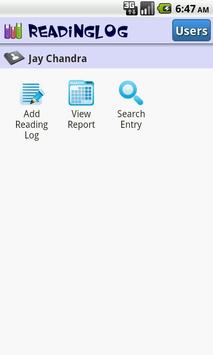
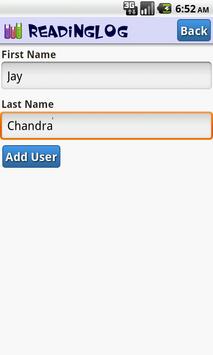
Supports multiple users.
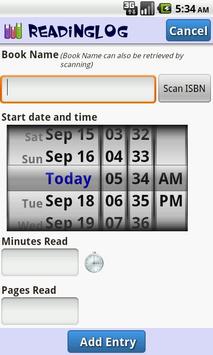
Reading activities(Book name, date and time spent) can be added per user.
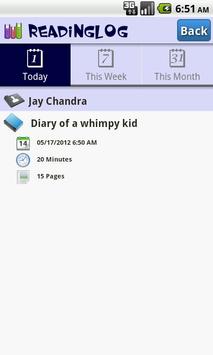
Reading activities can be viewed as daily/weekly/monthly reports.
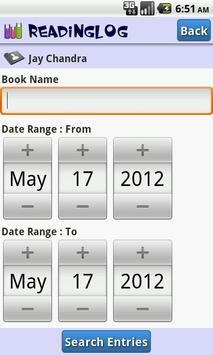
Reading activities can be searched using book name/ date duration. The search result can be mailed to the user.
Has ISBN scanner in the "Add Activity" screen. This scanner can be used to retrieve the book name by scanning the ISBN bar code.
Bug Fix(Sep-28-2012): "Add Reading Log" error is fixed.
Please update.
Changes (Sep-16-2012):
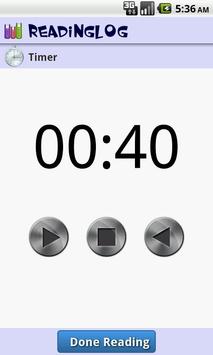
Added Timer. Users can click on the clock/timer image on the "Add Reading Log" screen to start the timer. Timer has Start,Stop and Reset buttons. Thirty plus seconds will be rounded to a minute.
Brought back "Pages Read" field based on user request. This field is optional.
Errors Fixed.
Apostrophe in book name caused the application to crash. This error is fixed now. Sorry for the inconvenience.
Changes:Oct-27-2012
Edit & Delete Entries:
i) Edit an entry -- An entry can be edited by clicking on the entry from the "View Report" screen.
ii) Delete an entry -- An entry can be deleted by long pressing(click on the item a little longer than usual tap) an entry from the "View Report" screen.
iii) Both "Minutes Read" & "Pages Read" fields are made optional.
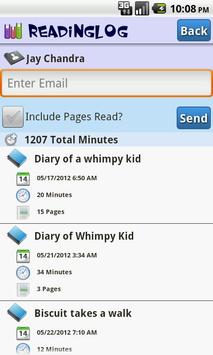
Update : Feb-11-2012 : Email feature is available now!. Please click on the "Search Entry" and search for your desired dates. On the search result page, you will see
an Email field and "Send" button, Upon clicking "Send" you will get a popup showing email clients(Gmail/Yahoo etc). Select the one you would like to use. Upon choosing the desired client, the report file will be attached to the email. After receiving the email, please download the attachment to view the file with formatting.

9Apps 4.9