

Summary:
Ad-free video player for android with rare features not found in most popular players. Focuses on precise control of the playback such as volume level, video seek, etc.
- No ads
Rare Features
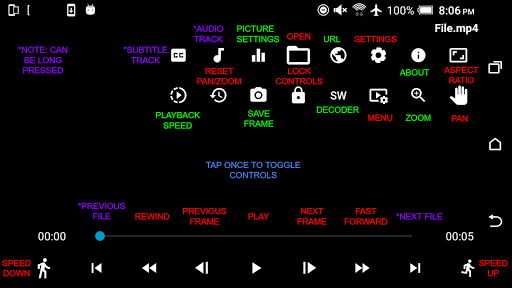
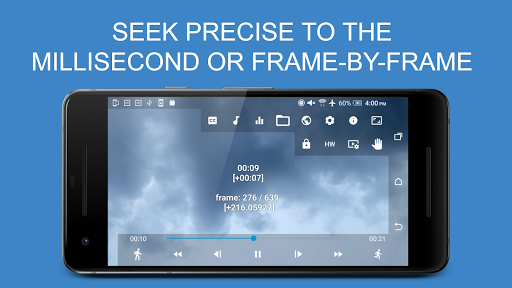
- Exact seek: seek video exact to the millisecond (fast forward / rewind)
- Frame step: step the video frame by frame
- Adjust seek precision: adjust how exact you want the video seek to be (precise to 1 millisecond)
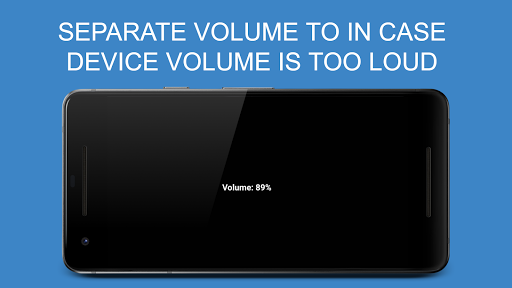
- Separate volume: volume control separate from the device volume with 100 increments for 100 times more precise volume level adjustment
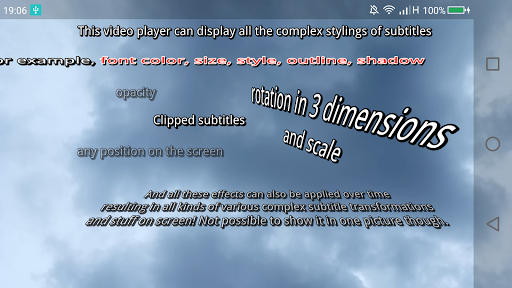
- Support for complex styling in Advanced SubStation Alpha subtitles
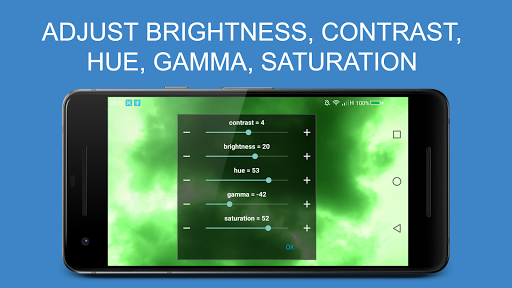
- Picture adjustments such as brightness, contrast, gamma, hue and saturation
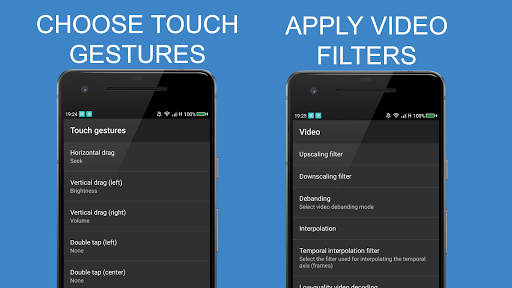
- Video filters such as scaling, debanding and interpolation
- Quickly capture/snapshot current frame of video as image file
- Extract and add external audio or subtitle tracks from a video URL or file
Other Features:
- Supports most popular video and audio formats
- Adjust subtitle and audio sync/timing precise to decimal points of a second and support for large input value
- Hardware acceleration for faster performance
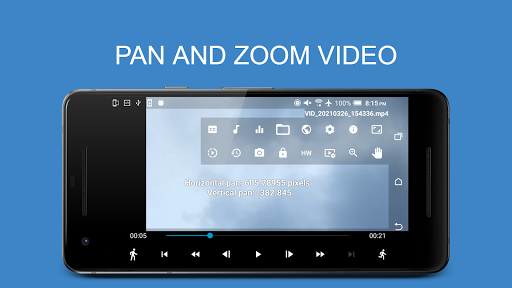
- Pan and zoom video
- Play video with subtitles
- Load external subtitle files
- Automatically resume playback position of videos
- Stream videos from the URL
- Change playback speed during playback
- Convenient touch gestures to seek video and change volume
- Select video, audio and subtitle track during playback
- Adjust video aspect ratio with preset or custom values
- Lock controls
- Open file using file chooser or from device explorer
- Choose whether to autohide and how long to show controls
- A-B repeat part of video
Supported formats/codecs (also depends on your device hardware and Android version):
File containers:
- 3GPP (.3gp)
- AMR
- Audio Data Transport Stream (ADTS) / Advanced Audio Coding (AAC)
- Audio Video Interleave (.avi)
- Common Media Application Format (CMAF)
- DivX / XviD
- Flash Video (.flv)
- Fragmented MP4 (fMP4)
- Matroska (.mkv)
- Ogg
- MPEG-4 (.mp4)
- MPEG-TS (.ts)
- Waveform Audio File Format (WAV)
- WebM (.webm)
- Video formats:
- AOMedia Video 1 (AV1)
- H.263
- H.264 AVC Baseline Profile (BP)
- H.264 AVC Main Profile (MP)
- H.265 HEVC
- MPEG-4 SP
- VP8
- VP9
Audio formats:
- Advanced Audio Coding Low Complexity (AAC LC)
- enhanced low delay AAC (AAC ELD )
- Dolby AC-3
- Dolby Digital Plus / Enhanced AC-3 (E-AC-3)
- Dolby TrueHD
- DTS
- DTS-HD
- Apple Lossless (ALAC)
- AMR-NB
- AMR-WB
- FLAC
- GSM
- HE-AACv1 (AAC )
- HE-AACv2 (enhanced AAC )
- MIDI
- MP1, MP2, MP3
- Opus
- PCM μ-law
- PCM A-law
- Vorbis
- WAV
Subtitle/closed caption formats:
- Advanced SubStation Alpha
- CEA-608
- SubRip
- SubStationAlpha (SSA)
- SMPTE-TT
- TTML
- WebVTT
This app uses the following software libraries licensed under:
Apache 2.0 (http://www.apache.org/licenses/LICENSE-2.0)
- Handle Path Oz (https://github.com/onimur/handle-path-oz) (https://github.com/onimur/handle-path-oz/blob/master/LICENSE)
- mbedtls (https://github.com/ARMmbed/mbedtls/blob/development/LICENSE)
- Zero-Allocation Hashing https://github.com/OpenHFT/Zero-Allocation-Hashing#readme
FreeType License (FTL)
- FreeType (https://www.freetype.org/index.html)
ISC license (https://opensource.org/licenses/ISC)
- libass (https://github.com/libass/libass/blob/master/COPYING)
MIT license (https://opensource.org/licenses/mit-license.html)
- lua (https://www.lua.org/license.html)
- mpv-android (https://github.com/mpv-android/mpv-android/blob/master/LICENSE)
Old MIT license
- harfbuzz (https://github.com/harfbuzz/harfbuzz/blob/master/COPYING)
Unknown license
- dav1d (https://code.videolan.org/videolan/dav1d)
GNU Lesser General Public License, version 2.1
- FFmpeg (https://www.gnu.org/licenses/old-licenses/lgpl-2.1.html)
- mpv (https://github.com/mpv-player/mpv/blob/master/LICENSE.LGPL)
- fribidi (https://github.com/fribidi/fribidi/blob/master/COPYING)
- added option to autoplay files and automatically advance to next file when finished playback
- fix touch gestures sometimes not working
- fixed hiding controls not working when double tap gestures enabled
- fixed crashing when inputting invalid values for numbers







9Apps 4.9