Kagaz Scanner – Free PDF Creator, PDF Scanner icon

Kagaz Scanner – Free PDF Creator, PDF Scanner

4.5 for Android
3.1 | 10,000+ Installs | Reviews

webtech infoway

⚠️ You need 9Apps App to install .XAPK File. How to install XAPK?

Description of Kagaz Scanner – Free PDF Creator, PDF Scanner

How to test files or PDF with Kagaz Scanner –
1. Download the App
2. Take photos of the report or pick out pix from the gallery
three. Fine music the edges after our automatic facet choice
4. Choose from tremendous filters - Magic Colour, Gray Mode, B/W or Original
5. Voila! Your scanned PDF is prepared to be shared thru e-mail, social media or textual content
With Kagaz Scanner you can essentially convert any photographs or photos to PDF.
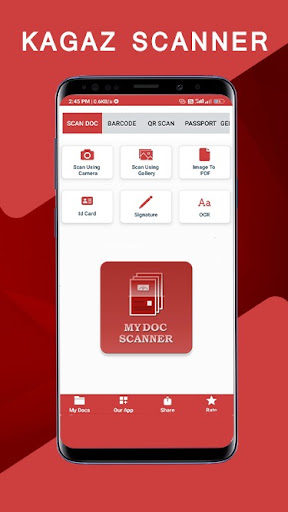
Features of MY Doc Scanner –
1. Four Scanning Modes – Black & White, Colour Scan, Grayscale & Original
2. Page Edges detected automatically and may be manually adjusted
3. Share PDF Files through Email, Social Media, Text and so forth.
Four. Scan multiple documents immediately i.E. Batch Mode
five. Enhance experiment satisfactory
6. Edge Zoom for Better Cropping
7. App Lock for higher Documents and Data Security
Kagaz Scanner is a great app to work as a camera scanner, record scanner or multi page PDF scanner
Kagaz Scanner users can easily test –
1. Personal IDs, Insurance Documents, Medical Documents
2. Vehicle Documents, Bills & Invoices
3. Books, Articles
four. Official Documents, Contracts, Files, and many others.
5. Assignments, Homework
6. Class Notes, Lecture Notes or Handwritten Notes

What's New with Kagaz Scanner – Free PDF Creator, PDF Scanner 4.5

UI/UX change
add new faeture
bug fixed
update kagaz scanner now

Information

  • Category:
    Productivity
  • Latest Version:
    4.5
  • Updated:
    2021-08-14
  • File size:
    10.4MB
  • Requirements:
    Android 5.0 or later
  • Developer:
    webtech infoway
  • ID:
    com.photo.photopdfscanner
  • Available on:
Reviews
  • avatar
    This app is so wonderfull for easy convert photo to pdf verry usefull app i like this app
    2020-10-13 05:19
  • avatar
    I just love this app. First of all it's Indian.. and this was what made me install it. Earlier it was a kind of difficult to scan in it, but now, with new updates, it's just perfect! Its no less than CamScanner plus it doesn't leave it's watermark! I have recommended all of my friends to use it. I love this app this app is to nice and butyfull
    2020-10-12 04:34
  • avatar
    I just love this app. First of all it's Indian.. and this was what made me install it. Earlier it was a kind of difficult to scan in it, but now, with new updates, it's just perfect! Its no less than CamScanner plus it doesn't leave it's watermark! I have recommended all of my friends to use it.
    2020-10-11 09:28
  • avatar
    Features are quite handy. but pdf created are not opening in any app
    2020-10-10 07:45
  • avatar
    This app is amazing...the picture quality and clarity of text was superb .....they are many page size available......loved it very much There are also different themes available in the settings..After clicking pictures and making pdf u can also compress the file ....... Overall this app is awesome It is made in india.🇮🇳🇮🇳🇮🇳
    2020-10-10 06:50
  • avatar
    Scan quality is way better than adobe scan. There's some more improvement to be done in UI. When I edit a page of an earlier scanned document, it doesn't preserve the options that I had set earlier. Sometimes I want to recrop a page and when I press edit, it loses the color filter and I have to apply that again.
    2020-10-10 06:49













