

Unique features:
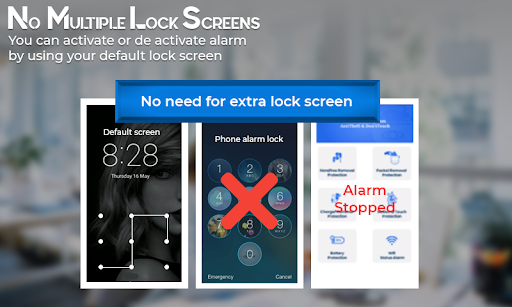
The unique spec that no other anti-theft alarm mobile app offers is that you don't need any extra lock screen. Phone Alarm System - Anti-Theft & Don't Touch app uses a built-in lock screen pattern to prevent the phone from sounding the alarm.
Another advantage of anti-theft security is that it doesn't irritate when in the hands of an authorized person, like when the phone rings the mobile alert alarm, it automatically turns off when entering the lock screen pattern correctly or when putting it back to resting state.
The services intelligently detect through the proximal or motion sensor, and only trigger the theft security siren when they detect that something suspicious is happening.
Anti-theft app will continue to run in the background even if the mobile screen is off, making your phone theft secure.
Power theft alarm is only activated in lock screen mode.
During taking phone calls, the anti-theft alarm will be deactivated for a while and will then go into action when the call is ended.
Phone Alarm System - Anti Theft & Don't Touch app will certainly be worth a try as it triggers the phone alarm, a theft security warning to alert you when an intruder tries to access your phone without your authorization. So, putting your phone unattended won't do you harm, now the phone touch alarm will be a solution to all your worries, don’t touch my phone warns you about intruders.
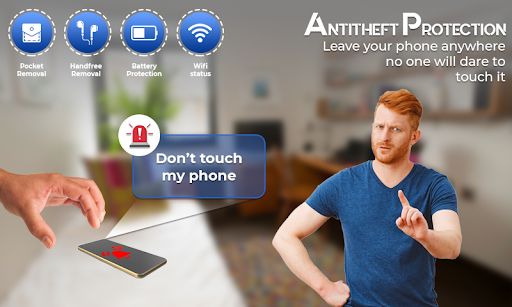
Phone security should be of utmost importance as we keep a lot of confidential data on our phone, so the anti phone theft alarm will start to sound if any of your colleagues try to get information from your phone, it won't stop unless the correct password is entered. Anti theft alarm for android provides dynamic features that saves your phone from family members, kids and roommates. The highly sensitive motion detection feature will also activate the phone alarm if someone tries to remove your phone from its sleep position or resting state.
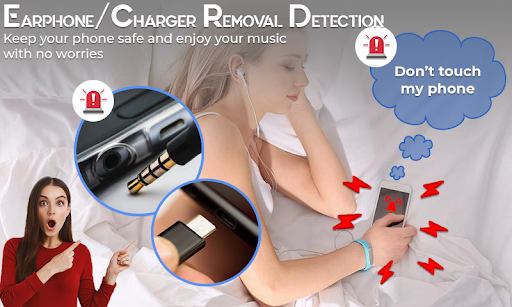
Do not touch my phone alarm also activates when someone removes it from the charging position, but plugging it in again will turn off the power theft alarm.
If you enter a busy area, there's a golden chance for any mobile thief to get easy access to your pocket, no hassle, pocket removal detection activating mobile theft alarm will catch mobile thief red-handed.
The phone touch alarm will alert you whenever someone touches your phone without your permission and the phone theft security will protect you from mobile thefts.
Features:
Motion detection:
Whenever someone wants to annoy you by displacing your phone from its original position, the anti theft security alarm will start ringing until you enter the correct password and even trying to lower the ringing volume will be a futile attempt.
Pocket removal detection:
The Pocket Alert uses a proximity sensor that automatically detects suspicious activity and starts ringing if someone tries to take the phone out of your pocket.
Handsfree removal:
Unplugging your handsfree will activate the alarm, do not touch my phone and the theft security will ring just to keep you alert.
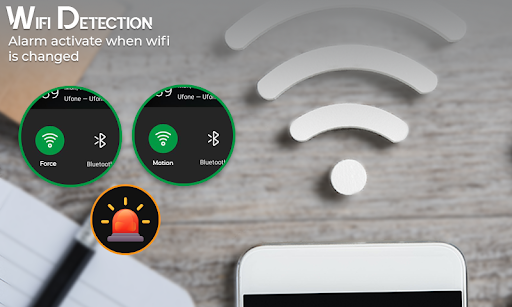
Wifi disconnection:
Do not touch security alert sound will be triggered when your wifi connection is disconnected.
Battery alarm:
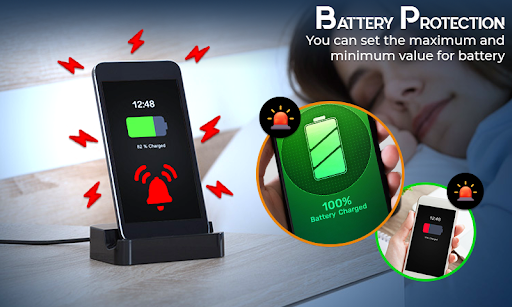
Prevent your phone from being overcharged by the mobile alert sound. You can customize your battery by selecting battery levels that will let you know when your phone is fully charged or when the battery is running low.
Let us know through your comments about your experience with this app.
Ram Usage Optimized
Major Performance issues Fixed




![Introducing Padlock - Anti-theft Alarm App [Promo Video] screenshot 4](https://i.ytimg.com/vi/ECdpnAp_F2w/mqdefault.jpg)


9Apps 4.9














