

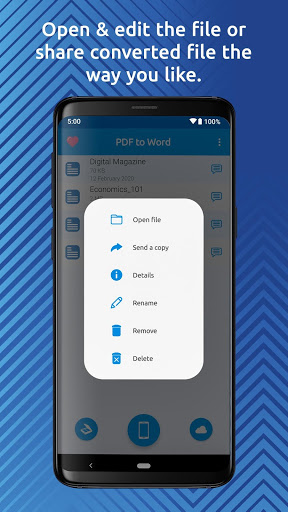
The best PDF to Word converter and document scanner on the market. Quickly and easily convert PDF to Word wherever you are right on your mobile device. You can even use a built-in document scanner to scan & convert documents on the go.
PDF to Word Converter Features:
✔️ No limits on the file size and the number of files you can convert.
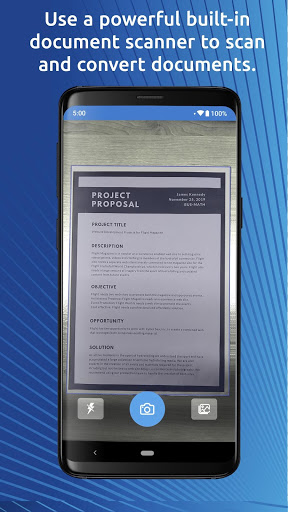
✔️ Built-in powerful document scanner with OCR.
✔️ Quickly & easily scan a document and convert it to Word.
✔️ Best PDF to Word conversion quality.
✔️ Cloud storage services are supported: Google Drive, Dropbox, OneDrive, Box, and others.
By using the app's cutting-edge OCR engine, you can make every scanned book page editable. You will be able to turn your PDF forms, tables and texts into editable Word documents in no time. All fonts, paragraphs, lists, tables, and columns will be preserved in the Word output. PDF to docx conversions are done online so the app won't drain your phone’s battery or burden its processor. PDF to doc and PDF to docx conversions are supported.
How to convert PDF to Word?
There are two ways to use this file converter to convert PDF files to Word: by starting the app or opening a PDF file in a PDF viewer.
💡 Convert PDF to Word directly from the app:
1. Tap on the desired icon to select a PDF file that you want to convert.
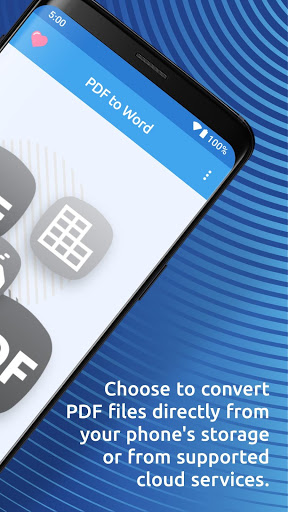
2. You can choose to convert PDF files directly from your phone's storage or from supported cloud services. Another option is to use a built-in document scanner for scan to text conversions.
3. Let the app do its magic and your document will be converted shortly.
💡 Convert PDF to Word from any PDF viewer:
1. If you are viewing your PDF document in a different PDF viewer, simply tap on the "share" button and choose from the menu to open it in PDF to Word Converter app.
2. The PDF file will import and the conversion will start automatically.
After the file is converted, you can view and edit it in any of the word processing apps like Microsoft Word.
Note:
Free conversions take up to one hour to complete, but fast conversions are completed in seconds!










9Apps 4.9















