

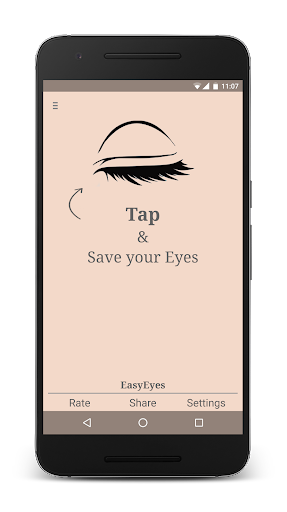
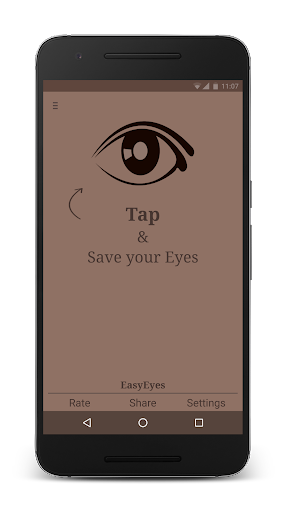
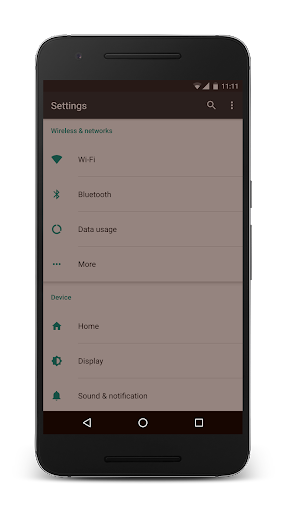
Trouble Sleeping? Device screen too bright even on the lowest brightness setting? Want to give your phone a warm look instead of that eye straining blue gaze you see at night? EasyEyes is the solution. By changing your device's color temperature, EasyEyes reduces eye strain when looking at your device at night. Looking at a lower and natural light source gives your body a chance to produce more melatonin, helping to provide you with better sleep. With EasyEyes, you can now look at your phone at any point during the night while keeping your eyes in an easy, restful state.
Features:
* Simplicity of one click on/off.
* Profiles - Set EasyEyes to turn on automatically for sunset or sleep
* Temperature Filter - Turn the blue gaze of your device with warm lighting.
* Brightness Filter - Set the brightness level below minimum brightness.
* Sunrise and Sunset Time - Set the schedule based on the sunrise and sunset.
* EasyEyes Widget/Shortcut - Quickly and easily turn on and off EasyEyes.
* Notification Actions - Quickly change settings without cluttering your status bar.
* Tasker support integration (Action available in "Plugin" category)
What makes EasyEyes different? EasyEyes focuses on simplicity. It was built to run without the need for setup while also giving the user the maximum amount of control and customization.
Why upgrade to the full version of EasyEyes?
Multiple profiles allows full automation of your Eyes health. With the ability to set the time for each day of the week, EasyEyes will protect your eyes no matter what time you go to bed. With the temporally enable EasyEyes feature, you can turn on EasyEyes on the lazy mornings without the worry of going out into the world and not being able to see your screen. All of these features, ad-free, plus more on the way.
Common Issues:
"Cannot click the install button of .apk files" - The android operating system seems to disable the installation of third party .apk files whenever the system_alert_window permission is used. Until a work around is found, you will have to disable EasyEyes temporarily to install a third party app.
"The onscreen navigation keys are still too bright" - With the "lowest system brightness" option, the white keys will be dimmed down to their minimum brightness.
Translation Help
- French (Thanks Christophe!)
- Polish (Thanks Łukasz!)
- Russian (Thanks Сергей & Ilya!)
- German (Thanks Andreas!)
- Turkish (Thanks Bukir & Abdussamed!)
- Dutch (Thanks Charlotte!)
- Japanese (Thanks Natsuki!)
- Italian (Thanks Dario!)
- Chinese-simplified (Thanks Xun!)
- Arabic (Thanks Ahmad!)
If you would like to help with the translations in EasyEyes, send the developer an email through the app or contact the developer at support@palmerintech.com.
Sleep research on warm lighting:
https://www.health.harvard.edu/staying-healthy/blue-light-has-a-dark-side
Try EasyEyes for Windows:
https://www.autosofted.com/easyeyes/
Be Easy on the Eyes
v2.3.2
* Dim lock screen fix (< 8.0 devices)
- Update help and about links
- Minor bug fixes
v2.3.1
* Fixed overlay of status bar
* Updated bright light detection
v2.3.0
* Updated app icon
* New status bar icon
- Updated privacy policy
- Full Android 9 support
v2.2.8
* Crash Fix
v2.2.7
* Add support for Android O notifications
v2.2.6
* Added Finnish translation (Thanks Pekka)
* Fading filter animation
- Add ability to disable animation
- Fix for Samsung Galaxy S8








9Apps 4.9













