

Manage notification sounds from one place.
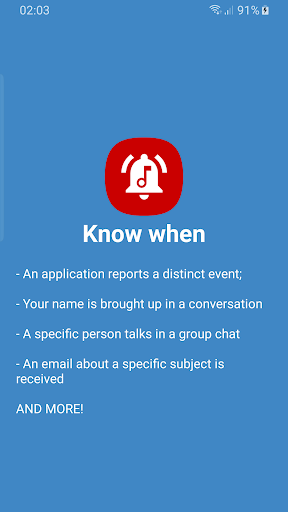
Get a sound alert (from a short beep to a full alarm tone) when your name is mentioned in a group chat, or when a specific person out of the whole group posts a message.
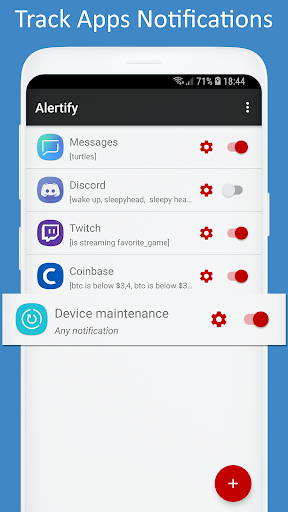
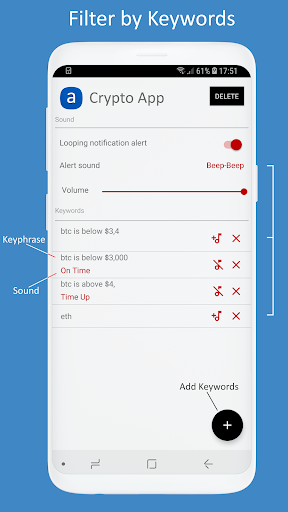
Alertify plays a customizable sound alert upon receiving (specific) notifications from other apps based on keywords within each notification.
Allows customizing notification tones for apps with little to no notification sound Options.
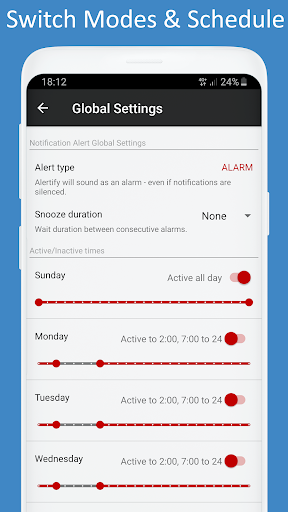
Can play a sound tone even if Notification volume is currently zero/muted (this option is turned off by default). You will only get audio alerted when you receive an important notification based on its content.
NEW: Read internal storage permission is required and will be requested only if you use non-system / custom notification sounds.
Alertify has no internet access and does not share any data.
! On some devices, a reboot may be necessary after an update (if main-menu does not show any of the chosen apps).
*All apps & their icons present in the screenshots are for demonstration of potential use only and are not affiliated with Alertify & Nebruary. Please contact me if you wish any of them changed/removed.
UPD: Xiaomi devices no longer supported as MIUI is incompatible with Notification Listeners.
Changelog:
v2.4
Added an option to prioritize keywords.
'Any Notification' keyword will not replace existing keywords anymore - it will get the lowest priority instead.
When switching between NOTIFICATION & ALARM modes, volume controls for the respective mode will show briefly.
v2.3
Support for custom / non-system sounds (requires read storage permission).
v2.5b
>Lower priority sounds (for the same app) wont play while a higher one is already playing.
>Added option to block/exclude keywords. Blocking keywords prevent sound from being played for any other lower priority keywords.
>Alertify will no longer ignore do not disturb mode. Unless in ALARM mode with Alarms/Exceptions allowed in DND.


9Apps 4.9













