



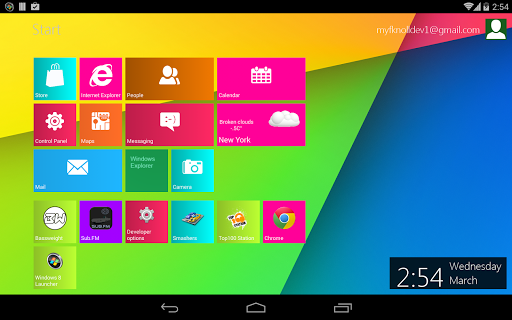


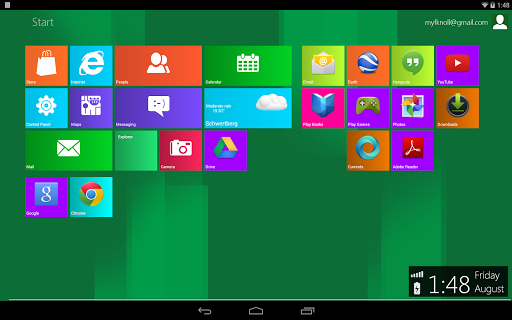
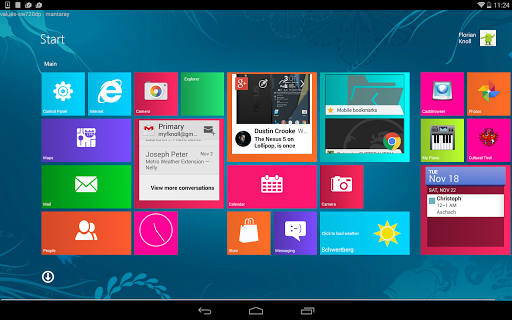
Metro Launcher Pro now on your Android Device. Manage your homescreen in the unique Metro design.
(Inspired by Windows 8 Modern UI ®) .
Features:
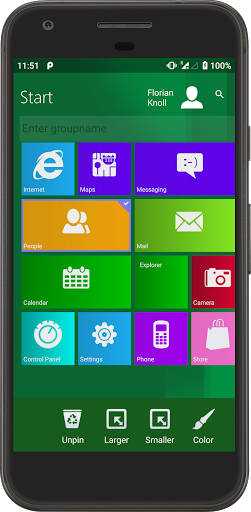
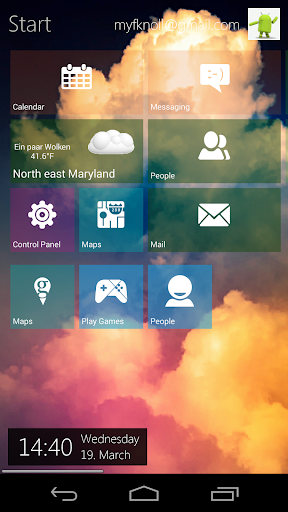
# Beautiful metro homescreen
# Personalize your homescreen with your favourite Apps, Contacts and Widgets.
# Rearange tiles with drag'n'drop.
# Sidebar in Charmbar®-style
# Fast access to your main functions: Internet, Store, Contacts, etc.
# Customize your background with (live) wallpaper
# Change displayed account name and image
# Optimized for tablets and smartphones
# Quick-search via sidebar
# Customize your launcher with lot of settings
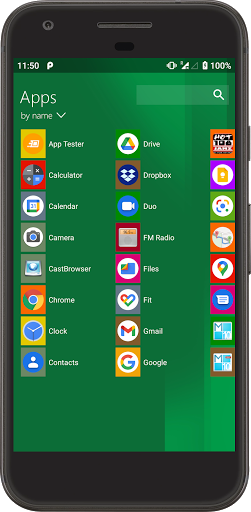
Open the appdrawer by click on "Start". If you long press on an app, you can add it to your homescreen with "Pin to Start".
Other than in other launchers, this launcher is not imitating Windows Phone ®, but a similar design to the Windows 8 Surface ®
Free-Version restrictions
The Free version is limited. Widgets aren't part of the free version. Personal adjustments can be made, but will be restored after 5 minutes.
If you don't want any limitation, please buy the Pro Version which is available in the Store.
Please keep in mind that this launcher is still in development
Stay tuned for upcoming changes
FAQ:
#How can I start this App?
- In fact it's an Launcher, you can simply start it with the home-button and select this Launcher.
If you already selected a other default launcher, you first have to clear the default config in your settings.
# How can I open Settings of this App?
There are two ways:
- Open the charmbar and select settings.
- Click on the account on the top right corner and select “Settings”
# How to rearrange tiles:
- Swipe vertical on a tile to rearrange them. You can swap two tiles of the SAME size.
# How to customize tiles:
- Long press on a tile. A bar at the bottom appears, where the tile can be configured.
# How can I open the Charmbar®?
- Simple slide on the homescreen your finger from the right screen edge to the middle of the screen. Then the Charmbar® should be appear on the right side.
# How I can reach all my apps.
- There are some methods:
1.) Click on "Start" on the left top corner of the home screen
2.) Open your Charmbar and select "Search" or "Start"
#Where is the desktop?
- We won't provide any kind of Windows Desktop, because this is only the Metro Modern UI®.
# How can I uninstall this launcher?
- Go to your settings, select this application and uninstall application
# I have a lot of suggestions and improvements
- Please leave a comment in the store,community or contact us via mail. Thank you very much
# Can it handle multi windows?
- NO, this functionality cannot be supported in our launcher
# Can it run Windows 8 apps?
- NO, this an ANDROID launcher (homescreen replacement)
# Why you don't make it like the original Windows 8?
- We don't want to clone a Windows 8 for Android, but provide the Metro interface for your Android Homescreen. There won't be any Desktop implementation. Also, not every functionality can be provided, because this is NOT Windows 8.1 ®.






9Apps 4.9















