9Apps services for free Android apps. 10,000+ users downloaded iScanAir Go latest version on 9Apps for free every week! In addition, the latest version of the app has updated a lot of features. This hot app was released on 2013-04-19. Get the latest version now!
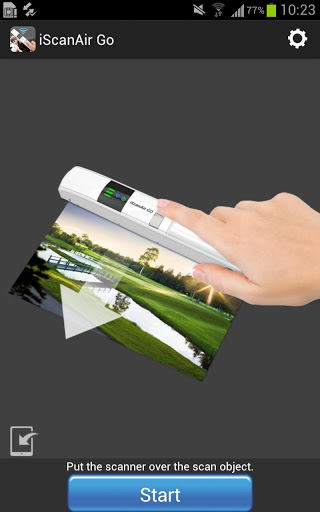
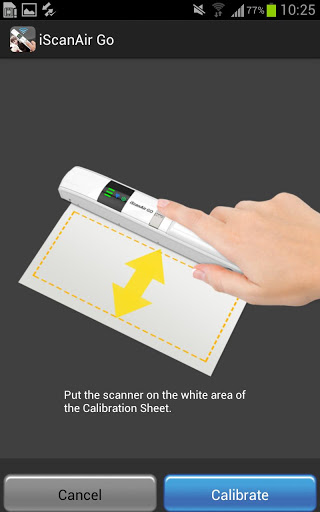
iScanAir Go Wireless Scanner comes with a dual scanning mode which can be used as a wireless scanner or a regular scanner to meet your daily scanning needs. With iScanAir Go you can get all the following benefits of its features and functions, and a great user experience. ◆ Enjoy wireless freedom and flexibility Simply turn on the wireless network functions on your mobile devices, you can establish a direct Wi-Fi connection to the scanner for scanning. No more hassle with wires and cables, this scanner provides a complete wireless freedom at any locations ◆ Exclusive free App available for smartphones, tablets, and computers Free app download is offered through various online app stores right on your devices. No complicated installation and setup procedures are needed. Download and installation of the app is just a few clicks away. ◆ Battery powered provided convenience and portability Powered by 4 AAA batteries, it helps on outdoor usage and places where power outlets are not available. It provided continuous scans approx. 250 A4-size sheets with fresh batteries. ◆ Superb 600 dpi high quality scanning The 600dpi high resolution and full color scanning capability offers you superior quality scans and delivers high-fidelity images as clear and crisp as the original print. ◆ User-friendly interface making scanning enjoyable It provides an intuitive and graphical interface that makes scanning easy and fun. It generates continuous real-time imaging during scanning, the scan results are delivered fast and efficiently. ◆ Dual scan mode offering unique user benefits A convenient scanning mode switch lets users easily switch from wireless scan mode (Wi-Fi) to regular scan mode (SD) to meet their scanning needs. In the wireless scan mode, users can scan their prints directly to their mobile devices using direct Wi-Fi network. In the regular scan mode (SD), users can use it as a normal handheld scanner and save the images in the SD card, which is put on the side of scanner . ◆ Combination of a sleek design and exceptional performance Simple, contoured slender shape make it easy for comfortable hand grip and carry it around. It easily slips into your bag, backpack or briefcase for an easy travel. Features: ◆ Scan JPEG files and save directly to your mobile devices via Wi-Fi. ◆ Full color scan up to Legal size (8.5" x 14") at 300/600 dpi. ◆ instant real-time preview while scanning. ◆ Works with simple and free "iScanAir Go" App.

9Apps 4.9