
WiFi Manager Pro icon

WiFi Manager Pro

2.2 for Android
3.9 | 5,000+ Installs | Reviews

OneUniqueApp

$0.99

Description of WiFi Manager Pro

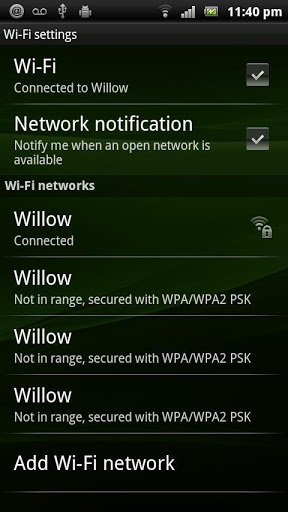
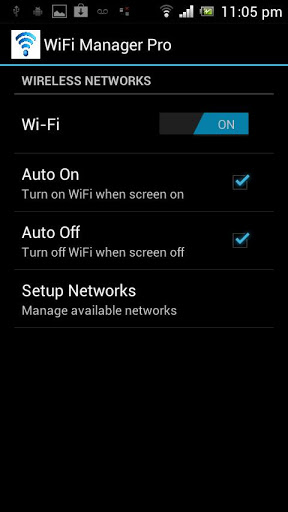
- Tired of manually turning on and off Wifi on your phone? Let this Wifi Manager take care of that for you. This app allows you to turn off Wifi after use, when the phone goes to standby, and to turn on Wifi only when you need it. It allows you to set it up so that Wifi will turn off automatically after the screen is turned off and turn on automatically when the screen is on. When Wifi is turned on, it automatically connects to the last connected wireless network, so there's no need for you to do anything. The whole process is automated after you set it. No more manual switching. Wifi is automatically on when you're ready to use it and automatically off when you're done.
- The app also let you setup and connect to a wireless connection at home or on the go.

What's New with WiFi Manager Pro 2.2

- New easier and more intuitive GUI

Information

  • Category:
    Tools
  • Latest Version:
    2.2
  • Updated:
    2013-08-29
  • Requirements:
    Android 0 or later
  • Developer:
    OneUniqueApp
  • ID:
    com.modernsoftware.wifimanagerpro
  • Available on:
Reviews
  • avatar
    Good app. Reliable.
    2020-04-07 10:34
  • avatar
    I really love this app, it really does what it's suppose to do. thank you very much! 🙏🏼👏👌👍. Every now and then it will not work, please fix this please.
    2019-07-20 04:29
  • avatar
    What I wanted from ANY app that was available, was the ability to automatically turn Wifi 'ON' whenever the screen was unlocked, and automatically turn the Wifi 'OFF' on lockscreen. I also wanted the ability to disable these options should the need arise. This app provides all this. If you also install an app called 'Mobile Data Switch (On/Off)' it works in perfect harmony with Wifi manager pro (after a bit of experimentation!). Fantastic app on its own, amazing app when working with 'Mobile Data Switch (On/Off)'.
    2013-03-24 02:40
  • avatar
    I downloaded (and paid!) this app, because from the screen shots above it must be inferred that the off and on modes can be separately invoked. In the downloaded product, however, this turns out not to be the case. It may be only a dollar or so, but this is just not fair. A product should give what it advertises, and even more so if you ask money for it. I feel deceived.
    2012-10-16 08:30
















