
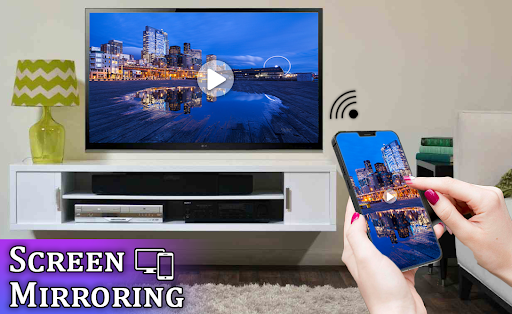
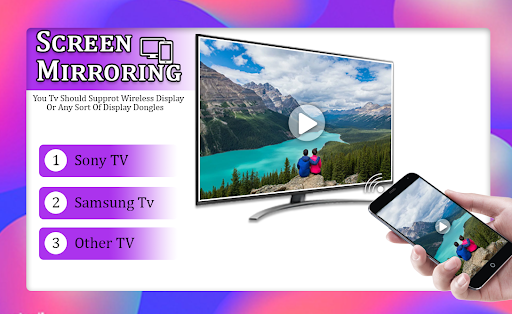
Screen Mirroring for All TV app will help you to scan and mirror your android phone or tablet screen on your Smart TV display. Enjoy your mobile screen contents or tablet screen in your smart tv screen using Screen Mirroring.
Screen Mirroring for All TV 🖥 display all kinds of phone screen - you can use screen mirroring mobile screencast to TV to watch movies and web series. with help of Screen Mirroring - Cast Phone to TV Mirroring app you can screen mirror on TV to make a powerful presentation for work or have an online education with a bigger TV screen.
Application Features:
- A brand new user interface that unifies your experience across all devices.
- Android 5.0 version you need to run our startup tool from your computer to activate screen mirroring.
- Mirroring, screen sharing with media players and tools such as VLC, XBMC/KODI, OBS and other.
- Mirroring screen sharing use with web browsers.
- Easily change resolution and density - take full advantage of the resolution of your external display.
- Broadcasting to Youtube, Facebook Live, Upstream, and others.
- Mirroring, screen sharing with UPnP / DLNA video players such as XBMC/KODI and Smart TV, Blu Ray players, and others compatible devices.
- Streaming timer and stop when lock screen.
- Direct access to your favorite apps on the mobile phone without interrupting TV playback.
- Internal audio with Rooted Android 4.4 and above and microphone streaming.
- Mixed audio (internal microphone) streaming (ROOTED Android 4.4 and above).
- Screen drawing while mirroring perfect for demoing.
- A completely re-designed soft remote that is always accessible.
- Compatible with Network Tethering like Wi-Fi, Bluetooth, and USB.
- Load profiles automatically when a display is connected
- Truly amazing graphics and animations.
Screen Mirroring with TV: Mobile Screen to TV App will assist you to scan and mirror your android phone or tab's screen on smart TV/Display or Wireless dongles or adapters.
To Share/mirrors mobile screen to SmartTV or Wifi laybackDisplay dongle connected to TV,
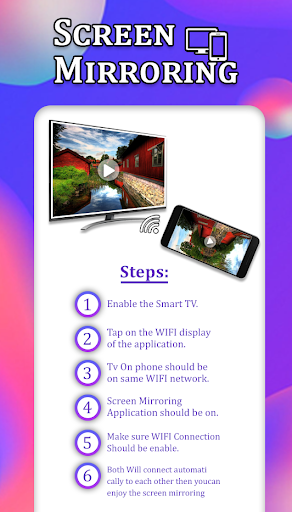
Following steps needs party to performed start feature :
1- Make sure TV is connected to the same WiFi network as your mobile device. You can't connect it with wired connection supported LAN.
2- Enable Miracast Display on your TV roku, samsung, lg, etc
3- Enable Wireless Miracast Dispaly option on your phone samsung , hwaui , etc
4. Make sure your device inbuilt hardware of Miracast.
4- Click Select press button and choose your TV
Screen Mirroring with All TV - Cast Phone to TV also known as Screen Mirroring Assistant or Screen Mirroring for Android Assistant for Screen Mirroring for smart TV.
If you have enjoyed your experience with this screen mirroring for Samsung smart tv, rate us on play store.
Thanks..!!!
Connect your Mobile with Tv Screen using Screen Mirroring with TV: Smart View





9Apps 4.9














