
WiFi FTP Turns your Android Phone into a Wireless FTP Server. You can now copy multiple files, folders, or entire hard drives to your Phone and access this information anywhere.
your Android Phone can do all that and MORE!
Connect and share everything among phones, save you time and eliminate the need of USB data cable for file transfer.
- The fewer cables to carry the better
- The computer doesn't need to have drivers it does need installed
- Compatible with Windows Explorer and other FTP client tools (such as FileZilla)
- No mobile data plan impact
WiFi FTP lets you:
- COPY Files
- VIEW Files
- BACKUP Files
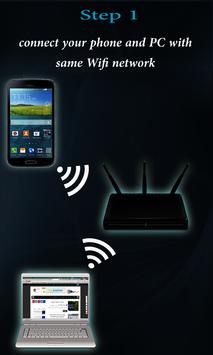
All you need to do is:
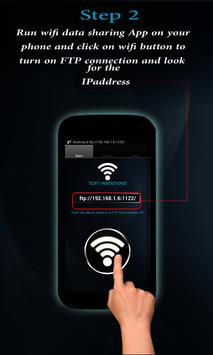
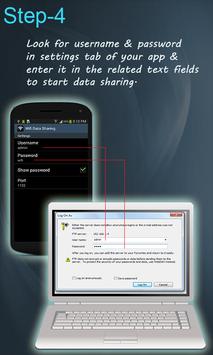
1. start WiFi FTP on your Phone.
2. Click the ON button
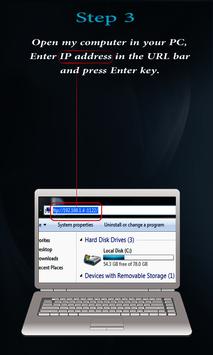
3. connect to supplied IP using ANY ftp client (inc Explorer / Finder)
That's it. Now you have all your documents, movies, music, homework, ANYTHING on your phone!



9Apps 4.9














