Barephone: Zero-clutter Minimal Launcher icon

Barephone: Zero-clutter Minimal Launcher

1.1 for Android
4.0 | 10,000+ Installs | Reviews

Maxflame

Description of Barephone: Zero-clutter Minimal Launcher

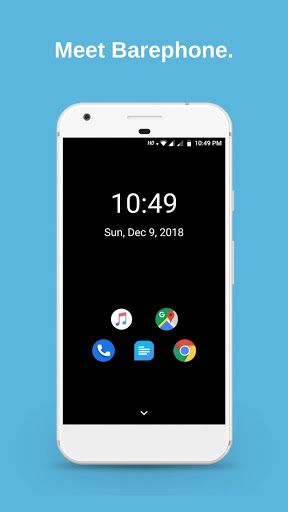
Is your Android home screen full of distractions? Try Barephone, the zero-clutter Android launcher.
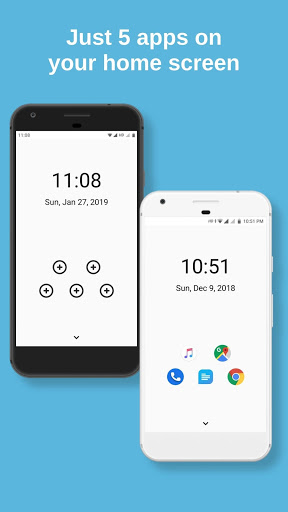
- Only 5 apps on your home screen
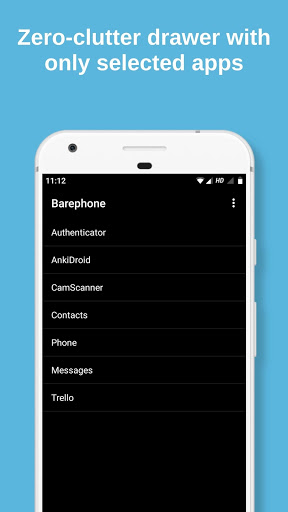
- Choose the apps that appear on your app drawer
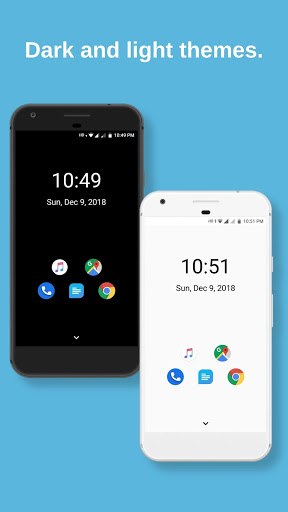
- Light and dark themes for your convenience
- No ads!
Make Barephone your default launcher and be less distracted. A simple and minimal launcher for your phone.
We'd love to listen to your feedback. Email us at maxflameapps@gmail.com
Loved Barephone? Give us a great review :)

What's New with Barephone: Zero-clutter Minimal Launcher 1.1

- Search in app drawer
- Performance improvements & bug fixes

Information

  • Category:
    Personalization
  • Latest Version:
    1.1
  • Updated:
    2019-02-14
  • File size:
    1.7MB
  • Requirements:
    Android 4.4 or later
  • Developer:
    Maxflame
  • ID:
    com.maxflame.barephone
  • Available on:
Reviews
  • avatar
    I'd love this app. If only I could use it. I'm on Miui 11 and can add neither Phone nor Contacts as apps.
    2020-07-24 10:23
  • avatar
    Definitely the most pleasing to look at simple launcher. I only have two gripes. The limited app drawer should be easier to use. That means being able to select multiple apps and reordering them manually. Secondly, there should be a complete app drawer as well. Sometimes you just need an app that doesn't deserve to be in the nation screen or the limited list. Maybe you could add a swipe menu to the app drawer.
    2020-06-15 01:55
  • avatar
    Couldn't add the Phone Call icon?
    2020-05-07 09:55
  • avatar
    Let us rearrange the apps in the drawer and this app is 5 stars
    2020-02-10 07:55
  • avatar
    Here's what you need to know about Barephone. This is a really smart concept. The launcher still needs some refinement (read on) to improve the user experience and reduce friction. Suggested improvements 1. Access the app drawer by swiping up. 2. Add all apps to app drawer by default and allow some to be removed manually, or allow multiple apps to be added simultaneously. 3. Match fonts to system fonts. 4. Search icon is difficult to reach. Good work!
    2019-12-27 05:25
  • avatar
    Best app, but draining battery.
    2019-11-13 01:32