

Maritime Optima aims to make maritime team communication efficient, so you can get more work done, whether you are a private person, belong to a large enterprise, or a small business. However, you can also work as a single private user.
Maritime Optima is available cross-platform. Log in to Maritime Optima from your mobile or web. Your data and work are always in sync across platforms.
Scientifically proven (or at least rumoured) to make your working life simpler, more pleasant, more productive and more fun. We hope you'll give Maritime Optima a try.
We mainly focus on dry cargo, tankers, and gas carriers, but we assume those interested in other segments will also find Maritime Optima helpful.
Please stop by and learn more on our web page: https://www.maritimeoptima.com
In Maritime Optima, you will find:
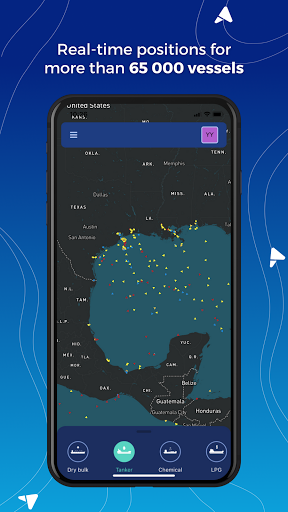
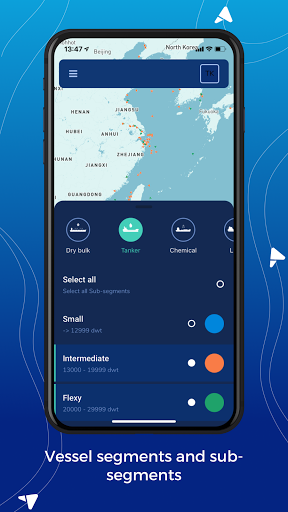
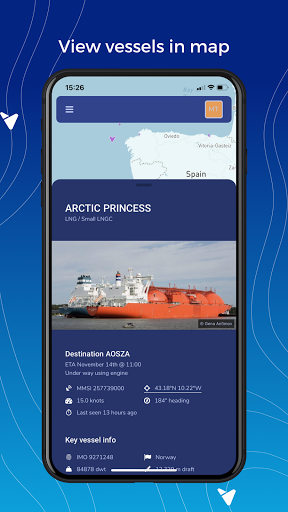
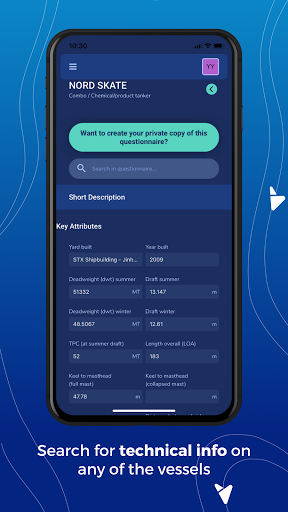
A vessel center with AIS positions of more than 65 000 vessels. The vessels are divided into segments and sub-segments. Each vessel has a technical template attached inspired by the most commonly used questionnaires; Q88, Baltic, C-Form, and B-Form. Copy any public questionnaire and make a private copy. Add photos, documents, drawings, and contact details as your private info.
You can search for groups of vessels or a specific vessel by using search criteria like segment, sub-segment, yard built, year built, owners, LOA, Beam, etc.
If you want to do a quick search, you can search for a specific port or a vessel directly from the map.
You can select segments and sub-segments you prefer to your map to get a quick overview of the segments you are interested in.
Interested in tankers but only in Suezmax or Aframax? Then add those sub-segments to your map. Choose different colours for each of them, so you quickly spot the vessels on your map.
Create as many fleet/ lists of vessels and lists of ports as you want and add the lists as layers to your map. List of ports might be "Bunker ports in Med" or "Dry cargo ports in Europe" or a "Port visited due to your COA cargoes frequently."
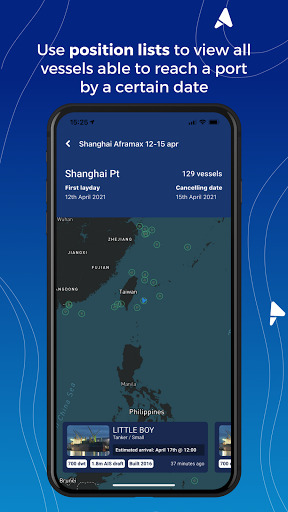
You can create position lists for vessels within any segment and view as list or in map. Super quick to make positions list for Aframax tankers /LR2 able to reach Arzew within 10-12 April with max LOA 250 meters and max 5 years old. You can hide and unhide vessels in your lists, and when working a cargo or a vessel in the market, you can add the info you receive from the brokers about the vessels in notes. You can find all notes you create in your notebook.
You can also view each vessel's voyage trading history.
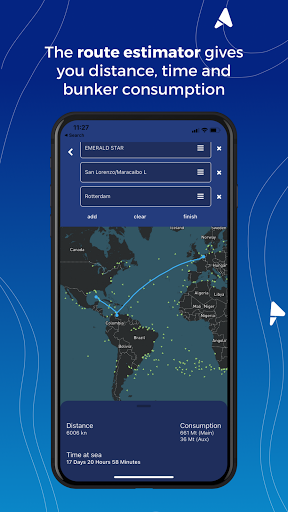
Do a quick route estimate and find distance, time, and bunker consumption. You can route from any vessel's real-time position to any port or between ports.
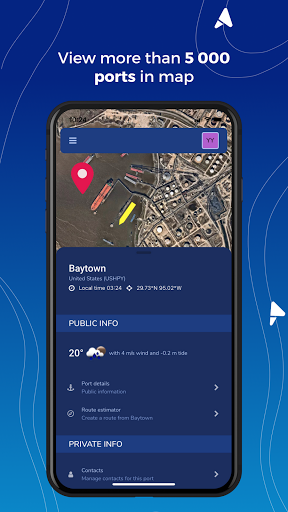
In the port center, you will find information on more than 5 200 ports
About the tide, weather, bunker prices, and availability and on vessels currently in the ports and recent departures. You can add photos, documents, drawings, and contact details as your private information.
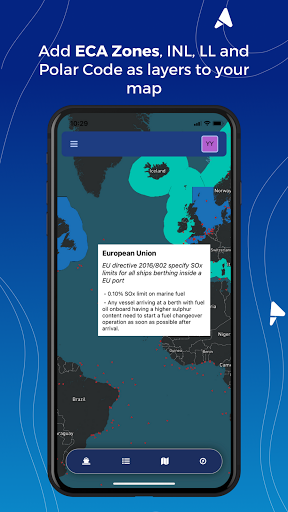
View map info layers as; INL, Polar codes, Loadline, IMO ECA and local ECA Zones. You will also find daily updated ice maps and piracy maps or you can choose satellite view.
Lists of vessels might be: "5 years old Panamax dry cargo" or "Solvang LPG Ethylene" or "Golar LNG." If you want to follow your competitor's vessels; create one list with each competitor's vessels. If you are a trader and want to know where the vessels you fix most are trading, create lists of vessels for each partner.
Set up a team and invite your colleagues use the features above:
• Add notes to vessels and ports and share your knowledge.
• Add and share lists of vessels.
• Add contact details to vessels and ports and call directly from your mobile phone.
• Add technical data to any of the vessels.
Any questions or feedback? You can always reach out to us by using the in-app chat.


9Apps 4.9
















