oneSafe | password manager icon

oneSafe | password manager

4.2.3 for Android
3.7 | 50,000+ Installs | Reviews

Lunabee Studio

Description of oneSafe | password manager

oneSafe secures all your confidential info, it's Fort Knox in your pocket!
Forgot your PIN? Can’t find your frequent flyer number? Need your passport scan? Struggling to remember all those usernames and passwords to your bank accounts, email and social media? Relax. oneSafe will take care of it.
oneSafe is a super-secure "password manager" app that lets you store all your confidential information in one place with complete security.
With its sleek design, adaptable templates and intuitive user interface, the app is a breeze to use on your device putting all your personal information at your fingertips whenever and wherever you may happen to need it.
oneSafe allows you to:
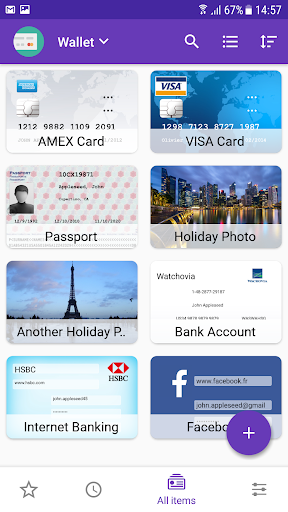
• Easily create, view and edit items (passwords, web accounts, ID, credit cards, passport scan ...) and keep them well organized
• Take advantage of ready-made templates to enter details quickly
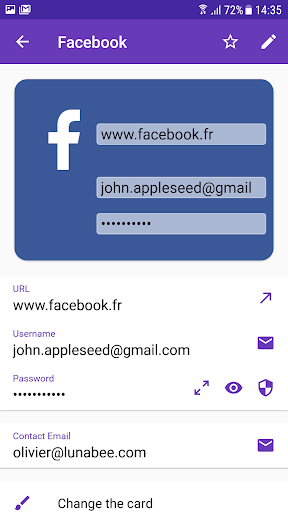
• Easily copy and paste complex usernames and passwords
• Mark any item as a favorite for quick access
• Share your data securely in a password protected archive
• Secure highly secure information in double-protection categories
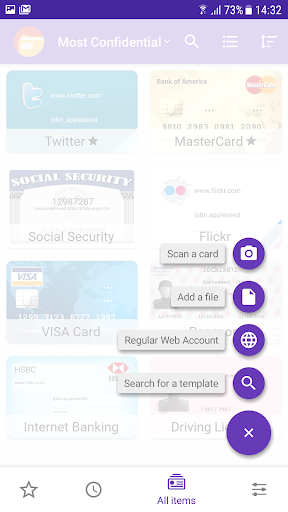
• Quickly capture information using the 'Scan a Card' feature
Features:
• The highest level of encryption available on mobile device; AES 256 to give watertight protection from any possible cyber attack
• Dropbox integration to allow synchronization with multiple devices (Android, iOS and Mac versions of oneSafe)
• Email and device backup function to safeguard your information
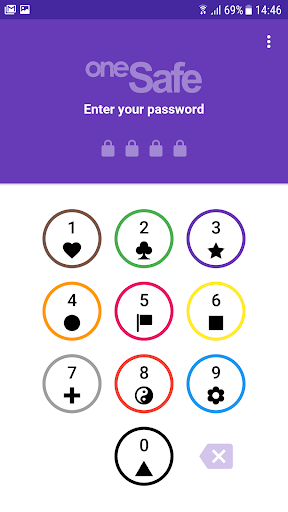
• Multiple authentication methods to choose from
• Ready-made categories to better organize your information
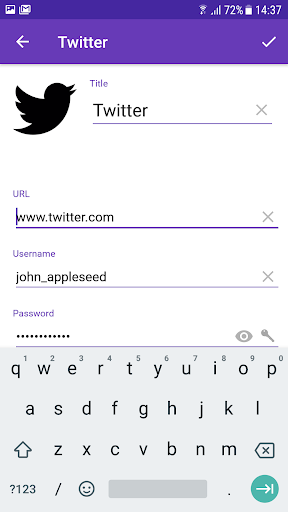
• In-built password generator to create strong passwords.
• Quickly capture information via your camera
oneSafe combines security, simplicity and a sleek design in a password storage application. Download it now and protect any hackers or wandering eyes from getting a sneak peek at your personal data!

What's New with oneSafe | password manager 4.2.3

- Add Biometric support for Face unlock on supported devices
- Dark Theme for Android 10

Information

  • Category:
    Productivity
  • Latest Version:
    4.2.3
  • Updated:
    2019-11-11
  • File size:
    34.1MB
  • Requirements:
    Android 5.0 or later
  • Developer:
    Lunabee Studio
  • ID:
    com.lunabee.onesafe
  • Available on:
Reviews
  • avatar
    Loved this app until I got a new phone. Exported my backup. Completely unable to restore the backup on the new phone. Downloaded the backup to my new phone multiple times. Try to reinstall the app multiple times. Their website has virtually no support. Reporting a bug from the app got a robo response. My wife has an identical phone that you got exact same time and she was able to install her back up.
    2020-09-11 01:36
  • avatar
    I really like this app for managing passwords. I just wish it had autofill features on android.
    2020-08-31 02:33
  • avatar
    I purchased the app and then broke my phone. When I downloaded the app on my new phone but it doesn't give me the option to login. I have to create a new account, which means I lost all my previous passwords saved.
    2020-08-16 12:37
  • avatar
    Stop using and export your password to bitwarden or lastpass, no replies from developer.
    2020-05-31 06:17
  • avatar
    I already buy and after scan 2 file and want to scan again it stuck. Why that happen?? After a while my apps start from page one again. If you can fix it i want to cancel purchase although just idr 10k
    2020-02-07 11:05
  • avatar
    Update: The software support got back to me very quickly this time after I emailed them. I was refunded for the extra purchase. I appreciate the support. Will recommend to others. Love this app, but I had to buy it again after migrating to a new phone. It looks like it's finally fixed, but I want a refund for the extra buy. I've emailed you, and I'm waiting for your reply.
    2019-10-25 03:58