An2An Keyboard icon

An2An Keyboard

2.2.0 for Android
3.8 | 5,000+ Installs | Reviews

Locnet

$1.49

Description of An2An Keyboard

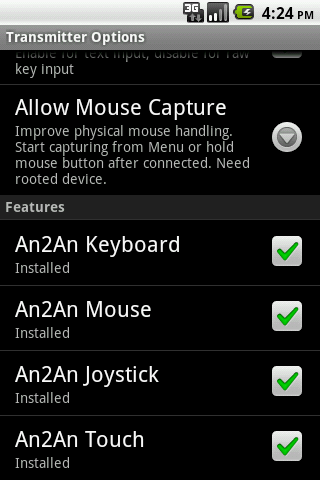
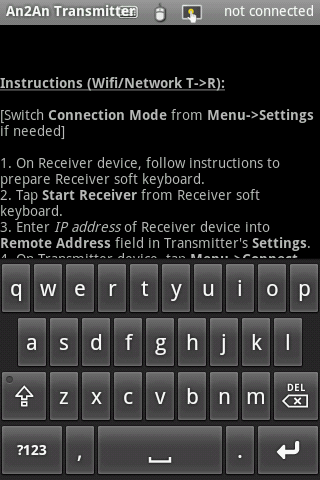
Add keyboard support to An2An Remote, to redirect keypress from one device to another device through Bluetooth or WiFi/Network WITHOUT root, allow using an Android device as keyboard of another device. Support physical keyboard/digital gamepad and soft keyboard. This is not a standalone app and requires An2An Remote to work.
Recommend to check compatibility with An2An Remote (Demo) before purchase.
Please contact us for any problem (android.locnet@gmail.com).
Benefits
- Turn wired keyboard into wireless one.
- If you have a phone with built-in physical keyboard, you don't need to buy keyboard for other devices.
- Screen is not blocked by onscreen keyboard or your finger when using another device as input, so you get better view.
- When the target device cannot connect to physical keyboard directly (e.g. no OTG), you can use another compatible device as a "bridge".
- Touchscreen handling consume CPU times, by sharing workload to another device you can get some speed improvement.
Requirements
- An2An Remote (Demo) 3.0.0 (https://play.google.com/store/apps/details?id=com.locnet.an2an.demo)
Instructions
1. Install and setup An2An Remote
2. Install An2An Keyboard to Transmitter device, restart transmitter app if running.
3. Connect An2An Remote normally and start using.
Compatibility
This app works with most hardware keyboard/digital gamepad (e.g. dpad or Xperia Play buttons) and key-based software keyboard (e.g. our GameKeyboard app). It may not work well with text-based soft keyboard which directly manipulate input field text. Active soft keyboard on Transmitter device will affect physical keyboard, try switching to a "Null" soft keyboard when having problem.

What's New with An2An Keyboard 2.2.0

2.2.0 (2013-08-13)
**IMPORTANT**: To simplify upgrade process, An2An Keyboard now work as part of An2An Remote (previously An2An Keyboard Demo). Please use and check latest changes from An2An Remote 3.0.0 instead (https://play.google.com/store/apps/details?id=com.locnet.an2an.demo).


Information

  • Category:
    Tools
  • Latest Version:
    2.2.0
  • Updated:
    2013-07-11
  • Requirements:
    Android 0 or later
  • Developer:
    Locnet
  • ID:
    com.locnet.an2an
  • Available on:
Reviews
  • avatar
    Nice
    2020-09-16 12:02
  • avatar
    Didn't work.
    2020-04-10 07:52
  • avatar
    i want refund, this app is useless.
    2019-07-28 07:24
  • avatar
    Doesn't work. Wouldn't refund
    2018-05-18 02:47
  • avatar
    The keyboard works well on my *not* rooted Android 5.1 and 6.0 tablets with my PC keyboard, although the right shift and control don't work. Escape, Caps Lock and NumLock keys don't work as well. But PgUp, PgDown, Delete, Home/End, arrows and the rest WORK FINE. Highlighting -selecting text with left Shift works good, using left Control to invoke shortcuts works well (like Ctrl-a, Ctrl-c, Ctrl-x, Ctrl-v) AND using foreign language keyboard input works fine; all native language symbols come out fine. Alt-Tab works on the Transmitter tablet, not on the Receiver one. So the pros far outweight the cons. This is the only app that has such functionality and *really* works *without* rooting. On Android 5+ the settings icon is hidden by the keyboard layout selection (in Receiver mode) and you can get to these settings by going to Settings->"Language & Input"->"An2An Receiver" - just note that you have to first enable this app as your keyboard layout/input method. It takes a bit to get used to, but it works - I'm writing this using this app through Bluetooth. Two years ago, I tested this app on Android 4.2 using Wi-Fi and it also worked, and since then no other apps came that have such functionality.. I was using a Bluetooth keyboard until now, but it broke down and I'm looking for a new one, so until I get one, this app really helps. Hope the developers work on it more and give us full keyboard support (with F1-12 keys) and possibly more functionality and features. Still it's a lifesaver.
    2017-06-02 02:49
  • avatar
    Works fine 100% ratings well done!,,
    2016-09-24 10:25
















