
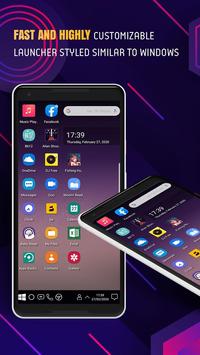
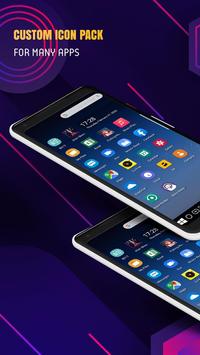
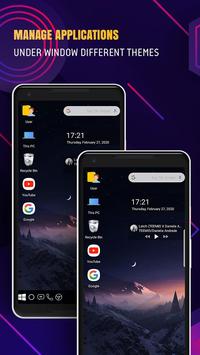
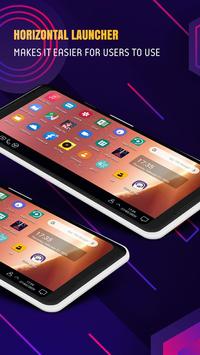
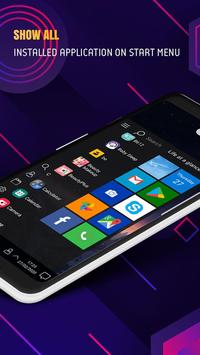
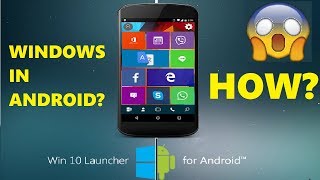
Win 10 Launcher For Android with make your Android windows phone home screen looks like a Desktop launcher style wins 10.
Win 10 Launcher For Android – PC Launcher 2020
is an excellent app for you to experience the Computer Launcher Metro UI for Windows 10 PC Launcher on your Android devices.
Win 10 Launcher For Android – PC Launcher 2020
inspired by Windows 10, customize your phone with unique look and feel of the fastest launcher.
Are you getting bored with Android's User Interface and want to enjoy Windows style launcher on your Android? No wait now. Win 10 Launcher is here for you (Inspired by Windows 10®)
Win 10 Launcher For Android – PC Launcher 2020
will make your UI launcher android home screen wallpaper for computer with windows theme look like a windows launcher pro.
Win 10 Launcher For Android – PC Launcher 2020
many add-on features such as cortana app for android windows, view user interface, full address contact view.
Features of Win 10 Launcher For Android
• Customizable theme colors
• Easy Navigation to the Apps
• Desktop computer launcher pro
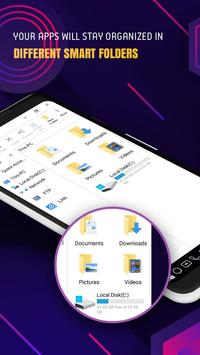
• Built-In support of File Explorer in PC Launcher
• Create Folders, Rename, Remove, Add Apps
• Listing of all of your drives, SD Card, Storage, audio and video files and pictures in PC style
• UI Launcher desktop with the way windroid theme
• Put the files to Recycle bin and delete later in Windows styles
• Widgets in desktop mode
• Add widgets: clock, weather, RAM info, music player, charging
• Task-bar icons removable
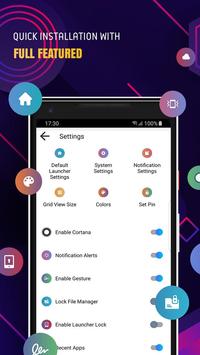
• Task-bar Transparency option added, multi tasking made optional (enable /disable from settings)
• Create folder for windows desktop launcher pro
• Multi color support for Task bar and menu
• Supports lock screen, lock file manager
• Show status bar & navigation keys
• Show recent app
• The launcher wins 10 with the quick mode and see all messages when changing changes with wins 7 launcher theme, wins 10 theme
• Hide App option to hide your personal app from launcher
• Pin app feature – Add n number of apps to your home screen
• Faster App searching using index searching
• Change applications in Task-bar (Press and Hold)
• Change the Start Menu Application (Press and Hold the app to change)
If you get bored of using old style launchers then try
Win 10 Launcher For Android – PC Launcher 2020
to give your phone an elegant and unique look.
Please give rating to this launcher also like us on google play.
Note:
Privacy Policy
* This app uses the Device Administrator permission.
It is necessary and used only for locking the device when you use feature turn off the screen. You need to enable Administration before it can be used that feature. To uninstall the app, please open my app and click the "Uninstall" button.
* This app uses Accessibility services
We request this permission to:
Receive notifications when you are interacting with an app to make color auto change and some feature
Inspect the content of a window you are interacting with. To enable some feature like back, recent press, etc.
Please be assured that we will not collect any personal information
Hope you enjoy this
Win 10 Launcher For Android – PC Launcher 2020
!




9Apps 4.9














