

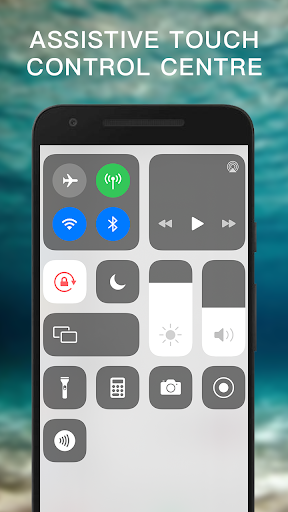
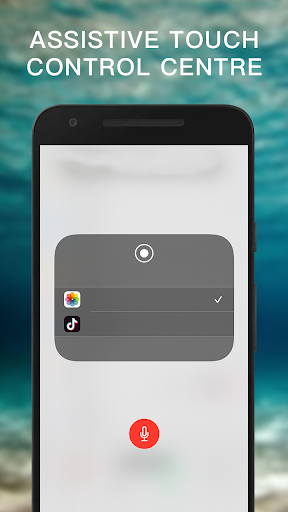
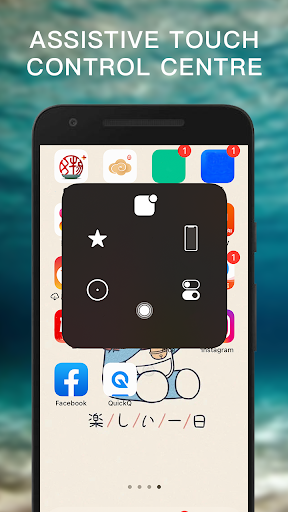
It can quickly help you to change settings, screen recorder, Screenshot, Volume, Lock the screen (Screen off) and fast access to the favorite application.
Assistive Touch for Android
- Virtual Home button, easy touch to lock screen and open recent task
- Virtual Volume button, quick touch to change volume and change sound mode
- Virtual Back button
- Easy to open your favorite application
- Go to all setting very quick with a touch
- Gesture Setting for Floating Button (One tap, double tap, long press)
Quickly access:
- Screen rotation: switch portrait or landscape
- Change volume: a volume manager, quickly change media volume, ringtone, and alarms
- Brightness: fast change to lower, medium or higher brightness.
- Flashlight: turn on and of the flashlight
- Do not disturb
- Lock the screen (screen off): turn off screen and support to opening screen by fingerprint, face, and iris.
- Screen recorder be like iPhone IOS
- Screenshot, screen capture, screencast
- Notification: open the notification bar
- Pin favorite application in Assistive Touch
We are committed to creating truly useful, high-performance, excellent user experiences, and constantly improving and optimizing boutique applications.
Terms and Policy: https://www.privacypolicytemplate.net/live.php?token=wBmLYzYDtivcYymEhQcPXHIxBnPrdcuI




9Apps 4.9













