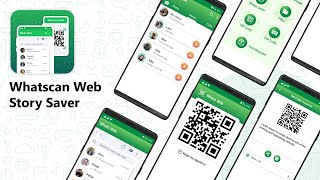
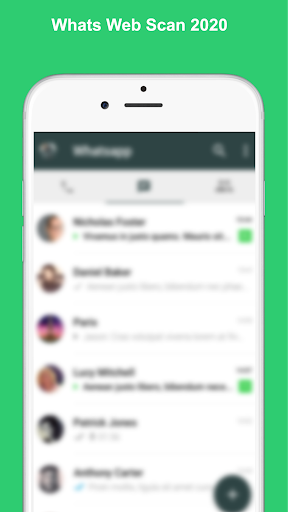
Whats Web Scanner 📲 app automatically update and sync all the chat from your linked Whats web app. You can read all the messages and replay them with the help of the Whats web Scanner.
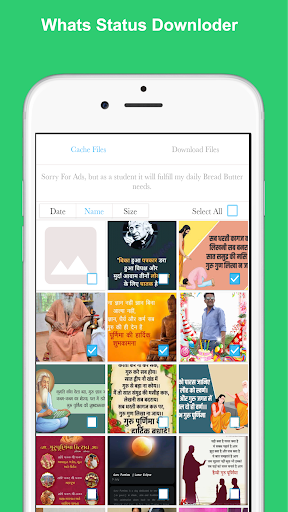
Status Saver and QR Code Scanner is use to save status and scan your QR Code in your device and save history data in your app.
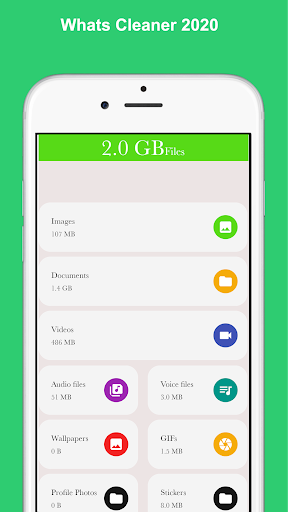
Whats Cleaner use to Clean your receive and send data like images, videos and documents.
What Web Scanner for Whatsapp Web is Best Web CloneApp. What scan for Whats web is very simple and easy to use Dual Chat option. Whats web Scanner App is also very light weight.
With the use of Whats Web Scan App, you can See anyone’s WhatsApp Messenger messages to your phone after just scan QR Code of this app to that Mobile’s WhatsApp Web Scanner Once.
Just Install the what’s web scan app, Open WhatsApp web tab, you find QR Code here. Scan this code from other’s WhatsApp Messenger’s “WhatsApp Web” option.
New features are WhatsApp web scan app are as follow:
Status Saver:
now to save your friend’s status is easy from this app. You can save all status in this app. Not need to install an extra app for saving status.
Whats Cleaner:
You can clean your unnecessary data of Whatsup. Your phone having more space from this. There is clean all option and also you can clean by send and received an item like images, videos, and docs.
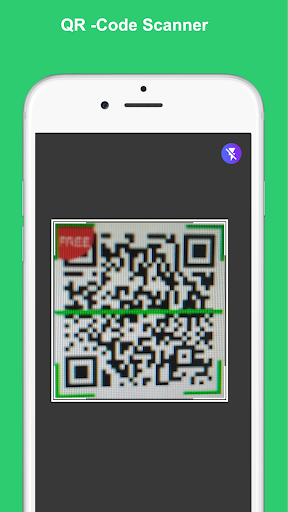
QR-Code Scanner:
You can scan any QR code and save his history. It is has camera flash on/off feature to scan QR code easily.
WhatsDelete:
By using "WhatsDelete" you can monitor whatsapp deleted messages which are deleted by sender side and we will notify you when a deleted message is detected.
Follow below mentioned steps for start Easy Scanner with What’s Clone method and use Whatz web scan on your device to see whats on your device.
1. Start the Whats Web scan app for clone (whatsapp)on your phone and switch to the tab "Whats Web Scan". Wait until the QR code appears
2. Start WhatsApp on other phone
3. Open the menu on the right in the "Chats" tab on your mobile phone and select the menu item "WhatsApp Web"
4. Scan the QR code with mobile phone camera
5. The connection is made
6. Done
Disclaimer:
We are not affiliated or officially connected with WhatsApp Inc. in any way. And we do not have any access to save your WhatsApp data or messages in cloud or other third party api. Again WhatsApp™ is a trademark of WhatsApp Inc. WhatsDelete is not affiliated with, or sponsored or endorsed by, WhatsApp Inc.
Names used in this description are for demonstration purpose. All names are copyrighted to their owners like WhatsApp is copyrighted to WhatsApp Inc.
Add New Birthday stickers
QR Code Scanner
Status Saver
Fixed Bugs







9Apps 4.9