
Nanji Clock Widget icon

Nanji Clock Widget

1.3.3 for Android
4.2 | 10,000+ Installs | Reviews

kazufukurou

Description of Nanji Clock Widget

Home screen clock widget for language learners.
Features:
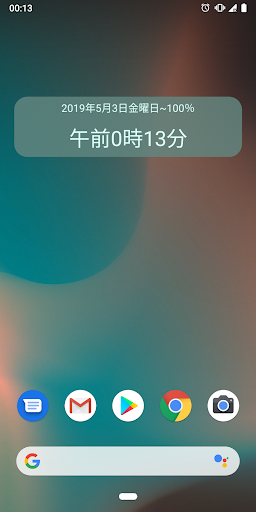
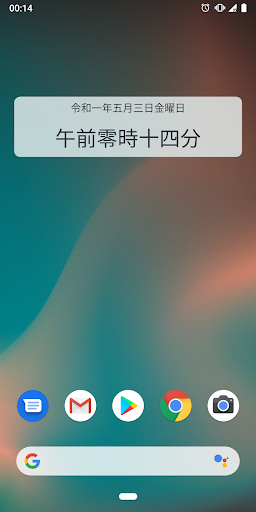
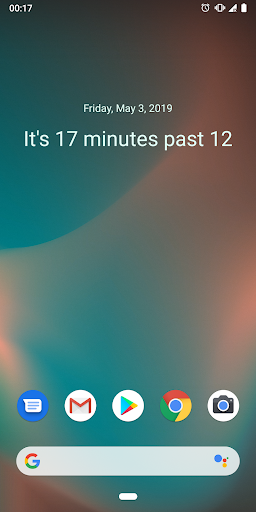
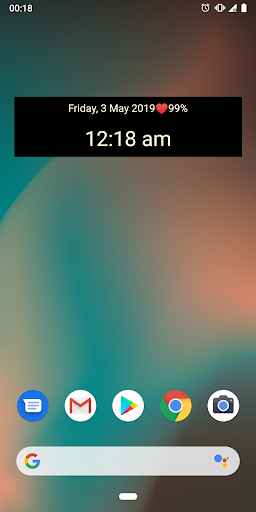
- Chinese, Japanese, Korean, Russian, English and default date/time format.
- 12/24 hours time format
- Japanese era date format
- Customizable time zone
- Highly customizable appearance
- Switch between showing digits/words on tap
- Open system alarm app on tap

What's New with Nanji Clock Widget 1.3.3

- split Chinese to Simplified and Traditional
- fix Chinese time and date format
- fix appearance of multiline text on widget


Information

  • Category:
    Tools
  • Latest Version:
    1.3.3
  • Updated:
    2021-03-29
  • File size:
    1.0MB
  • Requirements:
    Android 4.1 or later
  • Developer:
    kazufukurou
  • ID:
    com.kazufukurou.nanji
  • Available on:
Reviews
  • avatar
    Work very well, except sometimes on my Huawei P20, when doesn't refresh the time with the mobile. In those situations I see a gap between the two measurements of time. Is it possible to have 12 am and pm written with 十ニ時 and not with 零時?
    2020-09-22 04:23
  • avatar
    Numbers are wrong in Roman characters, pretends to have a "replace character" function but it doesn't work
    2019-11-09 06:44
  • avatar
    It's great it works just hold on home screen press widget and place it
    2018-11-16 04:48
  • avatar
    I can't use it and it doesn't work
    2018-11-12 01:43
  • avatar
    There is no widget anywhere to be seen.
    2017-02-25 09:01
  • avatar
    I don't see a widget anywhere.
    2016-12-02 04:30