
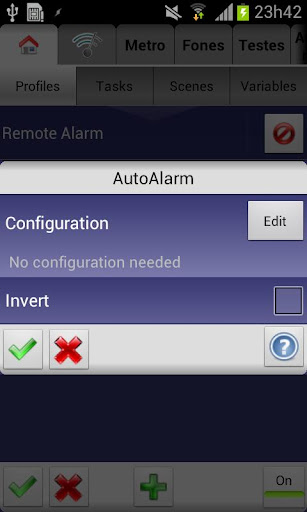
Know when the next system alarm is going to be and act on it in Tasker, with AutoAlarm!
You could make a pre-alarm task like the very cool one Andreas Ødegård describes in his SLEEP MODE here: http://goo.gl/rRw0I. He uses it to create his own personal sunrise by making his room light up gradually before the actual alarm fires.
(WARNING: YOU MUST HAVE TASKER INSTALLED FOR THIS APP TO BE OF ANY USE: AutoAlarm will not show up on your homescreen or app drawer. It is only usable as a plugin in Tasker)
To get started check out the video. You'll see how to quickly setup AutoAlarm. The video shows how you can see the amount of hours remaining till the next alarm, but you can use any other Tasker action with the alarm info. Here are the variables you can use with AutoAlarm:
Absolute values:
"%day"
"%month"
"%year"
"%hour"
"%minute"
"%second"
Times to next alarm:
"%milis"
"%seconds"
"%minutes"
"%hours"
Cumulative times to next alarm:
"%secondsc"
"%minutesc"
"%hoursc"
"%daysc"
String variables:
"%raw" (will have the time as reported by the system, i.e. "Sun 14:00")
Also, very important, if there's an error while retrieving the next alarm it will be in the "%error" variable.
Note: there are several users reporting that the app doesn't work with their language. Please make sure you're using the default Android alarm app to get the most compatibility.
Drop me an email if something goes wrong and I'll always try to fix it!
- added note that AutoAlarms action and event can now be achieved using native Tasker actions
- set target API to 33





9Apps 4.9