
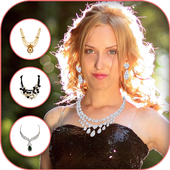




Add expensive jewellery to your photo with
Jewellery Photo Editor
App. Try different jewellery instantly by selecting wide range of Jewellery stickers in our app.
Pick any expensive jewellery with
Jewellery Photo Editor app
from available list of different jewellery stickers and add it to your photo to see if it suits you or not.
You don’t need to buy expensive jewellery,
Jewellery Photo Editor
can help you to try different sized silver, gold, diamond necklaces for free.
Features:-
- 50 stickers.
- HD and realistic looking Jewellery stickers.
- Easy to use and requires low memory.
- New and Improved UI.
- Select from Gallery or capture from Camera.
- Simple touch gestures to crop Image and resize-flip-move Jewellery sticker.
- Set the opacity of sticker.
- Create ‘Expensive Selfie’ in less than 10 seconds with Jewellery Photo Editor.
How to use:-
- Select Image from Gallery or capture from Camera.
- Crop selected Image as required or skip to next screen.
- Select Jewellery from more than 50 available stickers.
- Replace selected stickers with another available form the list.
- Easily move , scale, rotate Jewellery sticker to adjust to your neck.
- Set the opacity of sticker.
- Save Image and Share your ‘Expensive Selfie’ on social media like Instagram or Facebook with use of Jewellery -Photo Editor.




9Apps 4.9













