

"All smartphones should have this app inbuilt
" - An active user.
"A stepping stone towards a touch-free UX" - Incognitech
***************
Support us by buying the paid ad-free 'minimum RAM usage' version:
Wave2Wake - With WaveNotify Pro
***************
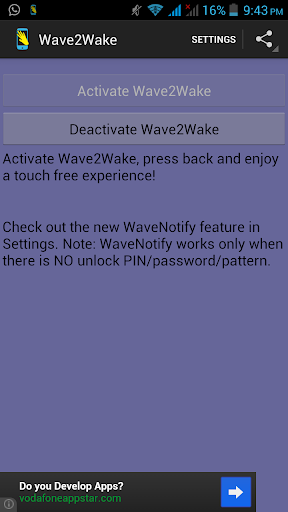
Use Wave2Wake to awaken(unlock) your phone by simply waving your hand over your phone. No touch required. No power/unlock button required. Apart from giving you a touch-free experience, using this app will also reduce the wear on your power/unlock button. If you use a flip cover, you can simply flip it open to unlock(wake) your phone, no button presses required!
And more importantly, it hardly consumes any battery--it's like the app isn't running at all!
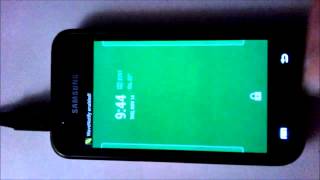
See the video to see it in action.
Why should I use this app?
- To reduce wear on your power/unlock button.
- Use your flip cover to wake your phone.
- Its faster than pressing the unlock button.
- Quickly see the time and notifications.
- To get a magical touch-free experience.
- It's free.
Try it out and give us your feedback and suggestions.
******************************************************************
EXTRA features for 4.0+(Above features work for all phones) :
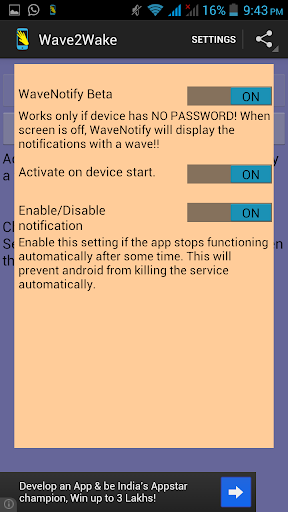
WaveNotify Beta: The new WaveNotify Beta feature! Now instead of just waking your phone, you can directly see your notifications with a wave! To enable WaveNotify, go to settings menu, enable WaveNotify Beta and Activate Wave2Wake as usual.
IMPORTANT REQUIREMENTS(only if want to use WaveNotify Beta):
1. WaveNotify feature ONLY works if the device DOES NOT have a password/pin/pattern lock. DISABLE passwords to use WaveNotify feature
2. WaveNotify Beta feature ONLY works with Android 4.0(Ice Cream Sandwich) and above.
So for those who do not keep a password/pin/pattern lock, check it out by enabling it from settings!
******************************************************************
Like us on Facebook
if you like the app. Get access to pre-release videos, apps and updates!
***** NOTE : Works on devices having a proximity sensor. If you don't know what that is, try it out. 99% of devices have one. ******
**** Planned for future: Recognizing different gestures such as double wave, hover!
Icon Credits: Sheetal Shankar
Keywords: wave unlock; air unlock; touchless; gesture unlock;
v2.5.2
- Size reduced by 250kb! :)
v2.5
- WaveNotify Beta feature! Instead of just waking your phone, you can directly see your notifications with a wave! To enable WaveNotify, go to settings menu, enable WaveNotify Beta and Activate Wave2Wake.
IMPORTANT
1. WaveNotify ONLY works if device DOES NOT have a password/pin/pattern lock. DISABLE passwords to use this feature
2. WaveNotify ONLY works with Android 4.0(Ice Cream Sandwich) and above.
Other features will work as usual for all devices.










9Apps 4.9














