
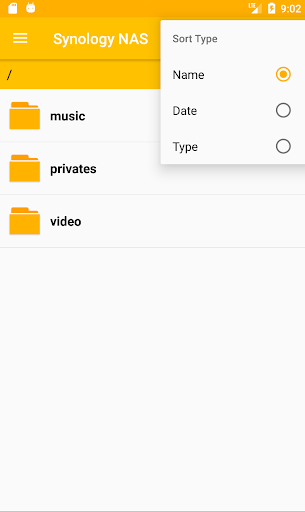
* In order to use the DS file browser's file manager enabled on Android 11(R) or higher, you must allow the "access to manage all files" permission.
* To run this application, you must own a Synology NAS and run DSM 5.2 on your Synology NAS to get full functionality *
DS file Browser 3rd Party app. with Synology NAS file station support for Android TVs and Android devices.
You can view the files stored on a Synology NAS using Synology File Station official API.
(In order to play Contents, you must have an app installed that supports that contents.)
DS file Browser is a useful tool to perform tasks such as browsing photos, watching videos or checking work documents.
In particular, it supports Android TV remote control.
- Long press the Right Button on DPAD or Menu Button to select the menu.
- Press the Right Button on DPAD to select the item menu.
- Long press the Center Button on DPAD to select files/dirs for File Management.
- Long Press the Back Button to terminate the app.
For video files, MX Player / Pro (https://play.google.com/store/apps/details?id=com.mxtech.videoplayer.ad) allows you to stream various subtitles.
(Supports downloading and playing subtitles automatically when connecting to HTTPS using an IP address.)
- Solved the problem of subtitles not playing in MX Player when connecting to HTTPS from DS video or DS file.
- The subtitle file automatically recognizes subtitles with the same name as the video file except the extension.
- Support multiple subtitle files.
* Features
- Synology QuickConnect ID support.
- 2-pass authentication(OTP) support.
- mDNS/DNS-SD Synology NAS discovery function support.
- File/folder creation, move, copy and delete function support(Local/DSM).
- Storage Access Framework(SAF) file access function support.
- Image preview function support at the file icons.
- Background service for downloading / uploading files or folders.
- Continue playback for MX Player/MX Player Pro.
v1.6.11 Update Released.
* Release Note
- Modified to use Storage Access Framework (SAF) when using an external SD card.
- Added a feature that allows access to manage all files on Android 11(R) or later devices.
- Minor bug fixed.


9Apps 4.9














