HandyGamePad PRO - mobile gamepad and joystick icon

HandyGamePad PRO - mobile gamepad and joystick

3.14-pro for Android
4.3 | 5,000+ Installs | Reviews

Paweł Mucha

$3.49

Description of HandyGamePad PRO - mobile gamepad and joystick

🎮🎮🎮🎮🎮🎮🎮🎮🎮🎮
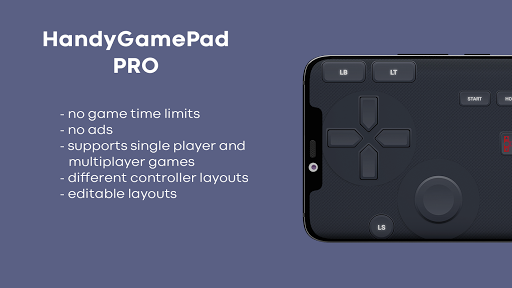
HandyGamePad PRO:
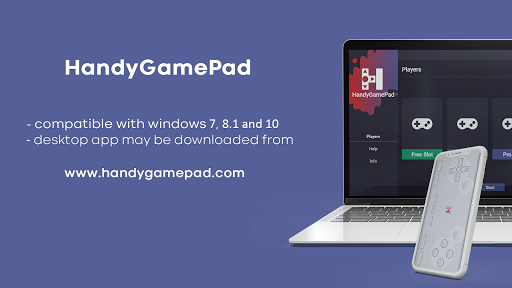
💻 compatible with Windows 7, 8.1 and 10
📥 you can download Windows gamepad server app from www.handygamepad.com
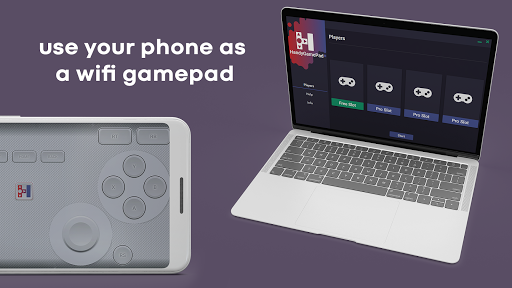
📡 uses WiFi to connect the gamepad to your computer
👨‍👩‍👧‍👦 allows to play single-player and multi-player games up to 4 players
⏱❎ no time limit
📺❎ no ads
📐customizable layout where you can change position and size of buttons
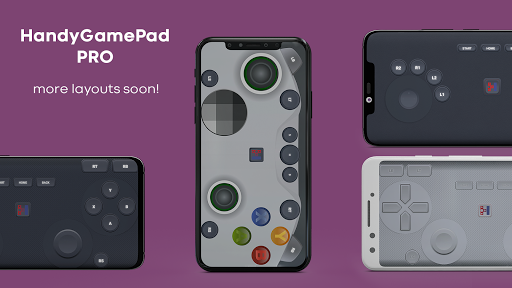
🎨 contains different themes and layouts for gamepad (new versions will include new layouts)
🎮 HandyGamePad game controller is treated as an xbox controller by PC games, so all Windows games that are compatible with xbox controller are compatible with HandyGamePad PC controller
🕹️ it contains double joysticks like original xbox controller
🚧🚧🚧🚧🚧🚧🚧🚧🚧🚧
In nearest future will be available:
🚧 stearing wheel for racing games

What's New with HandyGamePad PRO - mobile gamepad and joystick 3.14-pro

📌 Fix for gamepad-proxy function, for RS and LS buttons

Information

  • Category:
    Tools
  • Latest Version:
    3.14-pro
  • Updated:
    2021-04-04
  • File size:
    28.5MB
  • Requirements:
    Android 5.0 or later
  • Developer:
    Paweł Mucha
  • ID:
    com.handygamepad.pro
  • Available on:
Reviews
  • avatar
    it would be more better if it had the features of connecting without starting game server like monect
    2024-02-22 07:02
  • avatar
    It keeps on crashing and not connecting it's says to update the app even if it's latest version is installed
    2024-02-11 08:09
  • avatar
    Great app. b̶u̶t̶ t̶h̶e̶ b̶u̶t̶t̶o̶n̶s̶ s̶o̶m̶e̶t̶i̶m̶e̶s̶ g̶e̶t̶ s̶t̶u̶c̶k̶ f̶o̶r̶ s̶o̶m̶e̶ r̶e̶a̶s̶o̶n̶. I̶ h̶a̶v̶e̶ t̶o̶ r̶e̶s̶t̶a̶r̶t̶ t̶h̶e̶ a̶p̶p̶ t̶o̶ f̶i̶x̶ t̶h̶i̶s̶ t̶e̶m̶p̶o̶r̶a̶r̶i̶l̶y̶ b̶u̶t̶ i̶t̶'s̶ b̶e̶c̶o̶m̶i̶n̶g̶ a̶ b̶i̶t̶ a̶n̶n̶o̶y̶i̶n̶g̶ edit: my bad bro 😭☠️
    2024-02-11 05:05
  • avatar
    very useful pawél, only one thing i want, Just add The Touchpad. Thanks Pawél, Spread Love not Wars....
    2024-02-02 11:21
  • avatar
    one of its kind. a real masterpiece.
    2024-02-02 05:50
  • avatar
    I'm using this app to make my phone a Bluetooth controller for playing Minecraft on my Android tablet, which is also getting WiFi from my mobile's Hotspot! How cool is that?! My only issue so far is that I can't use both sticks at the same time UNLESS I press another button in between them. ie I'm running using the left stick, but I can't use the right stick to look around unless I press A to jump first. Then the sticks work normally until I release them. Fix that, and this will be a 5* review.
    2024-01-19 10:07