Auto Rotate Widget icon

Auto Rotate Widget

1.6.1 for Android
3.7 | 100,000+ Installs | Reviews

Jason Hull

Description of Auto Rotate Widget

NOTE: **Samsung Phones: Please whitelist this Auto Rotate Widget in the Battery Power Save settings.**
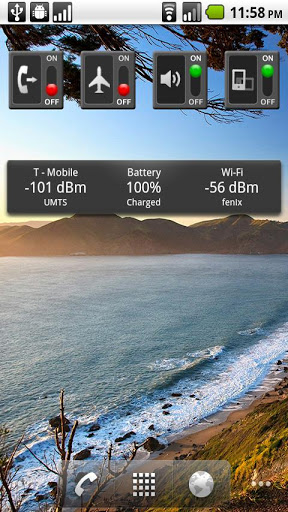
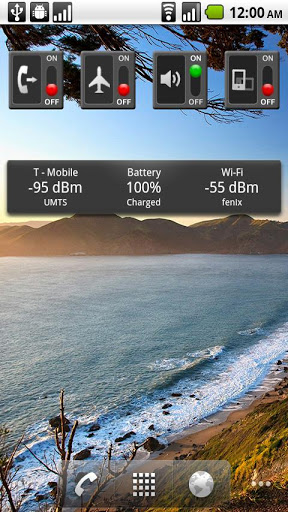
This is a simple auto rotate widget.
This application is included with my other toggles in my Premium Widget pack available for purchase in one convenient download!
**If you are having problems seeing the widget, please try recreating the widget or reinstalling.
Necessary code updates may require this action, sorry!
This is designed to match my other widgets.
This refreshes on a regular interval and when the screen is turned on (unlike other widgets) to stay up to date.
Please check out my other applications!
This is a widget. Long press on the home screen -> Add Widget -> Auto Rotate Widget.
Changelog on website

What's New with Auto Rotate Widget 1.6.1

1.6.1: Support Android 4.2
1.6.0: Support new paid widget pack - You may have to recreate widget.
1.5.0: New HD Widget
1.4.1: Stability improvements. No longer leaves services running.
1.4.0: Fixes layout on ICS phones. Uses a broadcast receiver instead of manual registration for more stability.

Information

  • Category:
    Tools
  • Latest Version:
    1.6.1
  • Updated:
    2012-11-19
  • File size:
    272.0KB
  • Requirements:
    Android 3 or later
  • Developer:
    Jason Hull
  • ID:
    com.guywmustang.autorotatewidget
  • Available on:
Reviews
  • avatar
    This app doesn't work
    2020-09-02 02:06
  • avatar
    Work fine on Samsung Galaxy Note 10 Plus, Android 10
    2020-05-20 06:55
  • avatar
    ☆Exactly☆ the user interface I wanted! Unfortunately: ●1》The app hasn't been updated since 2012 (for Android 4.2). ●2》clicking the widget forces screen into upside down portrait mode, where it stays till clicked again. ●3》I had to figure out that it being a widget means you don't get an " Auto Rotate Widget" app to click and, instead, understanding the comment "It's a widget. Long press on the home screen -> Add Widget -> Auto Rotate Widget." in "Whats New" is critical to instantiate the widget
    2020-02-10 01:16
  • avatar
    Will not download
    2019-11-26 07:35
  • avatar
    didn't do anything
    2019-06-15 01:25
  • avatar
    Great simple app zero adds
    2019-06-12 06:08