


Vpn Hosts app helping developers customized hosts(/system/etc/hosts) File on no root android devices.
The Virtual Hosts app can also be used to do block ads.(as ad blocker)
example Hosts File:
https://raw.githubusercontent.com/x-falcon/Virtual-Hosts/master/example_hosts.txt
Video Demo:
https://www.youtube.com/watch?v=pHnsboAnm-A
==============================================================
= new feature: =
= >support custom dns =
= >support down hosts file from net , can explore this feature by : =
= 1, Long click the select hosts file button. =
= 2, Enter your url and click the download button. =
= 3,Click the radio button from network, then click confirm button. =
= 4, Click the big start button for test. =
= 5,Enjoy it. =
========================================================== ===
features:
1,Use Hosts File on android devices with out root.So that can custom domain name
resolution records.
2,support wildcard DNS records.for example:
127.0.0.1 a.com |
127.0.0.1 b.a.com | => 127.0.0.1 .a.com
127.0.0.1 c.b.a.com |
3,full support ipv6 network , support change AAAA (Ipv6 Address) DNS records. example:
:: b.com
2001:A124::6666 c.com
fc00:aaaa:bbbb:cccc:1111:2222:3333:1234 www.d.com
fe80::2 c.b.a.com
4,maybe more power saving when the records too much,because can use wildcard DNS records. such as google domain, only need one record ".google.com " that can represents all the subdomains.
Usage:
1,make the hosts file by self or get from Internet.
2,put the file into your phone anywhere you can choose or accessible.
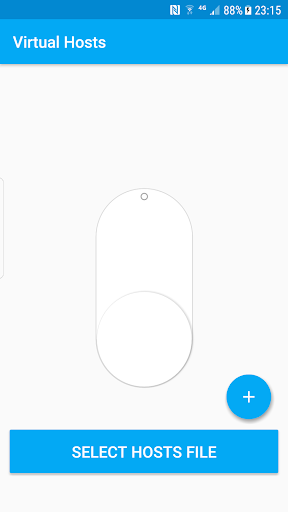
3,start app. click the blue button where at the bottom of the scree , then select the hosts file which you make or get from Internet.
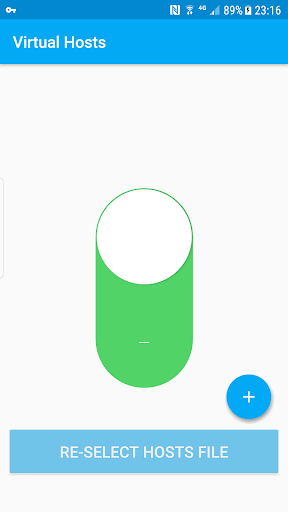
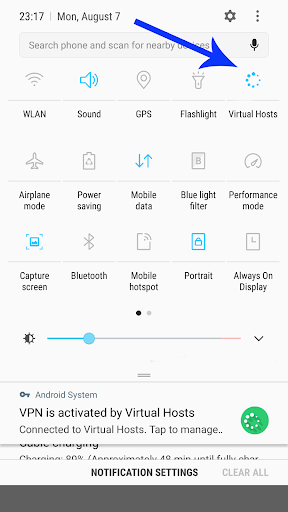
4, click the big white button which like a switch for running and the white button will turn green.
5,enjoy it!
Tips:
The app can free down from github.
https://github.com/x-falcon/Virtual-Hosts/releases/download/2.0.3/app-Github-release.apk
If useful,please purchase from google play for support developers,thank you.
support android Q
support set custom dns server, default use 8.8.8.8
optimize the experience on android tv
Add video tutorial https://www.youtube.com/watch?v=pHnsboAnm-A
Add new features , support down hosts file from net.
can explore this feature by :
1, Long click the select hosts file button.
2, Enter your url and click the download button.
3.Click the radio button from network, then click confirm button.
4, Click the big start button for test.
5,Enjoy it.








9Apps 4.9














