

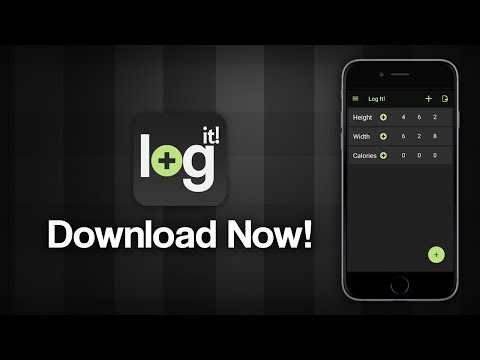
A free, fast and lightweight app to record simple numerical data.
Key Features:
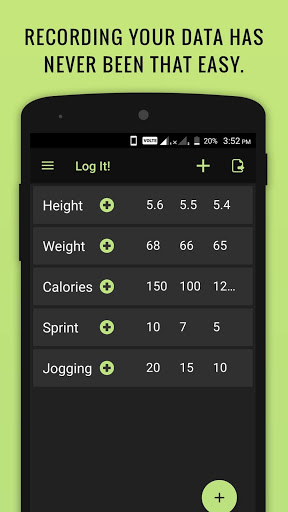
Log numbers on-the-go: weight, calories, time, money - whatever you wish!
Quick, lightweight app, designed for maximum efficiency
Make entries with automatic timestamps -with just one tap!
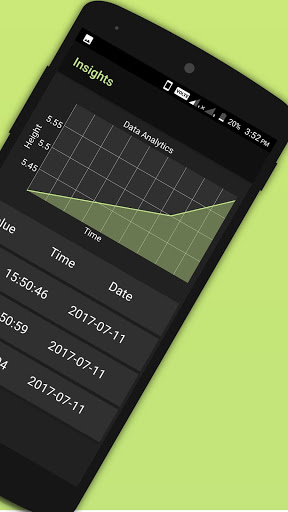
Plot each category to spot trends - with just one tap!
Add, Modify and Delete entries at will
Add, Rename and Delete categories at will
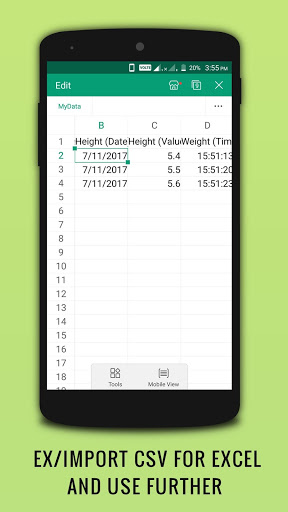
Export data and backup to csv
Import data from CSV files
Description
Our lives are governed by numbers. Time, money, weight, calories and so much more. This simple and lightweight app is designed as a tool to help you keep a track of all these. With just a tap of a button you can record how much money you spent on that last meal, or how many calories you consumed. Or if you want log your weight every day (lost or lifted), this app will easily let you store all those entries and show them to you in the form of a convenient graph. The uses are endless, limited only by your own creativity.
You don’t have to worry about forgetting the number anymore, because you can just Log It!
The app also has a variety of features to make your logging experience faster, easier and more effective. You can separate your data into different categories, which you can add, delete or rename as you wish. Once you have created a category, it takes only a single tap to record your latest number. The entry is automatically time-stamped and saved on your device.
It is also easy to spot long-term trends with our simple plotting feature. With just a single tap on the category, you can see a simple line plot of all the data you have ever entered. This tool is extremely helpful when trying to see what your numbers are doing, and whether they are behaving as you want them to. Within this screen, you can also easily edit or delete previous entries as per your needs.
We are committed to ensuring our user’s privacy and the data is never sent off your phone’s storage - therefore it is perfectly secure against leaks and hacks.
If you are worried about losing data, we have provided the ability to export it as a standard-format csv file, which you can save in a place of your choice on your phone storage. This is also useful when sharing data online and with different people.
Another feature is importing csv files, which you can use to restore your data from an earlier backup, or to see data recorded and shared by someone else using the Log It! App.
The settings pane also has a variety of options which may be of interest. The help menu contains instructions on how to operate the app, and the settings option contains a ‘Full reset’ option which gets rid of everything stored on the app’s memory, should you wish to get rid of it. This doesn’t wipe out the .csv files however, so they are still safe on your device as backup and legacy versions.
We hope you will enjoy using the Log It! App and that it will help you in your day-to-day life. Please rate and share the app so it can get more exposure. Thank you!









9Apps 4.9














