
What makes me unbelievable is that 10,000+ users downloaded Camera App latest version on 9Apps for free every week! Once you've used it, you'll be attracted. This hot app was released on 2013-04-18. Be sure that you check your current app before you start a run.
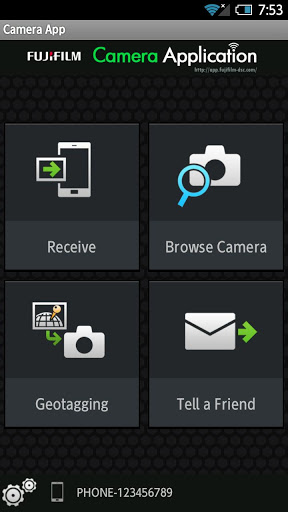
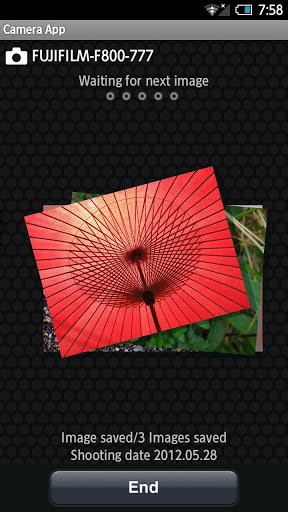
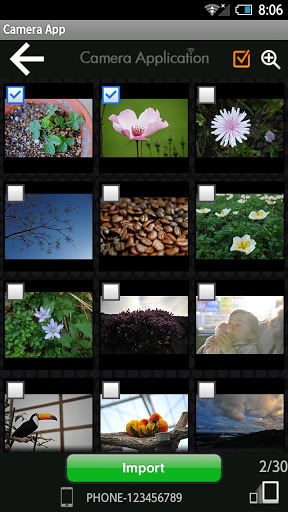
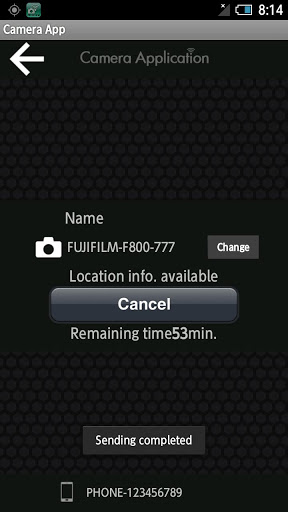
The FUJIFILM Camera Application is an application provided by FUJIFILM that can be used to copy up to 30 images at a time from wirelessequipped digital cameras to smartphones or tablets and to view the pictures on the camera on large smartphone or tablet displays.Supported CamerasFUJIFILM FinePix F800EXR and FinePix Z1100EXRSmartphone System RequirementsAndroid SmartphoneTablet: Android OS Ver.2.1 to 4.0Using FUJIFILM Camera ApplicationUploading Multiple Pictures to a Smartphone1.Launch the FUJIFILM Camera Application app.2.Tap Receive Pictures.3.Camera In the playback menu, select WIRELESS IMAGE TRANSFER gt; SEND SELECTED MULTIPLE IMAGES.4.Camera Highlight images and press OK to select or deselect.5.Camera Press BACK when your selection is complete.6.Place the camera and smartphone as close together as possible and operate both devices simultaneously. Camera Highlight?OK and press OK. Smartphone TapCONNECT. 7.After checking the name of the device to which the camera is connected, press OK.Browsing the Camera from a Smartphone1.Launch the FUJIFILM Camera Application app.2.Tap Browse Camera.3.Place the camera and smartphone as close together as possible and operate both devices simultaneously. Camera In the playback menu, select WIRELESS IMAGE TRANSFER gt; VIEW amp; OBTAIN IMAGES ON. Smartphone TapCONNECT. 4.After checking the name of the device to which the camera is connected, press OK.Downloading Location Data from a Smartphone1.Launch the FUJIFILM Camera Application app.2.Tap Geotagging.3.Place the camera and smartphone as close together as possible and operate both devices simultaneously.Camera Select GEOTAGGING SETUP gt; LOCATION INFO search Smartphone TapCONNECT. 4.After checking the name of the device to which the camera is connected, press OK.

9Apps 4.9