
tool to easily organize files on your device. There are lots of cool features: fast search, move, delete, open, share files, rename files, unzip and copy-paste. Supports a variety of file formats, including music, videos, images, documents, APK, and zip.
Main functions of File Manager Plus are as follows:
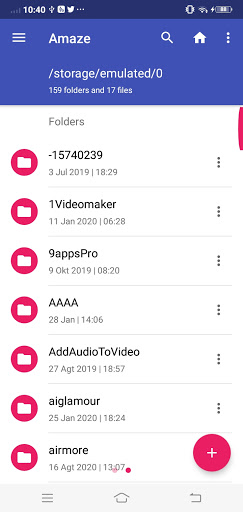
• Main Storage: You can manage all files and folders in your local device storage.
• SD Card: You can manage all file folders and files on your SD Card.
• Downloads: You can manage all files (including apk and zip files) in your download folder.
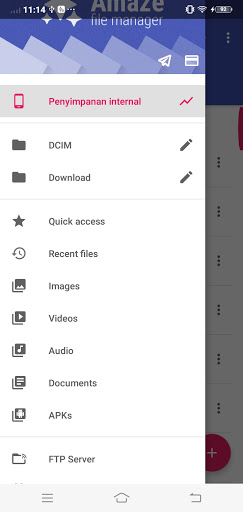
• Pictures: You can manage pictures and photos in your storage. Image preview available. (Supported file formats: bmp, gif, jpg, png, and others)
• Audio: You can manage all music and sound related files. (Supported file formats: mp3, ogg, flac, m4p, wav, wma, and others)
• Videos: You can manage all video files in your device. (Supported file formats: asf, avi, flv, mp4, mpeg, wmv, and others)
• Documents: You can manage all document files on your device. (Supported file formats: doc, ppt, pdf, etc.)
• Support 19 languages
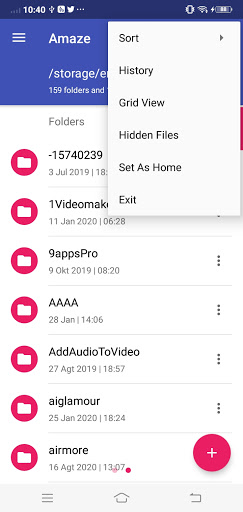
• List and grid view for file explorer
• Compress and decompress support
• Search and share files
• Multiple selection and various sorting support
• Thumbnail for photo, video and apk files
• Support file shortcuts on the Home screen for easily access
• Basic features like cut, copy, delete, compress, extract etc. easily accessible
• Work on multiple tabs at same time
• Multiple themes with cool icons
• Navigation drawer for quick navigation
• App Manager to open, backup, or directly uninstall any app
• Quickly access history, access bookmarks or search for any file
• Root explorer for advanced users
• Applications: You can see all the applications installed on your local device. You can stop or delete the application. You can delete data or cash from the application. You can also back up your application as an apk file.
• New Files: You can manage new files that are moved and downloaded to your local device.
• Cloud: You can access your cloud storage, such as Dropbox and Google Drive ™.
• Remote: You can access your remote or shared storage, such as FTP servers.
• Access from a PC; You can access your android device storage from PC to manage all files and folders in your local android device using FTP (File Transfer Protocol).
Disclaimer:
This app is based on the native opensource android camera code ,.
code: https://github.com/TeamAmaze/AmazeFileManager
Permissions: https://github.com/TeamAmaze/AmazeFileManager/blob/release/3.6/LICENSE.txt



9Apps 4.9














