SketchCut PRO - Fast Cutting icon

SketchCut PRO - Fast Cutting

3.9.45 for Android
3.1 | 10,000+ Installs | Reviews

TaLi Software

$10.00

Description of SketchCut PRO - Fast Cutting

This app takes into account the specific characteristics of cutting sheet materials (laminates, MDF, plywood, glass, plastic, chipboard, etc.) either manually or on a cutting machine.
The following functions are available in the app:
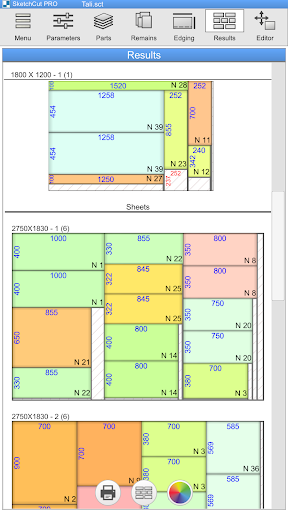
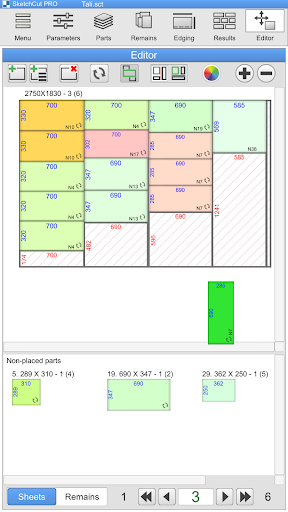
● THREE different algorithms for calculating and optimizing cutting charts to help you choose the best cutting option
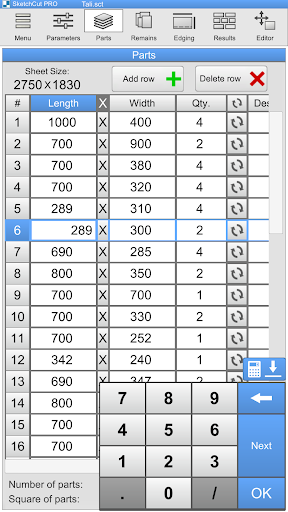
● Three measurement systems (metric, inches in decimals, and inches in fractions) and easy conversion from one to another
● Select and change cutting parameters (sheet size, cutting width, space at the edge of the sheet, etc.)
● Automatically cut sheets and remnants in accordance with selected parameters
● Built-in cutting chart editor so you can cut your way
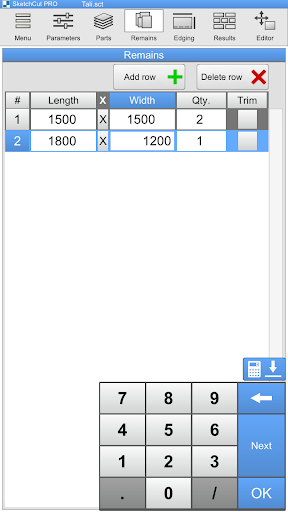
● Cut non-standard panels (scraps, remnants, etc.)
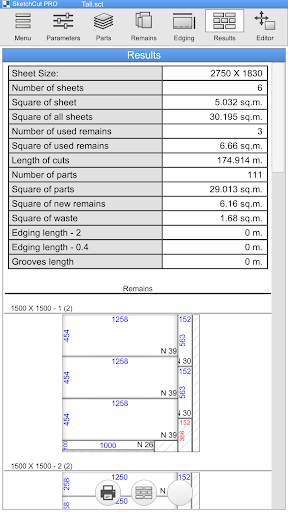
● Automatically calculate the area of sheets, parts, and scraps, cutting length, and edge length
● Built-in cutting functionality: you can cut, mark completed parts, and view cutting charts on your Android device (we recommend using a tablet—the app runs stably even on inexpensive devices)
● Export your finished work to a PDF file for printing
● Indicate edge length on parts (two types of edges)
● Grooves on parts
● Order information (order, material, order date, completion date, etc.)
● Save a list of parts and parameters on your Android device

Information

  • Category:
    Business
  • Latest Version:
    3.9.45
  • Updated:
    2021-02-08
  • File size:
    10.0MB
  • Requirements:
    Android 4.4 or later
  • Developer:
    TaLi Software
  • ID:
    com.fortali.sketchcutpro
  • Available on:
Reviews
  • avatar
    Good
    2024-02-22 05:41
  • avatar
    Compré la aplicación, registrando con mi cuenta de Google. Luego hice reset al celular, después volví a reinstalar la aplicación versión PRO con la misma cuenta de Google, esta vez ya no reconoce los archivos guardados anteriores, tampoco puedo guardar los nuevos proyectos.
    2023-12-23 09:35
  • avatar
    Since the update, the font and all the buttons are enlarged, making it difficult to set descriptions for the pieces and overall a bit annoying. The description doesn't show on the pdf in the cutting diagram. I use the app very often, and I would prefer the old style before the update where you can see more instead of seeing bigger. After some android software updates, the default saving location for the files can't be accessed, probably due to security risk. Pls change it.
    2023-10-14 05:51
  • avatar
    This app doesn't work at all. It is useless thna the other free apps on the play store. The calculation doesn't make sense at all. Sometimes there is space in one sheet but it still doesn't bring the size on that sheet it starts a new sheet. I need a refund!!!
    2023-09-11 06:59
  • avatar
    Since the update, the font and all the buttons are enlarged, making it difficult to set descriptions for the pieces and overall a bit annoying. The description doesn't show on the pdf in the cutting diagram. I use the app very often and I whould prefer the old style before the update where you can see more instead of seeing bigger. Hope this is gonna come in the next update
    2023-06-26 08:05
  • avatar
    Nice 👍
    2023-06-10 06:25