
Calculator - Quick Settings Tile icon

Calculator - Quick Settings Tile

3.1.4 for Android
4.7 | 10,000+ Installs | Reviews

Florian Möhle

$0.99

Description of Calculator - Quick Settings Tile

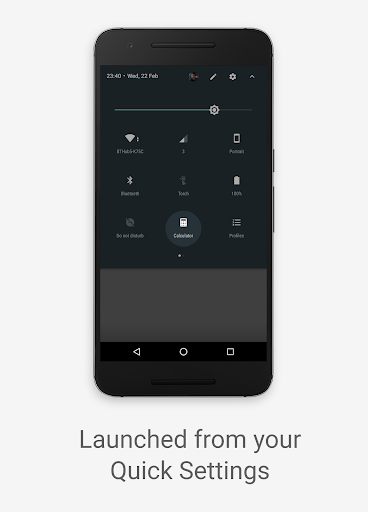
Drag the Tile into the active area when editing the Quick Settings menu in order to use it.
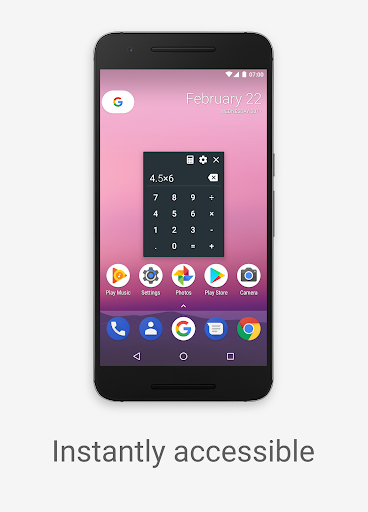
Tap on the tile to launch the floating Calculator, you can also drag it around your screen. You can use the calculator to perform simple math operations such as adding, subtracting, multiplying and dividing, while the app you had open still works as normal.
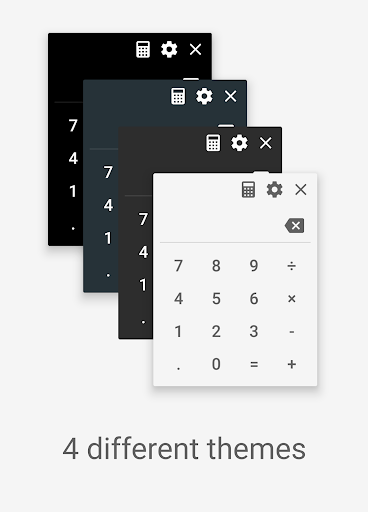
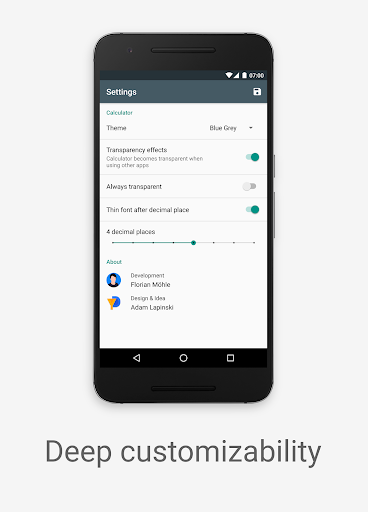
Opening the Settings gives you the option to choose between one of four themes, option for transparency effects as well as other various settings. You also have an button to launch your device's built in calculator if you need to solve more advanced calculations.
This simple app has been designed in such a way that it functions and looks like a part of stock Android operating system, with a clean user interface, attention to details, simple yet effective animations and material design at its core.
App idea, design and icon by Adam Lapinski: http://www.yeti-designs.com

What's New with Calculator - Quick Settings Tile 3.1.4

Fixed a crash when launching the app

Information

  • Category:
    Productivity
  • Latest Version:
    3.1.4
  • Updated:
    2019-12-31
  • Requirements:
    Android 0 or later
  • Developer:
    Florian Möhle
  • ID:
    com.florianisme.calculatorquicktile
  • Available on:
Reviews
  • avatar
    Very useful, this app is one of the best and most useful apps in the market. Very simple and does the job it meant to be.
    2023-09-09 03:50
  • avatar
    the idea of this calculator is perfect! As well as the look and feel. But there is a major problem. If you have a little longer numbers or calculations you can not see the beginning of the line. The the line is complete full of numbers and you lose the overview of calculation and result. It would be way better if the text size would decrease if the line is getting full. also spaces every 3 digits would be nice. and to be able to jump by tapping to certain spots in the line would be nice :)
    2023-08-22 08:44
  • avatar
    Love it!!!
    2023-02-28 09:20
  • avatar
    [Edit 12-Sep-2022] No longer works as expected as of Android 12 and 13. It technically still functions, launching an overlay calculator, but you have to manually close the quick tile area first before you can use it. Kind of defeats the whole purpose. [Original 2019 review] Perfect pop-up calculator. Easier than toggling between a full calculator app and another program.
    2022-09-12 08:40
  • avatar
    Great app that really should be an integral part of Android. Very useful and well worth the minimal fee. However, it took me a few minutes to figure out how to access the calculator - the app would be better if it had a conventional icon.
    2022-08-21 04:52
  • avatar
    Great app that really should be an integral part of Android. Very useful and well worth the minimal fee. However, it took me a few minutes to figure out how to access the calculator - the app would be better if it had a conventional icon.
    2022-02-19 05:46