Top Features
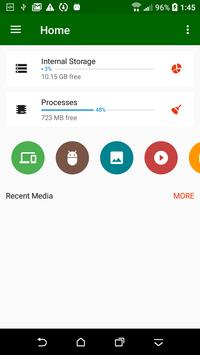
★ Full Featured File Manager (File Explorer) It is a Super File Manager which provides all features of file management including cut, copy, delete, rename, compress, extract. You can check the file file details, full integrated search within the file system. New file and New folders can be created in a second.
★ Smart Library File Explorer (File Manager) Categorize all files into Downloads from internet, Bluetooth from nearby devices, Images, Pictures, Camera Photos, Videos, Movies, Audio , Music, Documents (pdf, xls, ppt etc), Archives (zip, rar etc) and APK.
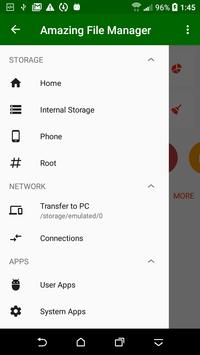
★ External Storage File Manager (File Explorer) Access all files and folder from different types of storages like EMMC, MMC cars, SD Cards, Internal Storage, External Storage , Phone Memory, USB Storage, Flash Drive, Pen Drives, USB OTG.
★ Secure Super File Manager (File Explorer) is 100% safe and secure. Gives more security and stops anyone from accessing your private files by setting a password.
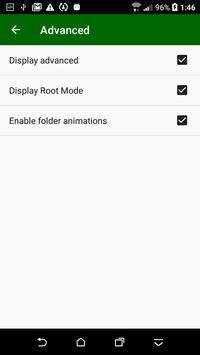
★ Root File Manager (File Explorer) for advanced users to explore, edit, copy, paste and delete files in the root partition of phone storage for development purposes. Explore root folders of the system like data, cache. You phone needs to be rooted to use this feature.
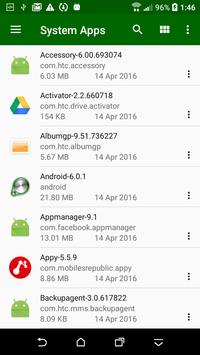
★ App Manager and Process Manager Free memory by killing tasks and speed up your phone instantly. Quickly and easily uninstall multiple unwanted applications and free up phone storage space which is very valuable. App Manager helps you save your favorite apps on to memory and install them back again when needed.
★ Network File Manager Transfer files with FTP Server from phone to PC. All you have to do is open the IP address in browser and all your files on the phone are easily accessible. You can also share files from your phone using bluetooth, wifi direct other social networking apps etc. You can also browse FTP/ FTPS connection now.
★ Document Editor you can easily edit files on the go. Support for every type of text files such as HTML, XHTML, TXT etc. You can also edit files when the phone is rooted. It is very simple and handy.
Added rounded icons
Fixed secondary storage crash on marshmallow and above
Added Settings for primary color, accent color and recent media

9Apps 4.9