In an Archiving Workflow, the ability to view negatives as positives in real-time is a huge time saver, and the ability to capture images is a big bonus!
Film Scan is a great productivity tool identifying candidates for high resolution scanning and for capturing preview images for sharing on the web or social media.
Technical Considerations:
Understanding technical considerations will help get the best results from Film Scan.
A Preview Image on a typical device will be 1080 x 1440 in Film Scan. The goal is to maximize the size of the captured image within that available resolution.
One way is to move the camera close to the film, but device cameras typically don't focus at less than a few inches. Having the camera a little further away is better, then fill the frame with the Film Scan's Zoom feature.
Camera Movement during capture can be a problem, so it's important to brace the device.
A Capture Check List:
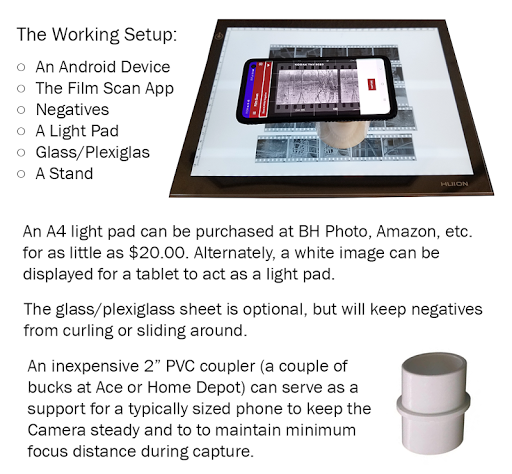
- Set up as described in the Working Setup slide, above.
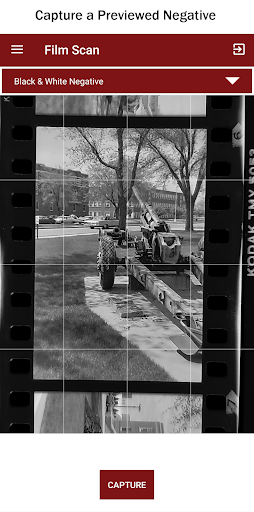
- Use the Film Scan Preview to find a Frame to Capture.
- Set the Device on a Stand over that Frame.
- Tap to Focus if necessary
- Adjust Exposure with Up/Down Gestures.
- Adjust Zoom & Camera Position for Best Fit.
- Use Screen Guidelines for Alignment.
- Capture
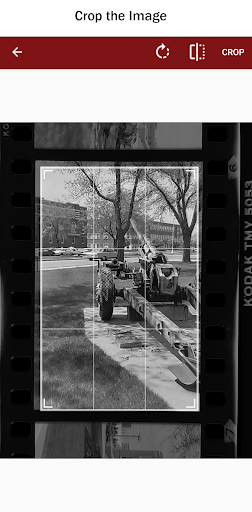
- Rotate, Swap, or Crop Image as Desired.
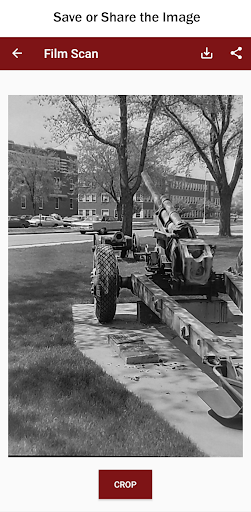
- Save or Share the Image.
Saved Images will be in the Device's Gallery. Use Google Photos, Snapseed or any other Image Process Application for Further Processing.
Changed to a Free Application with Ads.


9Apps 4.9