Gesture Control - Pro Key icon

Gesture Control - Pro Key

1.0.5 for Android
3.0 | 10,000+ Installs | Reviews

Conena

$4.99

Description of Gesture Control - Pro Key

Get the maximum out of your android device!
There was never before, a more natural way, to control your smartphone.
This application provides additional features for the free version of Gesture Control. This is not a stand-alone app but an extension. The free version must be installed additionally.
Note that not all features are supported on every device and Android version. After installation, please check if all functions that are important to you are working properly. If it doesn't, uninstall the app within Google Play's return period and get a refund.
The following features are provided by the pro version:
▶ Adjust the horizontal orientation of the indicator
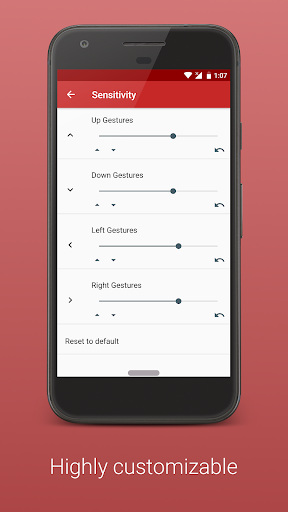
▶ Adjust the width of the indicator to fit your needs
The following gestures are provided by the pro version
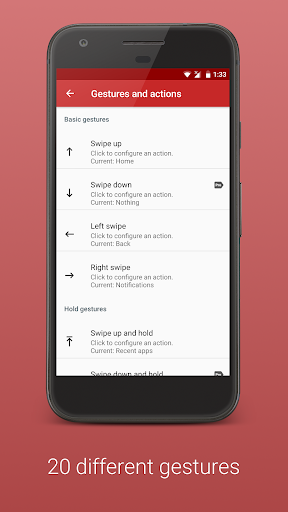
▶ Double click on the indicator
▶ Long click on the indicator
▶ Click on indicator and hold
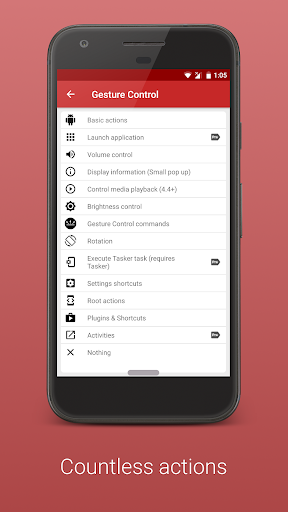
The following actions are provided by the pro version:
▶ Launch apps
▶ Volume actions (show volume control, activate silent mode, increase/reduce media volume, mute alarm, maximize alarm volume, mute and maximize ringing tone)
▶ Show information (Time, date, battery, used and available memory )
▶ Media control (pause, play/pause, next track, Previous track, stop)
▶ Brightness control (max, min, auto/max, auto/min, reduce und increase)
Media control requires at least Android 4.4 (Kitkat) and a supported music player (e.g. Phonograph, Eleven).
Thank you for supporting my work. If you have any questions, contact me (info@conena.com).

What's New with Gesture Control - Pro Key 1.0.5

- Improvements and bug fixes

Information

  • Category:
    Tools
  • Latest Version:
    1.0.5
  • Updated:
    2021-10-31
  • Requirements:
    Android 0 or later
  • Developer:
    Conena
  • ID:
    com.conena.navigation.gesture.control.pro
  • Available on:
Reviews
  • avatar
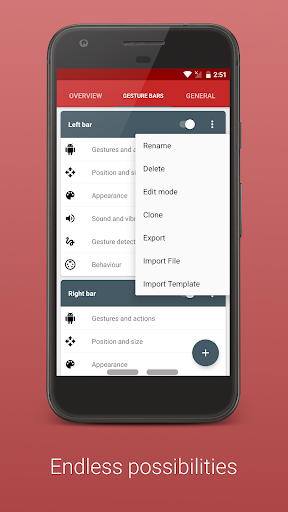
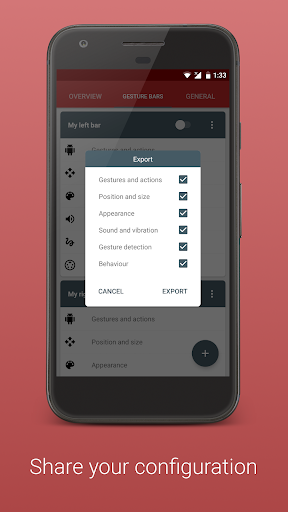
    Pro version definitely worth it! I asked how to export settings and the developer responded by showing if you click on the three dots on each individual bar there is an export setting Thank you!!
    2023-11-28 08:09
  • avatar
    Pro version definitely worth it!
    2023-01-10 11:32
  • avatar
    INSAAAAANE functionality and customizability! Thanks for your work. ( We wrote per Email,and finally decided to buy it. I knew the features before but now I got money back from saving Energy over the years) Edit: I would add the feature that when the Size/position or appearance is being edited the bars get shown even when we set it as hidden. Just while customizing Bug? Double Tap opening doesn't work for me (Pixel 6a)
    2022-12-02 09:12
  • avatar
    Keyboard adaptation does not work on my pixel 4a running android 12. Really wanted to use this app, but without any keyboard adaptation I really can't. Requested refund for pro purchase...
    2022-06-23 03:42
  • avatar
    Did not do as advertised, can't restore android 11 style back buttons, requested refund
    2022-05-21 11:19
  • avatar
    Keeps crashing again and again tried out everything. Has to enable accessibility service every half hour. Regretting my purchase.
    2022-04-15 04:50