
A whole new EchoVox system. Based on the same principles and tech as EchoVox Classic and EchoVox 3.0.
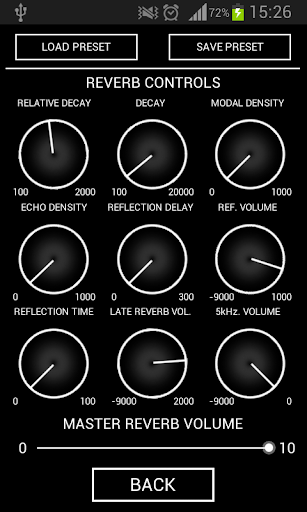
This system operates in 2 modes. Both modes run a real time echo/feedback loop proven to be effective in EVP research. Both modes also feature the famous Big Beard Audio reverb control panel giving you a limitless supply of tweaks to your audio with studio quality percission.
There are NO SOUNDS BANKS or prerecorded sounds in this application. It uses the microphone input to generate a dynamic, real time evolving bed of random sounds. This allows us the chance to experiment with new ideas every time we run it. No 2 EVR sessions will sound the same. Every session is unique.
EVR also features a COMPASS TRIGGER in Mode B. This means the internal compass in your device (if available) wll trigger sound burst to play. The bigger the disturbance the more sounds play. This opens the possibilty for the device to be controlled by energy fluctuations near the device. The compass can be switched off in the menu. When disabled burst are random.
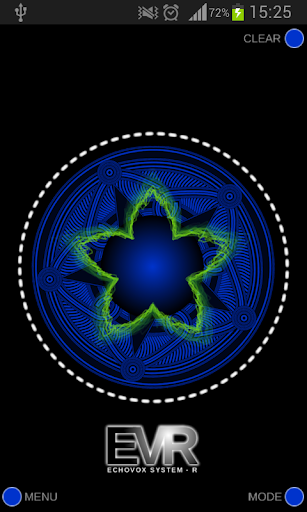
The center pentagram is the visual representation of the compass reading.
---------------------------------------------
HOME SCREEN BUTTONS:
CENTER PENTEGRAM- Touch to start / stop.
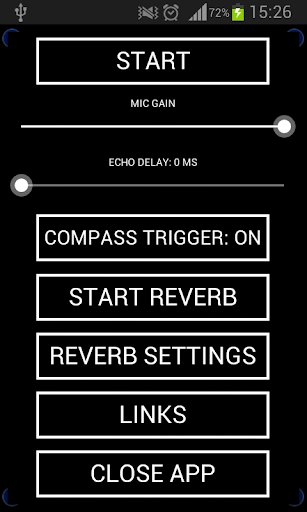
"MENU" - opens app settings. Set delay time, reverb, speed, mic gain and access compass toggle etc. Start there.
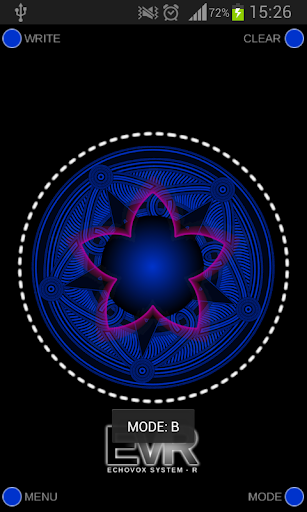
"MODE" - toggles between mode A/B
"WRITE" (MODE B ONLY) - When write is enabled the dashed circle on the screen will begin to pulse indicatiting that the app is now "sampling" the microphone input. When disabled the audio will then be played back chopped to 250ms to 1500ms, reversed and in random burst of multiple sounds depending on compass reading. (see mode B instructions)
"CLEAR" - wipes all sound samples from memory. Sounds stay in memory until clear is pressed or the app is quit.
MENU CONTROLS:
MODE A MENU:
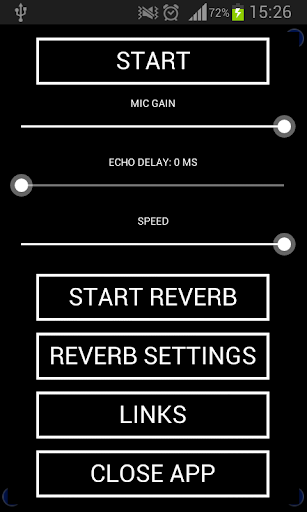
"START" starts the echo/real time feedback. (Start on main screen does also)
"MIC GAIN" Sets mic input level. This should always be set as high as possible without feedback. USE AN EXTERNAL SPEAKER.
"ECHO DELAY" - Set delay time before Echo repeats (does not work perfect on all devices)
"SPEED" - Controls the playback speed of the sound bed.
"REVERB SETTINGS" - Opens reveb controls
------------------------------------------------------------
MODE B CONTROLS Does not have "SPEED" and has a Compass toggle.
-------------------------------------------------------------
AN EXTERNAL SPEAKER SHOULD BE USED FOR BEST RESULTS. THIS APPLICATION DOES NOT STORE ITS AUDIO RECORDINGS YOU MUST USE AN EXTERNAL RECORDING DEVICE.
INSTRUCTIONS:
MODE A,: Set mic gain and press start. Mic begins real time sampling. Press "CLEAR" to erase.
MODE B: Press "WRITE" to begin sampling. Recording up to 10 minutes are used in full. After 10 minutes random chunks are dropped to make room in the bank. The dashed circle blinks to indicated Writing. Press "write" again to stop. Set mic gain, press start or start.
FOR SUPPORT JOIN THE ECHOVOX USER GROUP THOUSAND OF HELPFUL USERS: https://www.facebook.com/groups/echovoxusers/
VIDEOS at https://www.youtube.com/user/bigbeardaudio
FOLLOW ME ON TWITTER @spiritvoxapp
Bug fixes and Privacy Policy added.








9Apps 4.9