





Document Scanner helps you to digitalise your content
(ID/Business cards,Papers,PhotoCopies specially). You scan, store, sync and share your scanned copies to anyone with a smartphone or computer
Features:
*Quickly Digitise Document
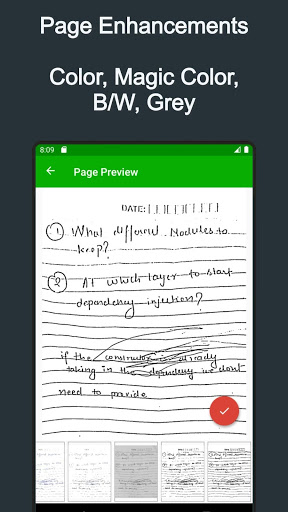
Just use your phone camera to scan and digitise all kinds of paper documents: receipts, notes, invoices, whiteboard discussions, business cards, certificates, etc. with handy options like smart cropping and auto enhancing
*Excellent Scan Quality
Advanced options that makes you feel like your images are scanned by a Scanner device
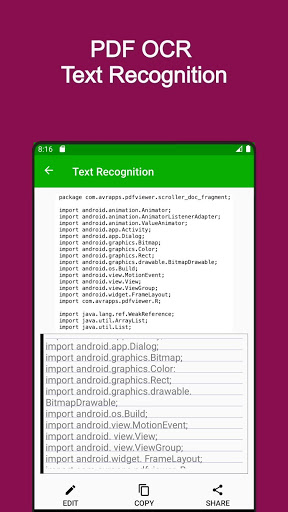
* Scan the document text (OCR)
OCR (optical character recognition) feature recognises texts in document images and extract them from images.
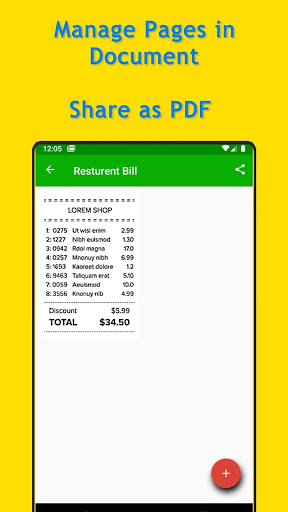
*Share your scanned files
Easily share documents in PDF or JPEG format with friends via various ways: post on social media, send attachment or document download link through email.
*Sign your scanned files
Add customised watermarks or digitally sign them to mark your own documents.
*Backup and Sync
We only store your content to your google drive(You too can see that) and helps you to restore at anytime with a single click.
* Added new image enhancements
* Fixed issue with drive backup for some devices







9Apps 4.9















