

Text Search program for commonly used MS Office, Open Office and other file formats.
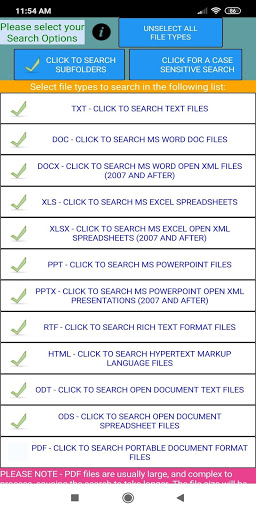
Formats it can read are TXT, DOC, DOCX, XLS, XLSX, PPT, PPTX, RTF, HTML, ODT, ODS, PDF, EPUB.
Wild card searches are supported. The program allows:
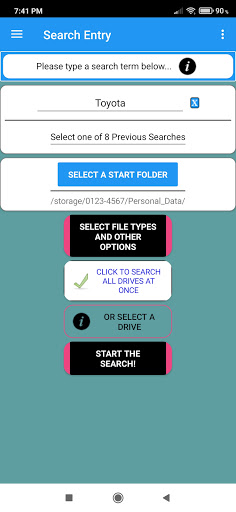
- Selecting file types to search
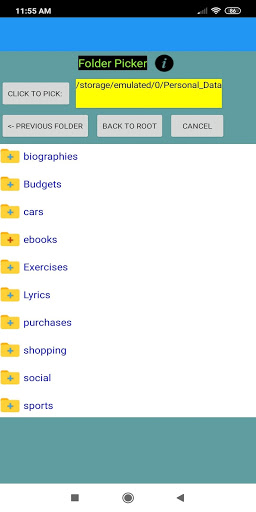
- Selecting which folder to start the search from
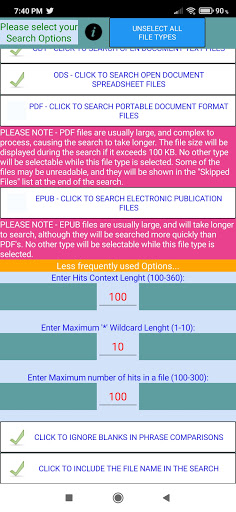
- Case sensitive option, and other options used by the search logic.
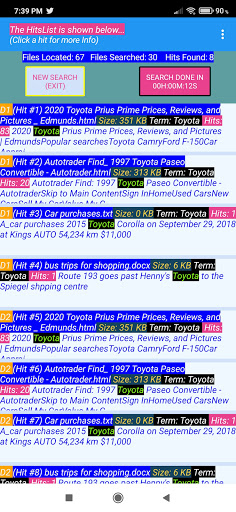
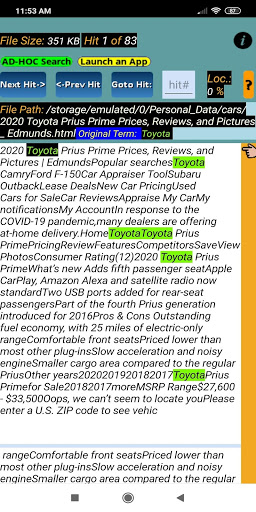
An ad-hoc search function can be performed for a particular file in which the original hit is found.
Running totals are displayed during the search.
______________________________________________________
Features included in the
$2.49 USD
Premium ad-free version 1.5:
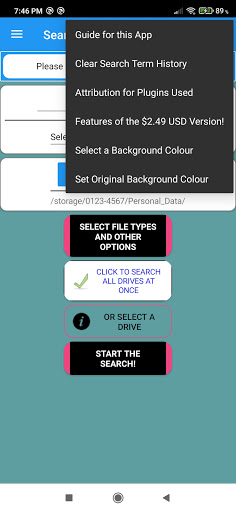
(More details are given in a menu item of the main screen)
☆ 1
From the main search selection screen, you can press "Click to Search All Drives at Once". In the free version, you can search each drive in a separate search.
☆ 2
On the Scan screen, which is displayed after pressing a hit, you can launch the file in it's app. The search term for the hit will be stored in the clipboard, to make it easier to search in the launched app.
☆ 3
On the Options screen, you can select "Click to include the File Name in the search". If the hit is not found in the text of the file, the File Name will be searched for a hit. You can then do an Ad-Hoc search on that file.
☆ 4
You will have the option to create a .CSV file from the Hitslist menu, for all the hits found. This can be read into a spreadsheet, for example.
☆ 5
You can set the background color for the screens of the app, from the Main screen menu.
☆ 6
Unlimited hits.
______________________________________________________
Suggestion: If you wish to search files stored on a cloud drive with FindWiz, you can make a copy to one of the drives on your phone, which also gives you an off-line backup.
Please exit and restart the app after purchasing.
Comprehensive user guides are included in the app for each screen.
Minor Fix. Please check out Premium Features.


9Apps 4.9













