
Camera Remote Watch icon

Camera Remote Watch

1.0.6 for Android
3.0 | 10,000+ Installs | Reviews

AppMosaic

$2.49

Description of Camera Remote Watch

Remote control the phone camera shutter from your Smartwatch and take a picture without touching your phone.
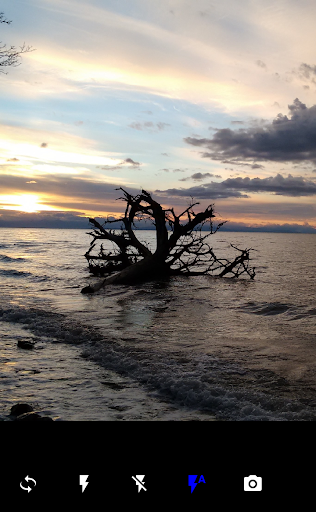
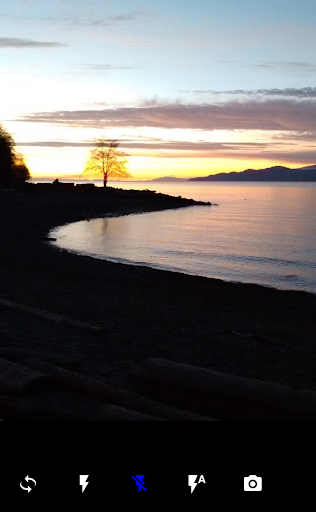
Open the phone app "Camera Remote Watch" and adjust the camera view.
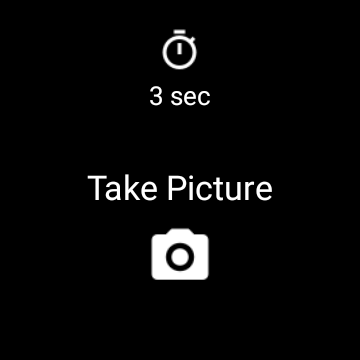
On your watch: open the app "Camera Remote Watch" and tap the Camera button to trigger the camera shutter on your phone.
The photo will be stored in your phone photo gallery and you can access it with the Android "Gallery" app.
A copy of the photo will be shown on your watch, so that you can check if it looks good or if you should take another picture.
Please be patient when downloading the new photo. If the watch display goes black during the download of the photo, just tap the watch screen to switch the display on again.
Please watch the video:
http://www.CameraRemoteWatch.com/

What's New with Camera Remote Watch 1.0.6

Remote control the phone camera shutter from your smartwatch and take a picture without touching your phone.
Please watch the video and read the FAQ:
http://www.CameraRemoteWatch.com/

Information

  • Category:
    Photography
  • Latest Version:
    1.0.6
  • Updated:
    2022-02-11
  • Requirements:
    Android 0 or later
  • Developer:
    AppMosaic
  • ID:
    com.appmosaic.camerawatch
  • Available on:
Reviews
  • avatar
    Can't install on my garmin venu so disappointed. Can't even get a refund via google play since its not supportes. Is there anyway i could get a refund?
    2024-01-03 12:22
  • avatar
    Norton has assessed this application as Malware, and instructs me to remove immediately yet developer claims no data collected or shared. Suspicious 🧐
    2023-12-29 09:22
  • avatar
    Wow it's very good, working very well on my Garmin quatix 6
    2023-12-25 07:29
  • avatar
    I just need to take basic group photos at the state park's scenic photo stations without having to run from the phone to the group. After tinkering with the app's camera settings and taking some sample photos, it works as advertised on my Vivo 4 and Galaxy S23 Plus. The photo quality is similar to what I take with the default camera app. It would be nice to have more control of the camera settings, but it gets the job done.
    2023-11-12 09:44
  • avatar
    Dies not video record
    2023-10-25 02:47
  • avatar
    I was so excited to see this app to connect my garmin watch to my phone but have been terribly disappointed in it! The delay is so long once you have clicked the button on your watch. By the time you get to your phone your photo isnt correct as you would've moved by then. Then it shows connecting for ages on your watch and you have to wait until its done before you can take another photo. Will be canceling my app .
    2023-10-15 04:02