
Mobile Manager - Eagle icon

Mobile Manager - Eagle

2.0.2 for Android
3.9 | 5,000+ Installs | Reviews

Epicor Software Corporation

Description of Mobile Manager - Eagle

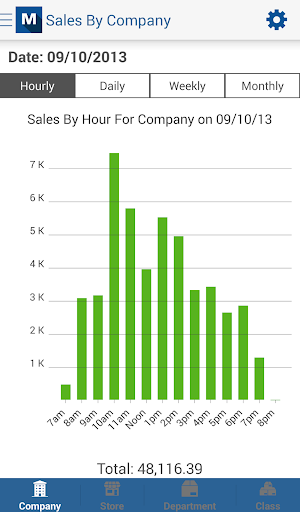
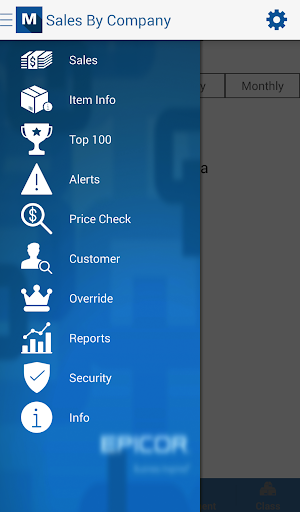
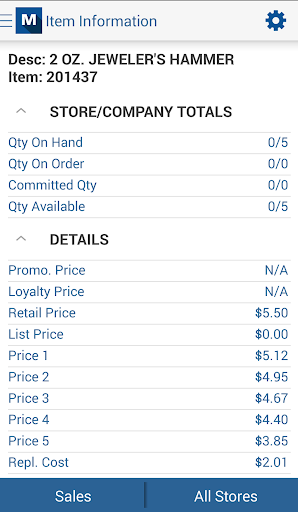
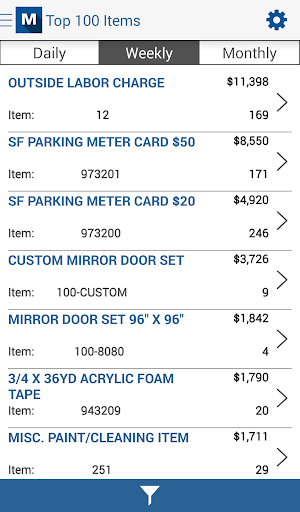
The Epicor Mobile Manager application works in conjunction with Epicor’s Eagle Retail Management Solution. It enables users to view the status of their retail business and make decisions on the go. Eagle Level 21 or higher and Role Based Security are required. Please consult Eagle Online Help for assistance in configuring Role Based Security.
In order to use bar code scanning in this application, your device must have an auto-focus camera.

What's New with Mobile Manager - Eagle 2.0.2

Build 128, support for Tablets and devices without Telephony
Build 129, description truncation fixed
Build 132, reorder price display
Build 133, override screen fields misaligned
Build 141, support for non-autofocus camera devices.
Android 4.1 date picker issue.
Build 149, certain devices throwing exceptions when application was exited/re-entered.
Build 189, support for Code128
Build 190, replace scanning library

Information

  • Category:
    Productivity
  • Latest Version:
    2.0.2
  • Updated:
    2017-03-08
  • File size:
    4.8MB
  • Requirements:
    Android 4.0 or later
  • Developer:
    Epicor Software Corporation
  • ID:
    com.activant.mobile.android
  • Available on:
Reviews
  • avatar
    Latest update forces screen rotation on the scan feature, making the app very difficult to use in a real world scenario. It used to scan bar code in any orientation (vertical or horizontal within the screen) and now there's a red bar that needs to align with the bar code. If you need to scan something that's not horizontal, and turn your phone, the app triggers a screen rotation and the bar stays horizontal. This update is a step backwards in performance. Please change it back to the more intuitive scanner.
    2017-03-14 01:21