
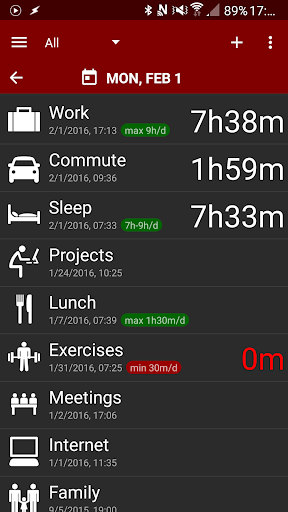

Time Balance is a personal-oriented time tracker that can help you to make a better use of your day by controlling the duration of common activities like exercises, study, work, commutes, sleep, time with family etc.
By means of an efficient timer mechanism, Time Balance lets you start and stop activities easily and visualize your time allocation in a graphical report. And if you find yourself dedicating too little or too much time for an activity, you can set duration limits and let Time Balance warn you when your cross them.
Features
:
★ Includes activity timers which can run exclusively or in parallel. Timers work
even when the app is not running
and consume almost no battery (in fact they work even if phone is off).
★ Running activities are shown in the notification area, from where you can quickly access your activity list.
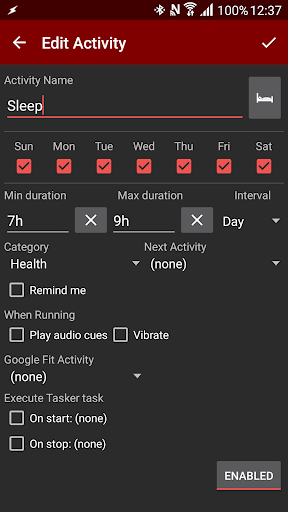
★ You can specify in which days of the week each activity is done, keeping your daily list clean and focused.
★ A notification is triggered if an activity reaches the maximum duration defined or if you have not spent the minimum duration desired.
★ Each activity can have a reminder shown at a specific time of each day it is supposed to be done.
★ Activities can be grouped in categories like Family, Work, Health etc for better organization and statistics.
★ Activities can be chained (an activity can automatically start another when finished).
★ Time Balance can play audio cues while specific activities run, using simple beeps or the text-to-speech engine. You can also set them to vibrate for silent reminders.
★ You can give a rating for each activity performed, and see its quality evolution over time as a chart.
★ You can jump to specific dates or simply move backwards and see the exact time spent for each activity and any limits crossed in the past.
★ It is possible to manually adjust any duration, including past dates, and transfer time between activities.
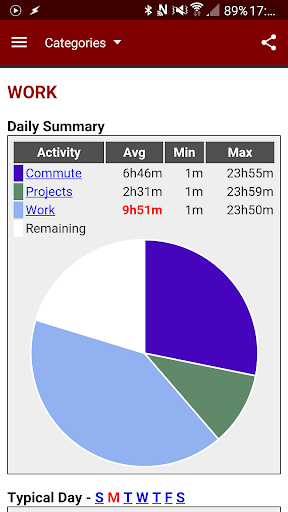
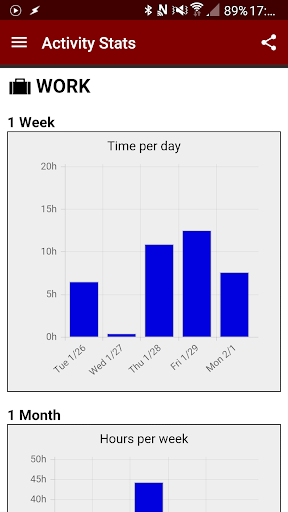
★ A graphical summary shows how your time is being allocated, including average, minimum and maximum daily duration for each activity, and total time spent in the last week, month and year (by category and activity).
★ It is possible to change, start and stop activities from the home screen using a widget. A lock screen widget is also available for Android 4.2 and later.
★ All entries can be exported to CSV files and manipulated in desktop apps like Microsoft Excel.
★ Tasker plugin: allows activities to be started and stopped automatically based on events (ie. start "Work" activity when the phone connects to the company's network, "Commute" when it enters car mode, "Exercises" when you are at the gym etc). Time Balance can also start Tasker tasks when an activity is started/stopped.
★ Google Fit integration (experimental): Allows exporting and importing activites to/from Google Fit automatically.
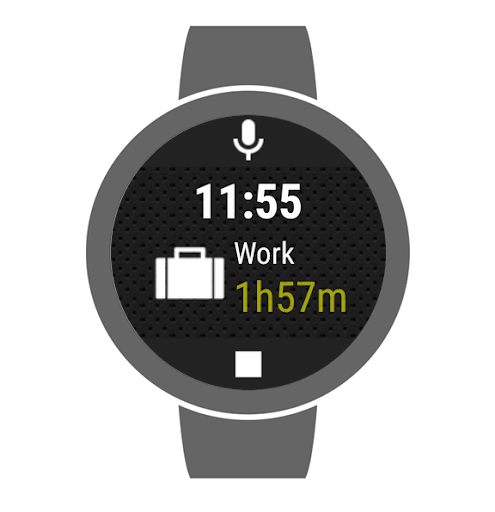
★ Companion apps for Android Wear and Pebble smartwatches: allows you to start, stop and adjust activities right from your wrist.
Please use the contact e-mail for bug reports, questions or suggestions, so we can respond as necessary. When reporting bugs, please include any steps and info you may find useful for diagnosis.
If you like Time Balance, please leave your rating here. Thank you!
Note: If you are looking for an app to manage work related tasks and projects, check out Time4Work and let us know what you think!
https://play.google.com/apps/testing/com.acquasys.time4work
- Supports Google Drive for cloud backups
- Minor fixes for newer Android versions






9Apps 4.9